09 Creating your own voices | 95
Options:
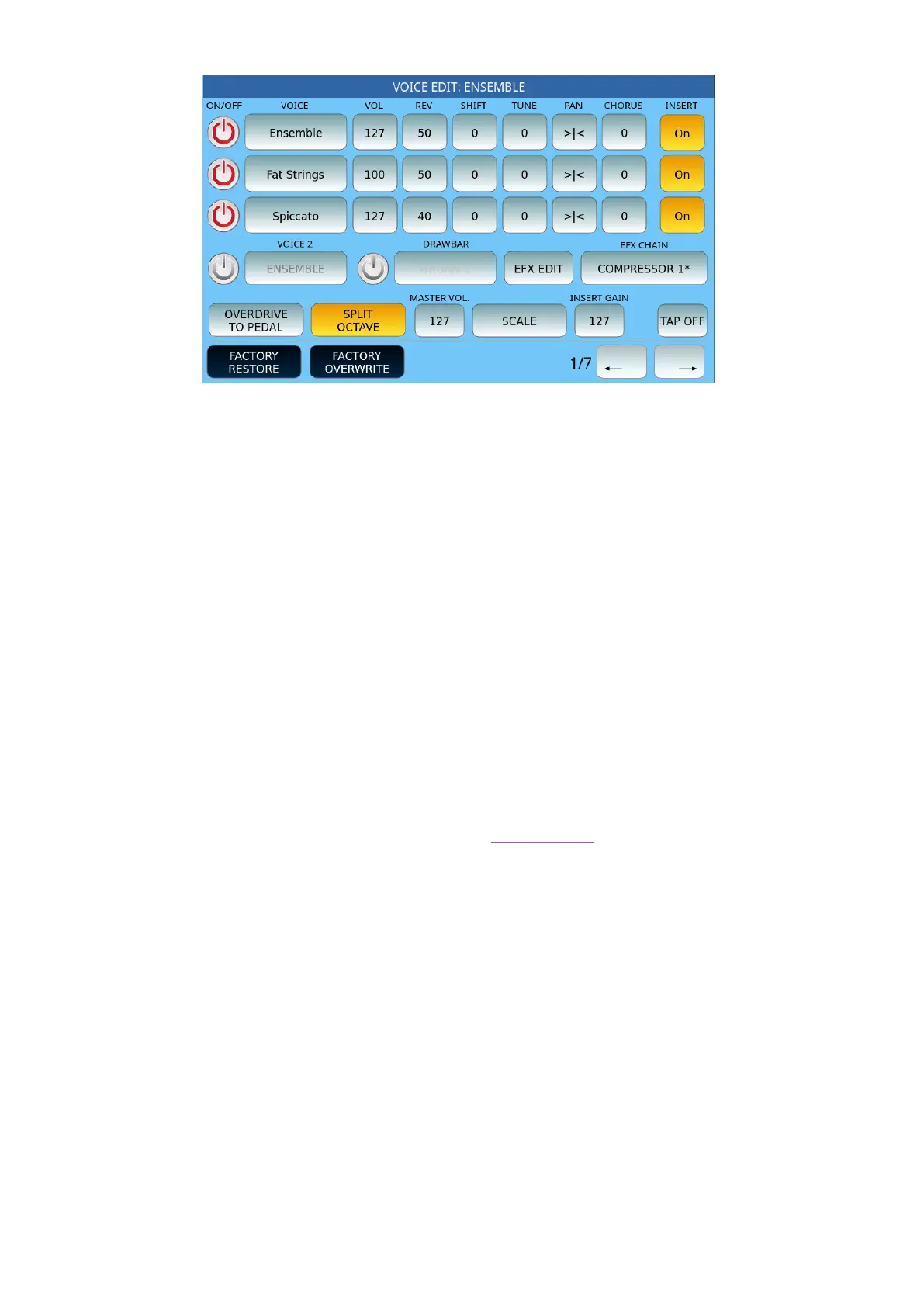
• ON/OFF: Activate or not the oscillator to which a Voice is assigned.
• VOICE: Touch button to open the search through the GM preset entries. USER entries
are excluded from this feature.
• VOL: Adjust the volume from 0 to 127.
• REV: Adjust the send to the reverb effect, from 0 to 127.
• SHIFT: Adjust the transposition of the layer. Values range from -36 to +36 semitones.
• TUNE: Adjust the fine tuning of the layer in hundredths of a semitone (100 cents
includes a semitone and 1200 cents an octave).
• PAN: Check the position on the stereo panorama for the level. Values range from -64
(all left) to 64 (all right) with 0 as the centre position (>|<).
• CHORUS: Adjust the delivery to the effect of the Chorus, from 0 to 127.
• INSERT ON/OFF: Enables or disables the INSERT effect for the layer.
• After the three levels, the row dedicated to the DRAWBAR SETTINGS appears.
• SCALE: Opens the scale customization page of each layer entry.
• EFX EDIT: This on-screen button opens the editing page of the selected effect.
• EFX CHAIN: Allows you to select the programmed chain effect on the DSP page.
Under the first three voices that can be activated in layers, the VOICE 2 button appears that
allows you to activate a specific voice, so that it is loaded together with VOICE 1. This item
must be selected before entering EDIT VOICE mode. On this page, you can activate or
deactivate that voice.
Further down, other functions are available:
• OVERDRIVE TO PEDAL: The button on the screen assumes two states (on/off) to
allow or not control of the distortion with the pedal.
• SPLIT OCTAVE: This button on the screen also assumes two states (on/off). Allows
you tolower the sound by an octave:
o assigned to the right side of the keyboard when the split point is greater than
C1;
o to the entire keyboard in PIANIST mode.



 To Next Page