13 Global menus and settings | 181
Options:
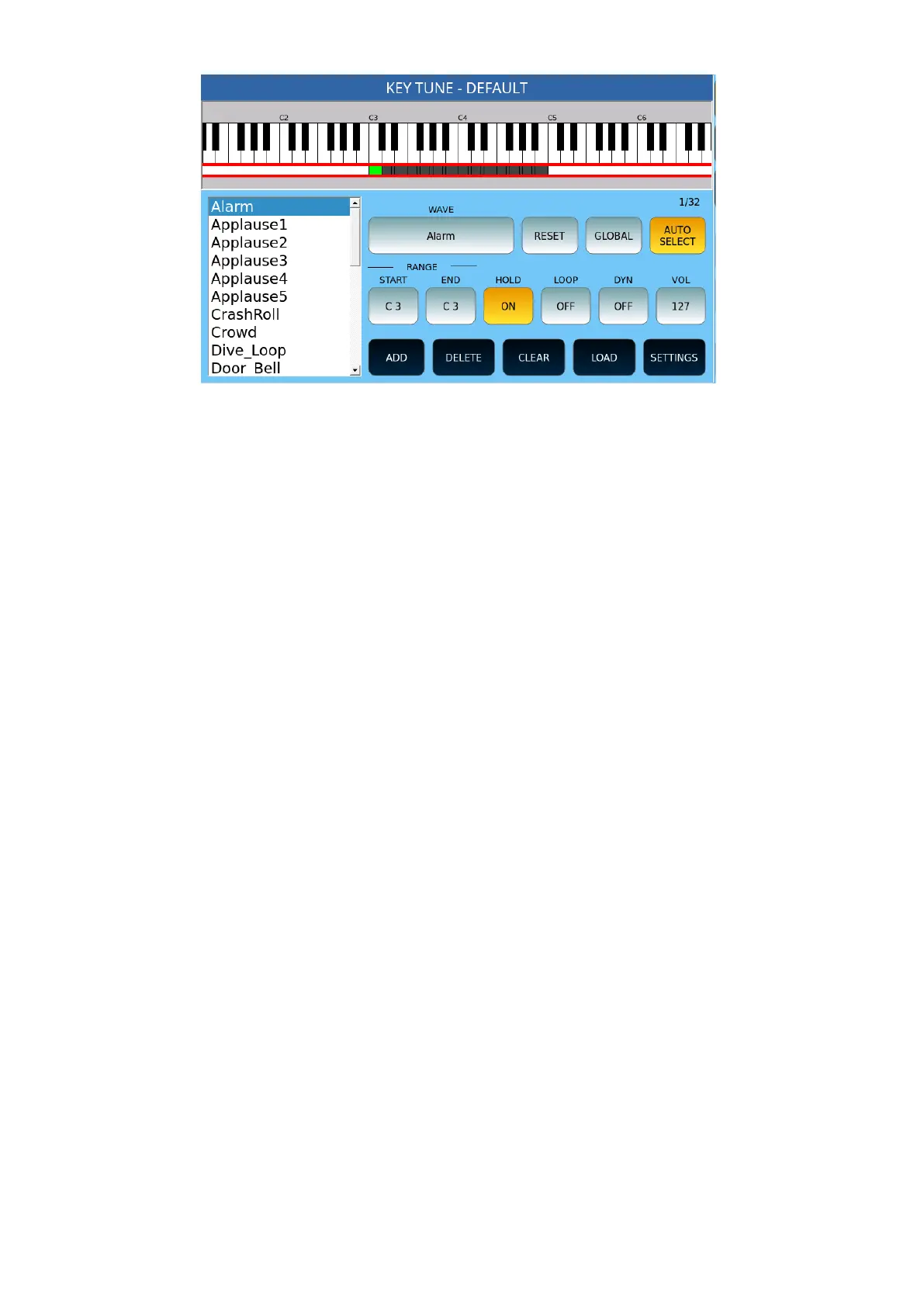
• WAVE: Press this button to select the .wav file you want to associate with a button
on your keyboard.
• RESET: Restores the current effect to its default values.
• GLOBAL: If enabled, adjustments are made for all effects on the list.
• AUTOSELECT: Automatically selects the corresponding item when you press a
button.
• RANGE START/END: Defines the range on the keyboard that that effect will be
played.
• HOLD: Defines whether the effect continues to play even after the button is
released.
• LOOP: Defines whether the effect will play in a loop.
• DYN – Defines whether the volume of the effect is determined by velocity.
Replaces
• setting VOL.
• VOL: Defines the volume.
Bottom screen options:
• ADD: Adds a .wav file to the list of managed bills of exchange.
• DELETE: Removes the effect from the list of managed effects.
• CLEAR: Clears the melody of the key.
• LOAD: Loads a previously saved Key Tune from the KEYTUNE folder.
• SETTINGS: Opens the settings page. See the following paragraph.



 To Next Page