14 | 02 Playing the voices
1. The MASTER volume slider must be up.
2. The VOICE 1 button must be on: if not, press this button to enable it.
3. The VOICE 1 corresponding volume slider must be up.
Choosing voices to play
How does one get access to all the other sounds?
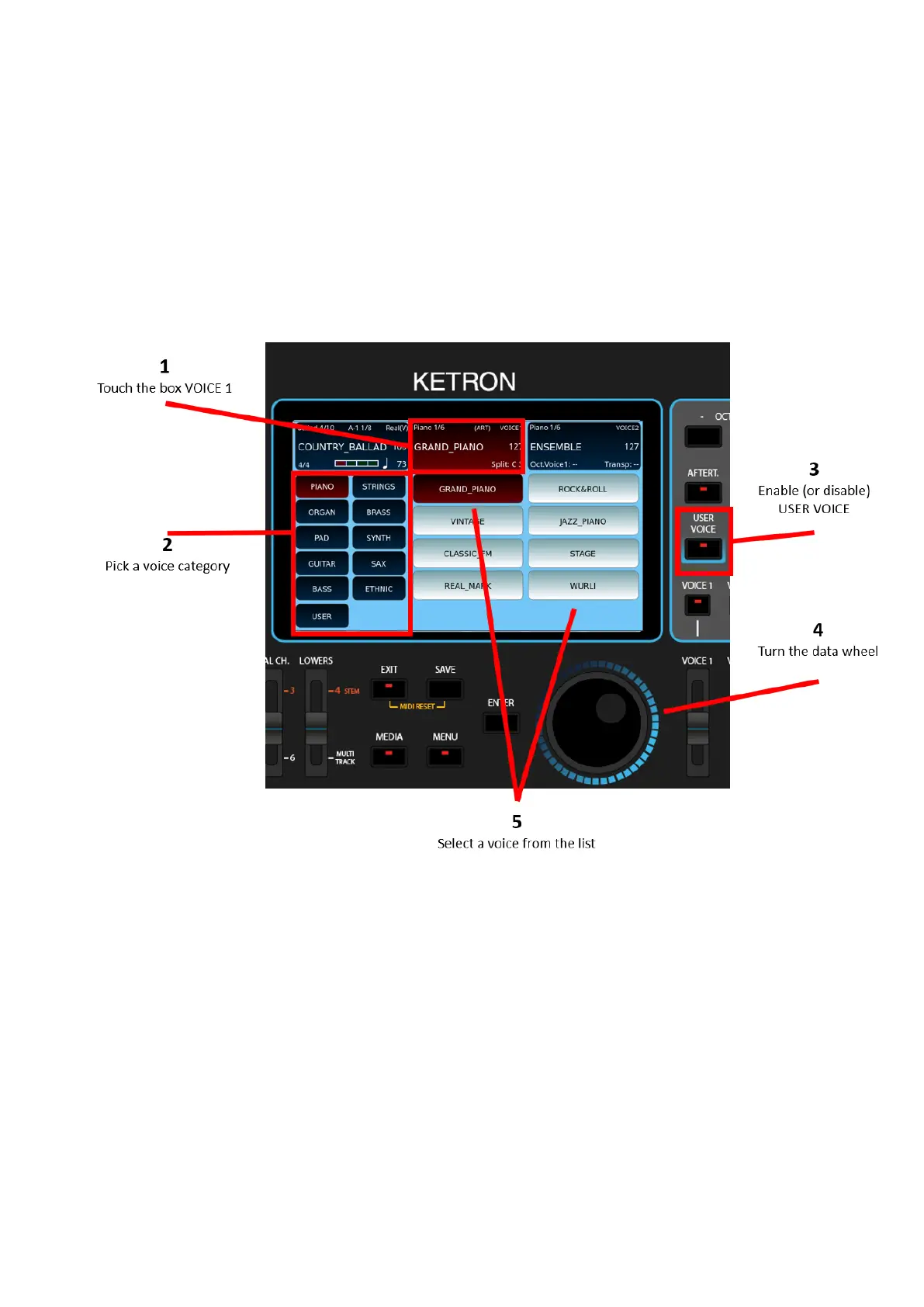
How to change voices, drawbar organ voices or program:
1. Touch on the screen the section of Voice 1 at the top.
2. Press on the right side of the panel the voice group (PIANO, STRING, ORGAN,
BRASS, PAD, SYNTH, GUITAR, SAX, BASS ed ETHNIC) where you believe the voice
you are looking for resides, e.g., if looking for a Violin, press STRINGS.
3. Select weather you want to access USER Voices or Factory voices by using the
button USER VOICE:
o User voice off, you are browsing through factory voices.
o User voice on, you are browsing through user voices.



 To Next Page