02 Playing the voices | 15
4. Scroll through the displayed voices on the screen by turning the data wheel to
change pages.
5. Touch on the screen the wanted voice.
Now try to play with your right hand to hear the sound that you have selected.
Real Solo Voices®
Voices marked with the ® symbol belong to the REAL SOLOS category. You can find them
in different families and among STRINGS, BRASS, SAX and more. These lead tones have the
characteristic of sounding precise as the player plays them, and then the sound naturally
fades out, as it does with the original instrument. In this case, Ketron spared no resources:
the PCM sample is more extended, and this choice makes it possible to achieve the greatest
possible naturalness including articulation of the actual voice.
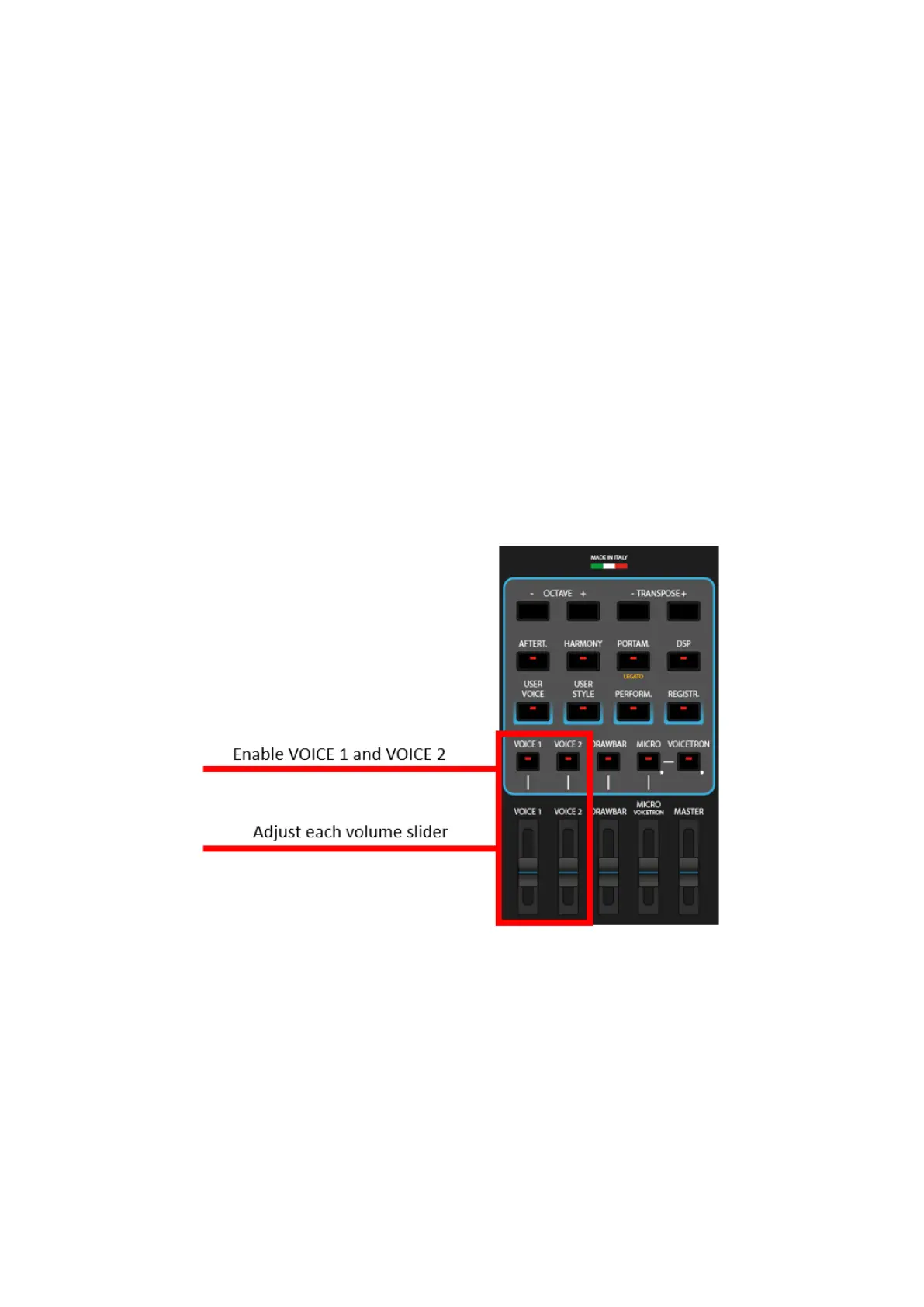
Layer VOICE 2 over VOICE 1
1. Repeat the above operations, after touching the VOICE 2 frame on the top left of
the screen to activate a second layered sound.
2. Attention! If you do not hear the second tone, make sure that:
o The VOICE 2 led button on the front panel is on.
o The volume slider below VOICE 2 must be up.



 To Next Page