10 Creating your own styles | 113
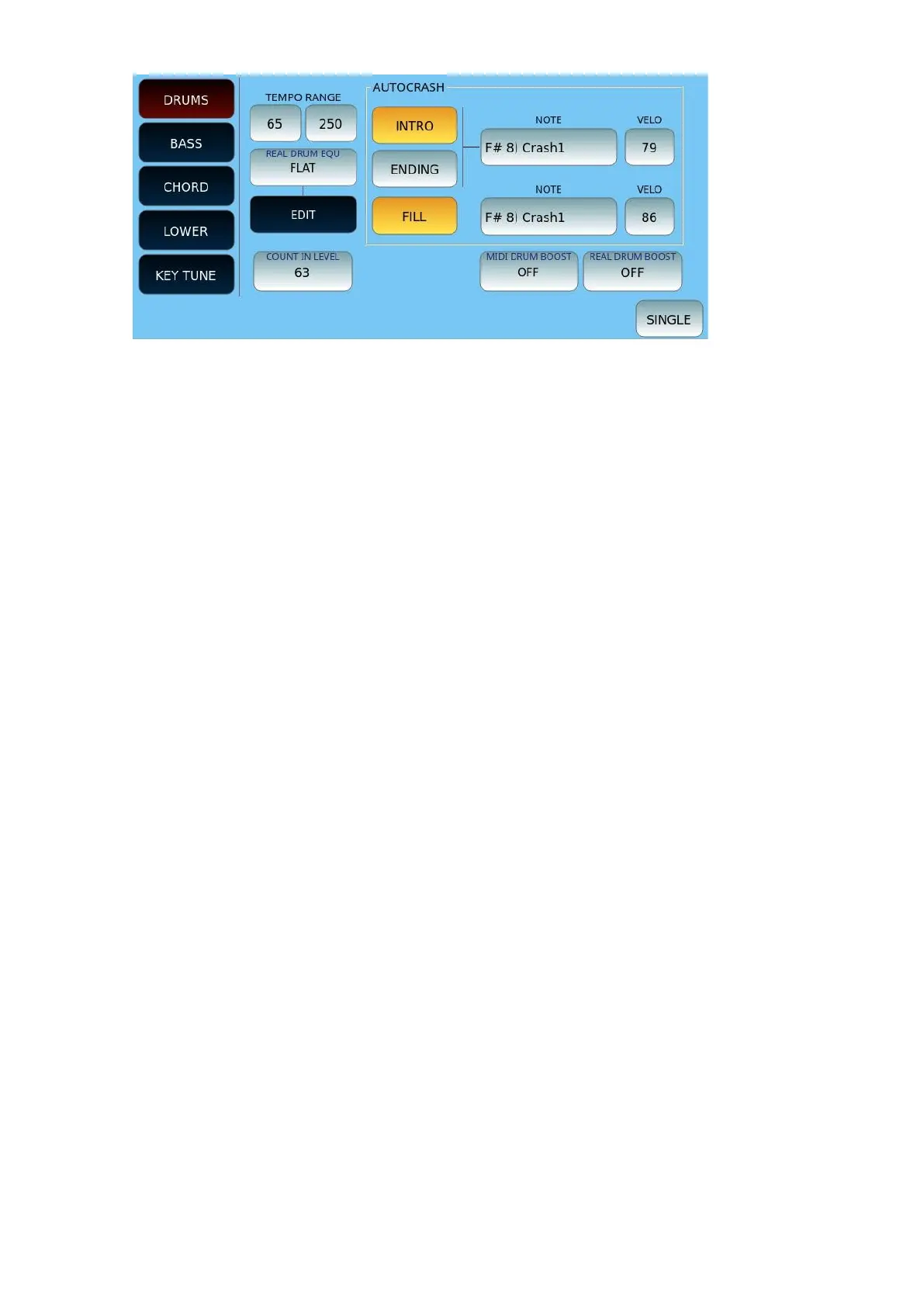
Options:
• TEMPO RANGE: Limit the range within reasonable BPM values within which the audio
rhythm responds with good quality. It is well known that it is practically impossible in
audio to achieve optimal stretching with Tempo values less than 40 and above 250
BPM.
• Below the BPM limit icons, select the equalization type: the standard value is FLAT, but
you can change it with LOUDNES1 and 2, BAS GAIN1 and 2, MID GAIN, HI DAMP, BAS
DAMP, HI GAIN1 and 2. Press EDIT to set GAIN and frequency and Q of each
frequency band (Low, Mid and Hi).
• AUTOCRASH: Select INTRO, ENDING, or FILL to enable automatic cymbalhit at the end
of the pattern. You can choose which Drum Kit cymbal to use (NOTE) and the
dynamics (VELO) with which it is played.
• COUNT IN LEVEL: Determine the volume level of the initial counting measure.
• MIDI DRUM BOOST: Apply the Boost (Volume Boost) to the MIDI DRUM part. Values
OFF, SOFT, HARD.
• REAL DRUM BOOST: Apply the Boost (Volume Boost) to the MIDI DRUM part. Values
OFF, SOFT, HARD.
• SINGLE/GLOBAL: In Global mode, the operations carried out affect the four variations
of the Arranger together (variation A, B, C and D). In Single mode, your current actions
are applied ONLY on the current variation you are in (e.g. Variation A).
Press the EXIT button on the front panel to return to the previous page.


 To Next Page
 Loading...


