100 34410A/11A/L4411A User’s Guide
3 Remote Interface Configuration
Keysight 34410A/11A Web Interface
The 34410A/11A provides a built–in Web Interface. You can use this interface over
LAN for remote access and control of the multimeter using a Java–enabled Web
browser, such as Microsoft® Internet Explorer.
To access and use the 34410A/11A Web Interface:
1 Establish a LAN interface connection from your computer to the multimeter.
2 Open your computer’s Web browser.
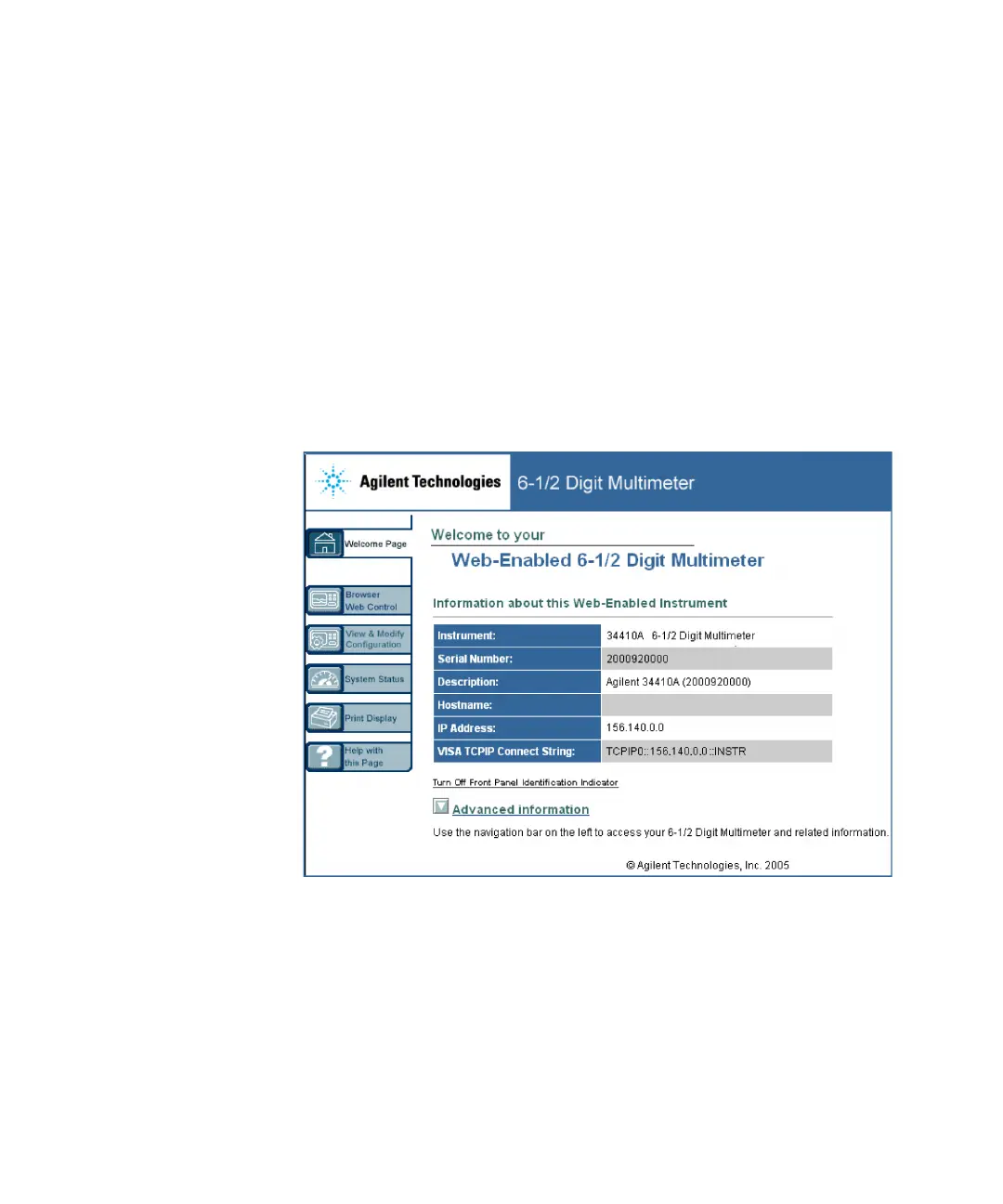
3 Launch the 34410A/11A Web Interface by entering the IP address of your
multimeter, or its fully–qualified host name, in the browser address field. The
following welcome screen appears.
4 For further information, click Help with this Page and follow the instructions in
the Web Interface Help.



 To Next Page