34410A/11A/L4411A User’s Guide 25
Quick Start 1
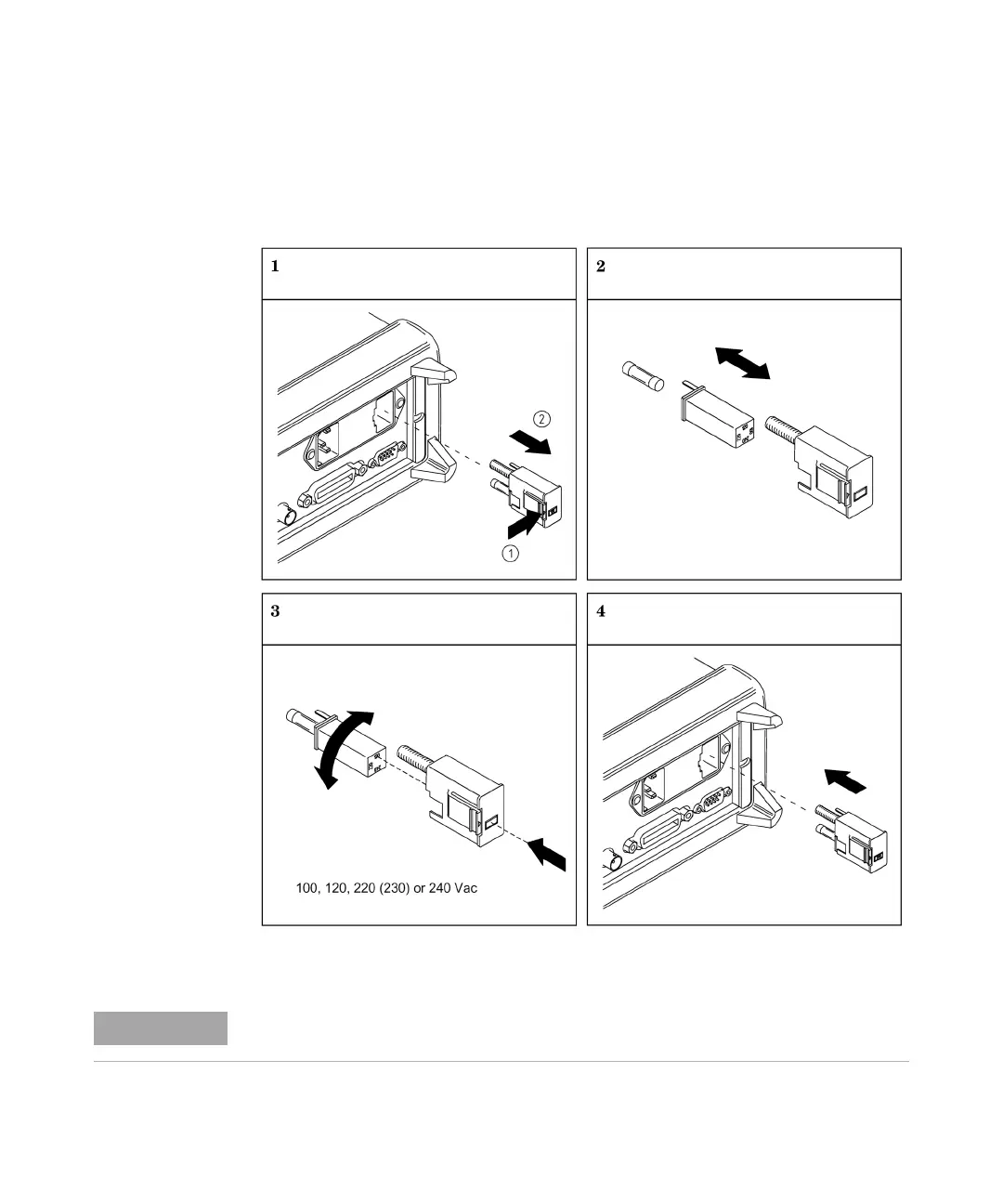
To Replace the Power-Line Fuse (34410A/11A)
Remove power cord first. Then follow these steps:
Verify that the correct line voltage is selected and the power-line fuse is good.
Depress tab (1) and pull fuse holder (2) from Remove line-voltage selector from fuse
holder assembly.
Rotate line-voltage selector and reinstall so
correct voltage appears in fuse holder window.
Replace fuse holder assembly in rear panel.
Keysight Part Number 2110-0817
(250 mA, 250V, slow-blow, 5x20mm)
rear panel.
For multimeter operations with a 230 VAC supply, set the line–voltage selector to 220V.



 To Next Page