34410A/11A/L4411A User’s Guide 27
Quick Start 1
To Rack Mount the Multimeter (34410A/11A)
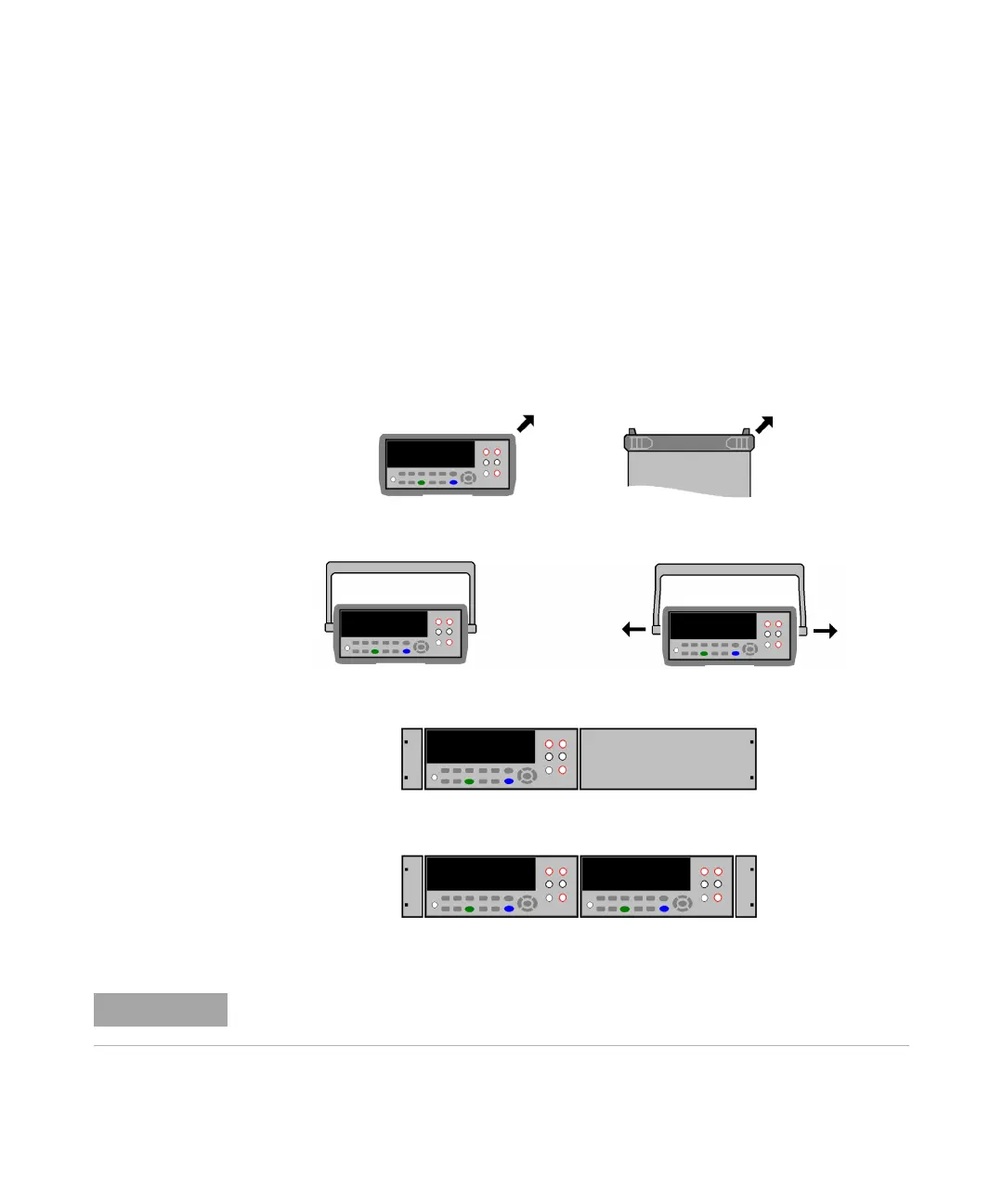
You can mount the 34410A/11A in a standard 19–inch rack cabinet using the available
rack–mount kits. Instructions and mounting hardware are included with each kit. Any
Keysight System II (half-width, 2U height) instrument of either the 272.3 mm or the
348.3 mm depth can be rack mounted side–by–side with the 34410A/11A. For
example, a 34410A/11A and a 34401A, or two 34410A/11As, can be mounted side–
by–side, as shown below.
You must remove the carrying handle, and the front and rear rubber bumpers, before
rack mounting an instrument.
To remove each bumper, stretch a corner and slide it off.
To remove the handle, rotate it to the vertical position and pull the ends outward.
To rack mount a single instrument, order adaptor kit 5063-9240
To rack mount two instruments side-by-side, order lock-link kit
5061-8769 and flange kit 5063-9212
Refer to the L4411A Getting Started Guide for procedures and part numbers for rack
mounting the L4411A.



 To Next Page