34410A/11A/L4411A User’s Guide 17
Quick Start 1
Making Basic Measurements (34410A/11A)
This section introduces the many types of measurements that you can make with your
34410A/11A multimeter, and how to make connections for each measurement. Most
basic measurements can be taken using the factory default settings. A more complete
description of all multimeter functions, measurement parameter configuration and
remote interface operation is provided in Chapter 2.
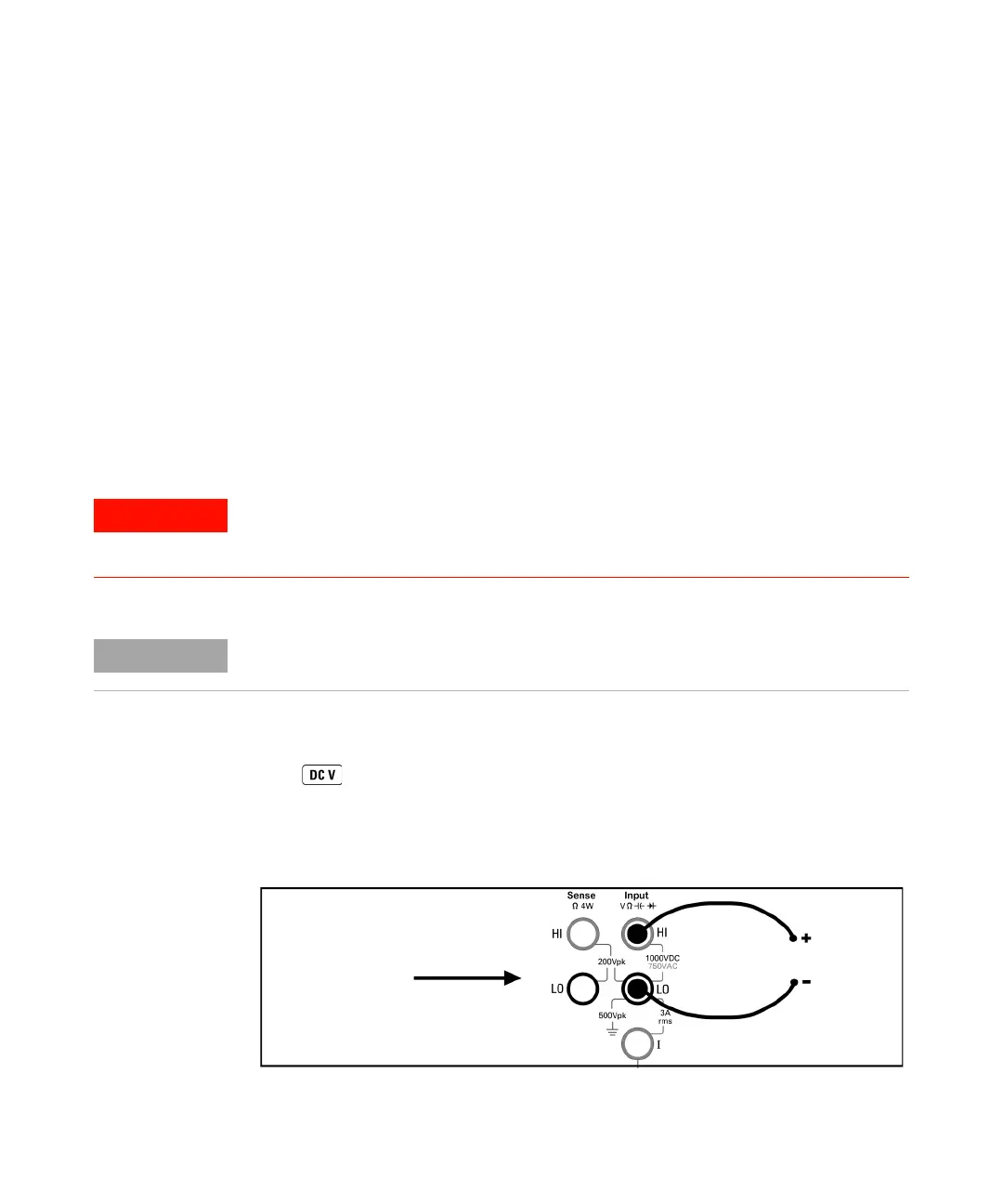
For each measurement, connect the test leads as shown. The test lead connections are the
same for the front or rear set of terminals.
Before making test lead connections, use the Front/Rear button on the front panel to
select either the front or rear set of terminals. The Rear annunciator lights if the rear
terminals are selected.
To Measure DC Voltage
Press to select the dc voltage function.
• Ranges: 100 mV, 1 V, 10 V, 100 V, 1000 V
• Configurable parameters: INTEGRATION, RANGE, INPUT Z (input impedance),
AUTO ZERO, NULL, and NULL VALUE
Do not press the Front/Rear button while signals are present on either the front or
rear set of terminals. Switching while high voltages or currents are present can
cause instrument damage, and may increase the risk of electric shock.
For basic measurement connection information unique to the L4411A, refer to the
L4411A Getting Started Guide (p/n L4411-90001).
Connect test leads as shown:
DC Voltage



 To Next Page