53220A/53230A Math, Graphing, and Data Logging 6
Keysight 53220A/53230A User’s Guide 229
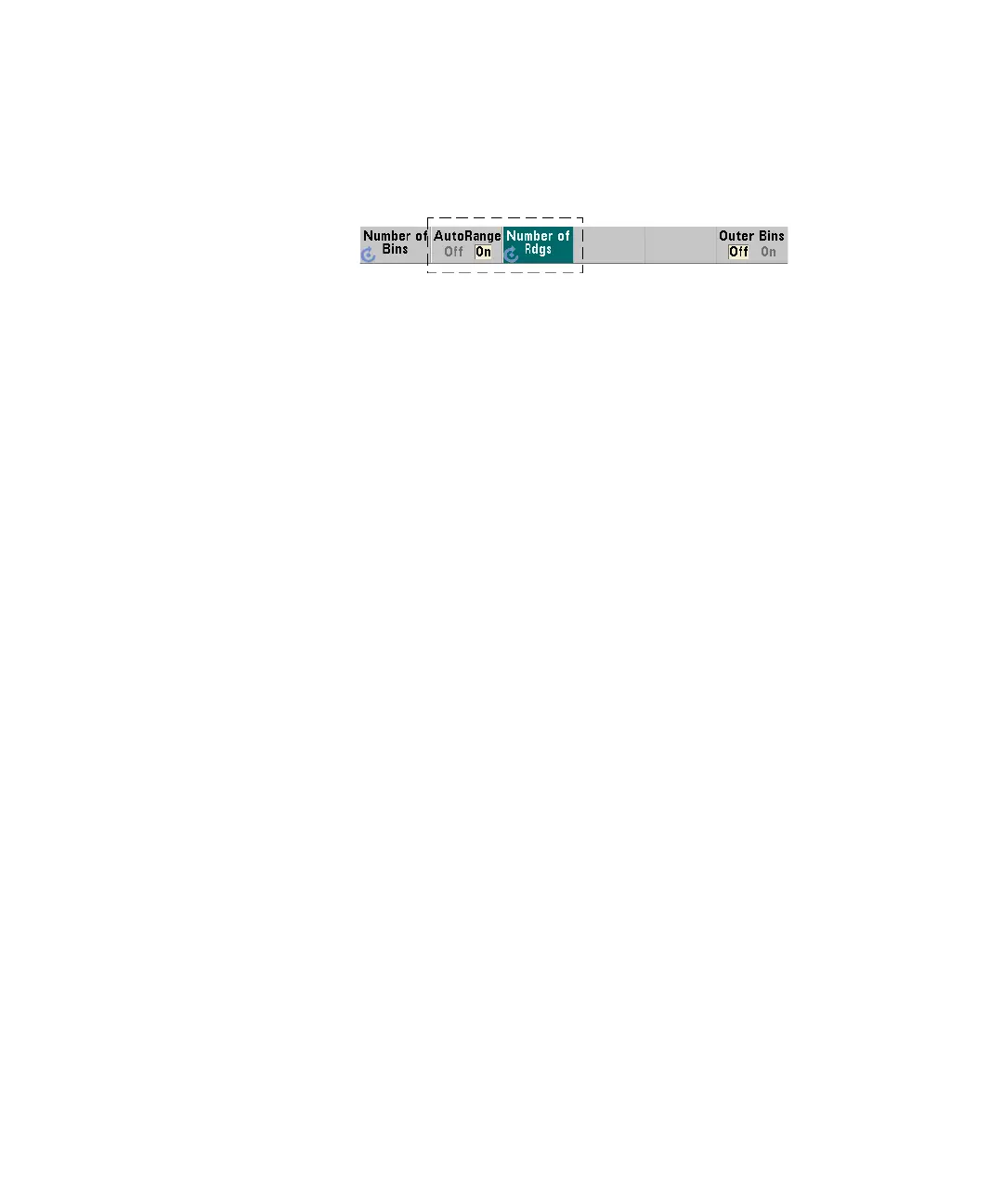
Automatic range setting
Alternately, lower and upper range values can be set automatically based on a
minimum value and maximum value obtained from the first ‘n’ number of readings
taken.
Automatic range selection is enabled with the commands:
CALCulate2:TRANsform:HISTogram:RANGe:AUTO {OFF|ON}
CALCulate2:TRANsform:HISTogram:RANGe:AUTO? (query form)
ON - enables automatic selection of the histogram lower and upper range values.
OFF - disables automatic selection.
Following a reset (*RST) or instrument preset (SYSTem:PRESet) automatic range
selection is enabled.
The number of readings from which the minimum and maximum range values are
selected (ON) is set with the command:
CALCulate2:TRANsform:HISTogram:RANGe:AUTO:COUNt
{<value>|MINimum|MAXimum|DEFault}
CALCulate2:TRANsform:HISTogram:RANGe:AUTO:COUNt?
[{MINimum|MAXimum|DEFault}] (query form)
value - specifies the first ‘n’ number of readings from which lower and upper
range values are obtained. 10 to 1,000 readings can be specified.
The default number and the number set following a reset (*RST) or instrument
preset (SYSTem:PRESet) is 100.


 To Next Page