10
Hybrid DVR (HD Series)
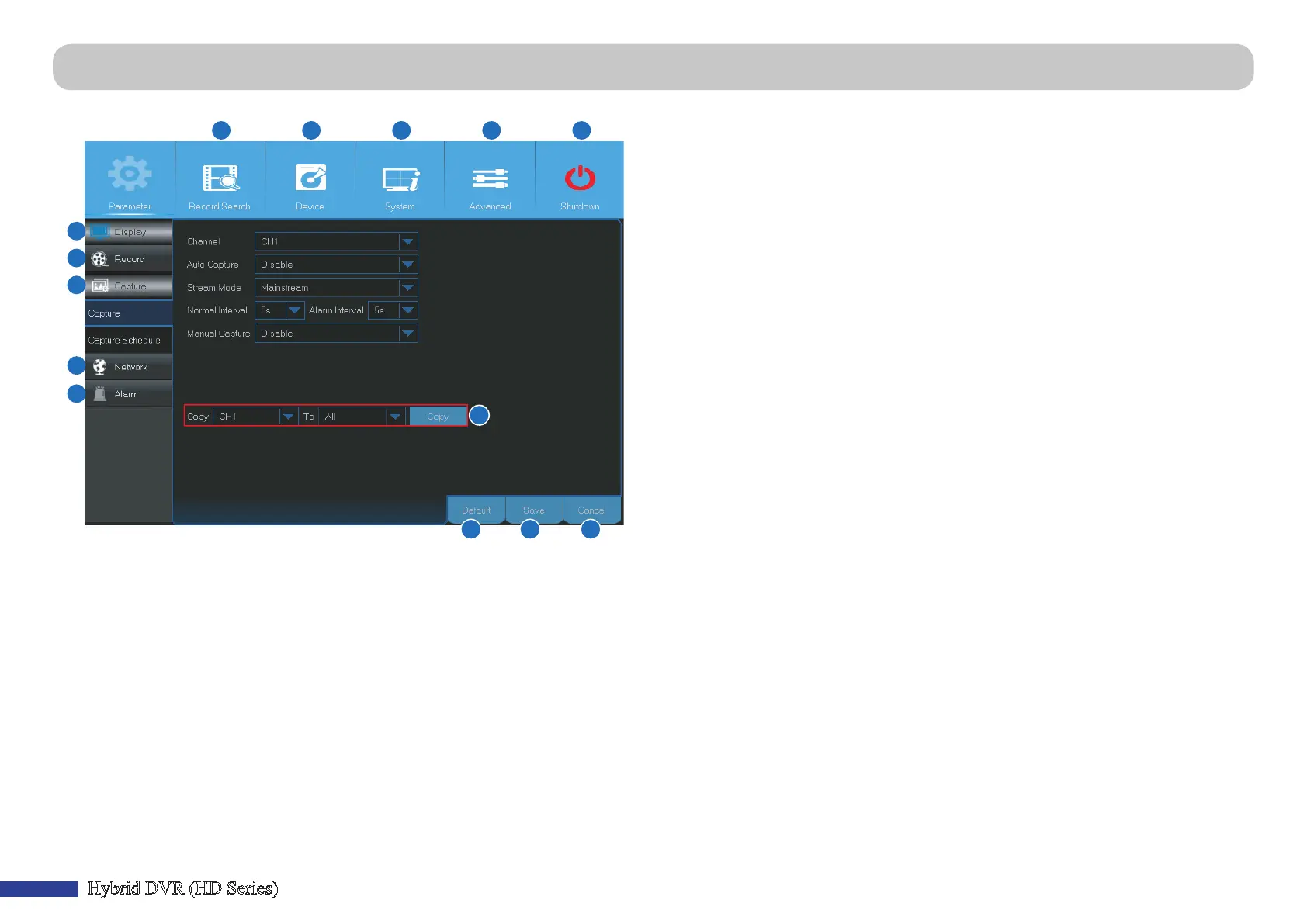
Main Menu
A) Alarm - Select this menu opon to set the moon area, and sensor cameras.
B) Network - Select this menu opon to congure the DVR’s access parameters to
the network, congure email sengs, and DDNS parameters.
C) Capture - Select this menu opon to capture images.
D) Record - Select this menu opon to congure the recording opons and set the
recording schedule based on connuous recording (Normal), moon triggered
recording (Moon), and PIR sensor camera triggered recording (PIR).
E) Display - Select this menu opon to congure how channels are displayed on
the Live Viewing screen, for example color setup, video output resoluon,
privacy areas, etc.
F) Record Search - Select this menu opon to search for recordings, events, and
captured images.
G) Device - Select this menu opon to format the internal HDD here, view
available space, set the PTZ conguraon parameters, and connecon
parameters to link your DVR to your Dropbox account.
H) System - Select this menu opon to modify general DVR sengs, such as date
and me, etc.
I) Advanced - Select this menu opon to modify maintenance tasks and update
the system.
J ) Shutdown - Select this menu opon to shutdown or reboot the DVR here.
K) Copy (Parameters) To - Click to copy the current sengs to all channels or one
specic channel.
L ) Default - Click to restore the default sengs.
M) Save - Click to save the modicaons.
N) Cancel - Click to discard the modicaons.
A
B
C
D
E
F G H
I
J
K
L M N



 To Next Page