Hybrid DVR (HD Series)
5
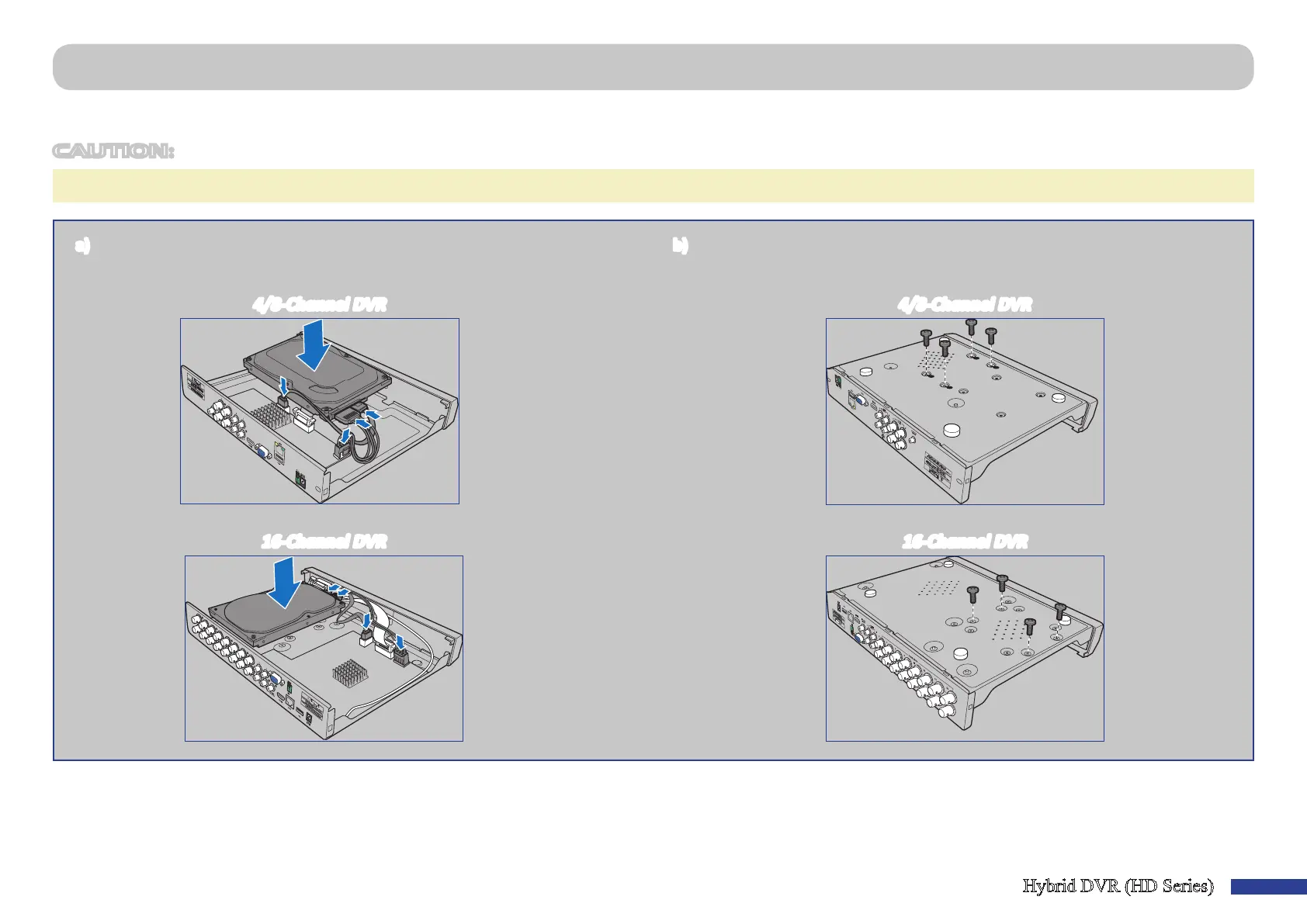
Install the Hard Disk Drive
This DVR supports one 3.5” or 2.5” SATA HDD.
CAUTION: DO NOT install or remove the hard disk drive while the device power is turned ON.
NOTE: Depending on the model you purchased, the actual product may slightly dier from the images below.
4/8-Channel DVR
a) Connect the data and power cables to the HDD and place the HDD on
the DVR case.
4/8-Channel DVR
16-Channel DVR
b) Carefully ip the DVR case and secure the HDD to the DVR with the four (4)
screws.
16-Channel DVR



 To Next Page