12
Hybrid DVR (HD Series)
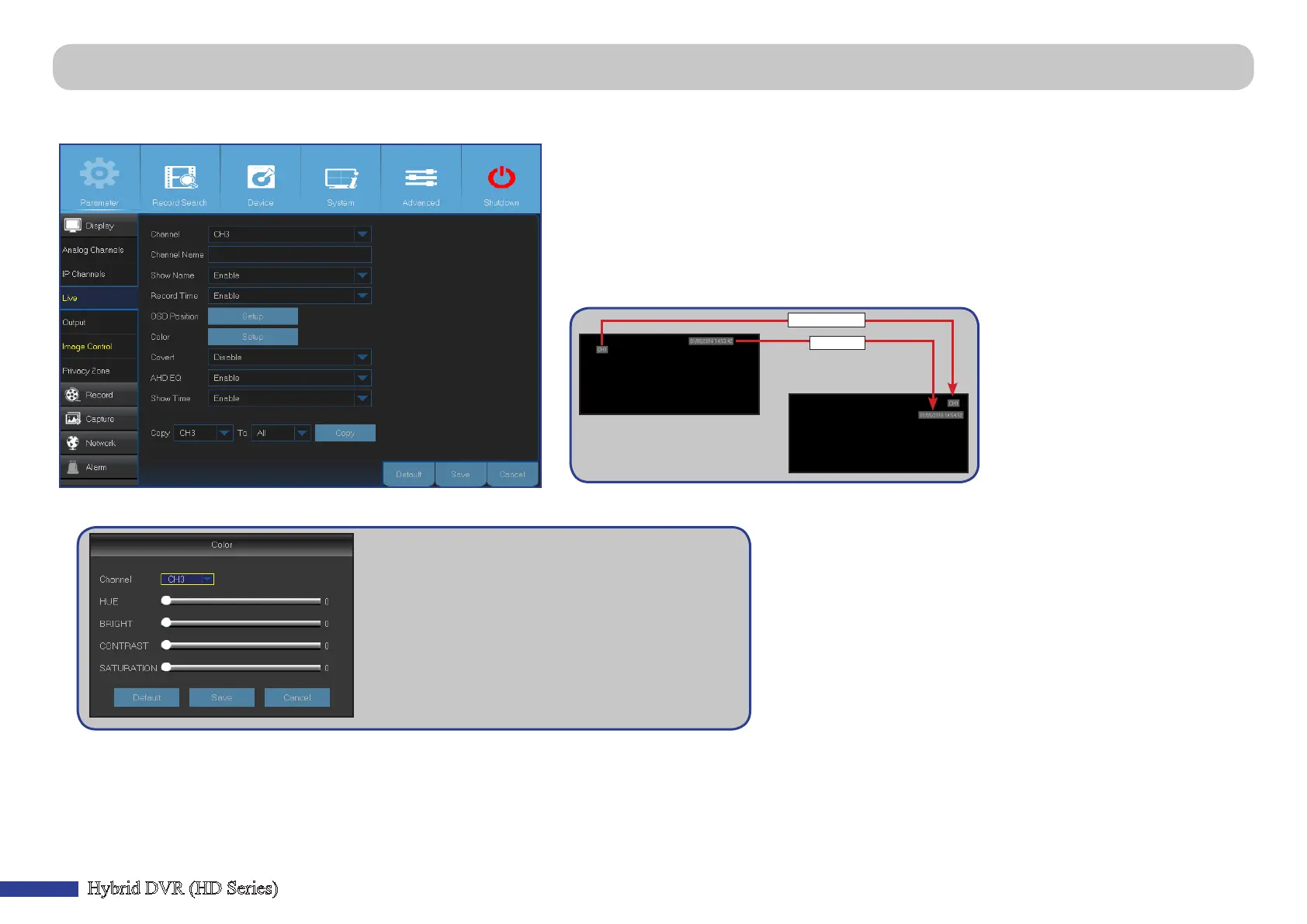
Main Menu > Parameter > Display > Live
This menu allows you to congure channel parameters.
• Color: Click Setup to congure video color sengs.
BRIGHT: Denes how bright the image appears on the display.
CONTRAST: Increases the dierence between the darkest
black and the whitest white in the image. Modify the contrast
if the secons of the image look “grey out”.
HUE: Changes the color mix of the image.
SATURATION: Alters how much color is displayed in the
image. The higher the saturaon, the brighter and vivid colors
will appear to be. Seng this parameter too high can degrade
the image quality.
• Channel: Select the channel you want to modify.
• Channel Name: Enter the name of the channel.
• Show Name: Enable to display the channel name on the live screen.
• Record Time: Disable if you do not want to see the recording me on the channel.
• OSD Posion: Click Setup to determine where you want the channel name and current date to be
displayed when you are viewing the channel. Drag the channel name box and the date/me box
to the desired locaon on the channel view.
Channel name
Date/time
• Covert: Enable if you want to hide this channel from appearing on the Live Viewing screen. Disabling or enabling this opon does not aect video recording on the HDD.
• AHD EQ: Enable or disable AHD EQ (Enhanced Quality) funcon. Congure this parameter if you are an advanced user.
• Show Time: Disable if you do not want the current me to appear on the channel.



 To Next Page