36
Hybrid DVR (HD Series)
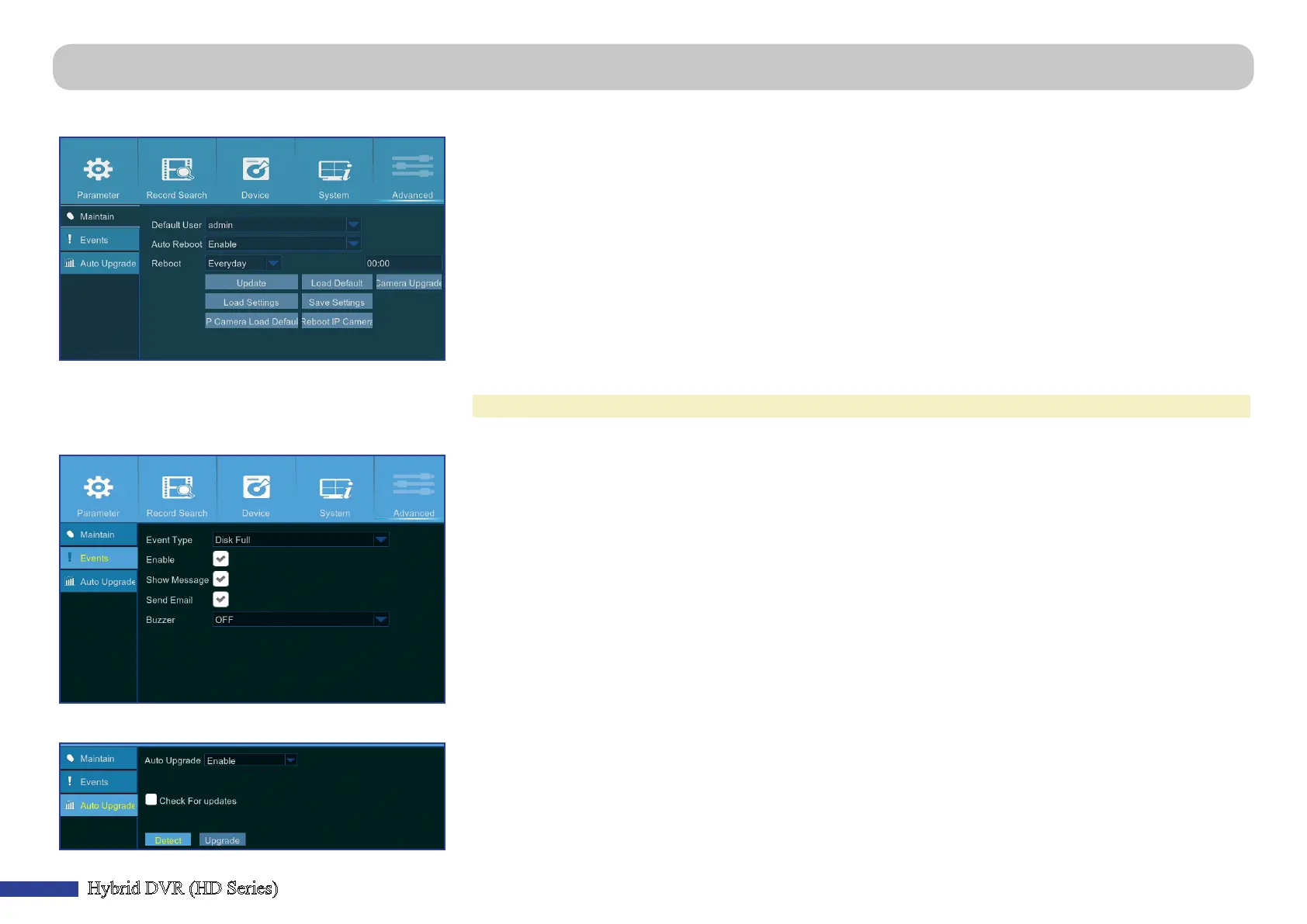
Main Menu > Advanced > Maintain/Events/Auto Upgrade
This menu allows you to congure automac system maintenance, load factory defaults, update the rmware sengs, and upgrade the IPC.
• IP Camera Load Defaults: Reset the IP Camera sengs.
• Reboot IP Camera: Reboot the IP Camera.
• Default User: If you want to log in to the DVR automacally for live view aer each startup, then only
administrator user account can be set for auto login.
• Auto Reboot: Set enable to reboot the DVR based on a schedule.
• Reboot: Set the reboong schedule based on day, week, or month.
• Update: Click to load the update le and then upgrade the rmware.
• Load Sengs: Select this opon to import the seng that you have saved earlier, using the Save Sengs funcon.
• Load Default: Use this feature to restore the factory default sengs of the DVR. It is recommended to load
defaults for all opons, aer upgrading the rmware.
• Save Sengs: Select this opon to save the DVR current sengs, such as the video recording sengs, network
conguraons, and etc to the USB device.
• Camera Upgrade: Click to select the update le and then upgrade the IP camera.
NOTE: Some IP cameras may not support this feature.
This menu allows you to set the type of events that you want the DVR to inform you.
• Event Type: Select the event type. Opons are:
- Disk Full: When HDD is full.
- Disk Error: If HDD is not detected properly.
- Video Loss: If camera is not detected properly.
• Enable: Check the box to enable the monitoring of the event.
• Show Message: Check the box to display a message on the screen when Disk Full, Disk Error, or Video Loss
event happens.
• Send Email: Let the DVR to send you an auto-email when an event occurs. To set up the email and schedule,
please see “Main Menu > Parameter > Network > Email & Email Schedule” on page 23.
• Buzzer: Set the buzzer duraon when the event occurs (O/10 S/20 S/40 S/60 S). To disable buzzer, select OFF.
This menu allows you to automacally upgrade the DVR.
• Auto Upgrade: Enable to allow automac upgrading.
• Check For updates: Check the box to allow the system automacally check for updates.
• Detect: Click to detect the soware version.
• Upgrade: Click to start upgrading.



 To Next Page