Hybrid DVR (HD Series)
15
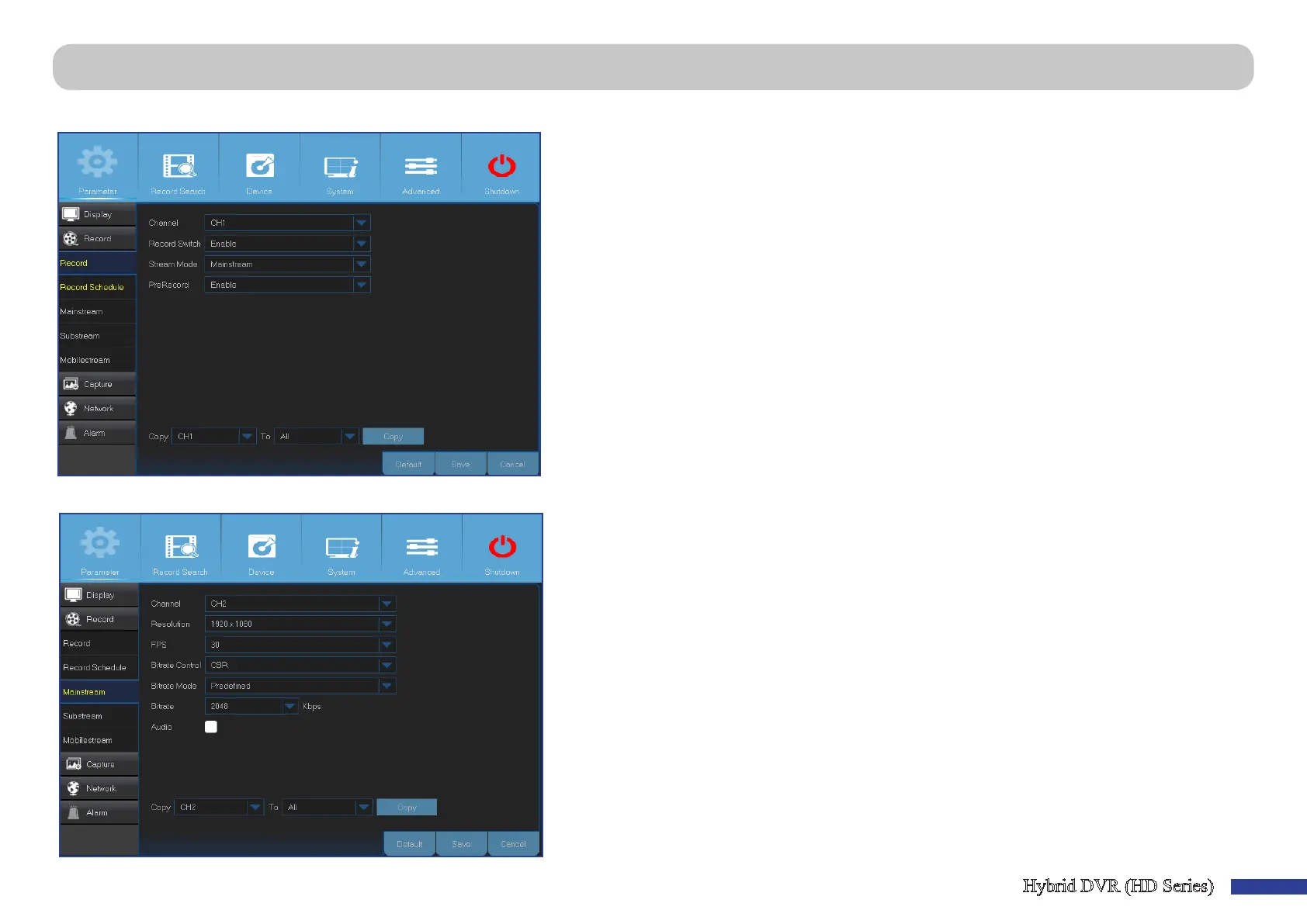
Main Menu > Parameter > Record > Record & Mainstream
This menu allows you to congure the channel recording parameters.
• Channel: Select the channel to set its recording parameters.
• Record Switch: Enable in order to allow the video to be recorded to the HDD.
• Stream Mode: Choose the recording resoluon. The available opons are Mainstream and
Substream.
• PreRecord: If this opon is enabled, the DVR starts recording a few seconds before an event
occurs. Use this opon if your primary recording type is moon based.
This menu allows you to congure the recorded video parameters. All the modicaons you apply to these sengs will aect the recorded video saved into the HDD.
• Channel: Select the channel to congure recording related informaon.
• Resoluon: This parameter denes, how large the recorded image will be.
• FPS: This parameter denes the number of frames per second the DVR will record.
• Bitrate Control: Select the bitrate level based on the complexity of the scene. For a simple scene,
such as a gray wall is suitable constant bitrate (CBR). For more complex scene, such as a busy
street is suitable variable bitrate (VBR).
• Bitrate Mode: If you want to set the bitrate by yourself, then choose User-dened mode. If you
want to select the predened bitrate, choose Predened mode.
• Bitrate: This parameter corresponds to the speed of data transfer that the DVR will use to record
video. Recordings that are encoded at higher bitrates, will be of beer quality.
• Audio: Select this opon if you want to record audio along with video and have a microphone
connected to the DVR or using a camera with audio capability (not included). Since the audio
opon is only available for the channels 1 to 4, you need to connect a camera with audio
capability to these channels.



 To Next Page