18
Hybrid DVR (HD Series)
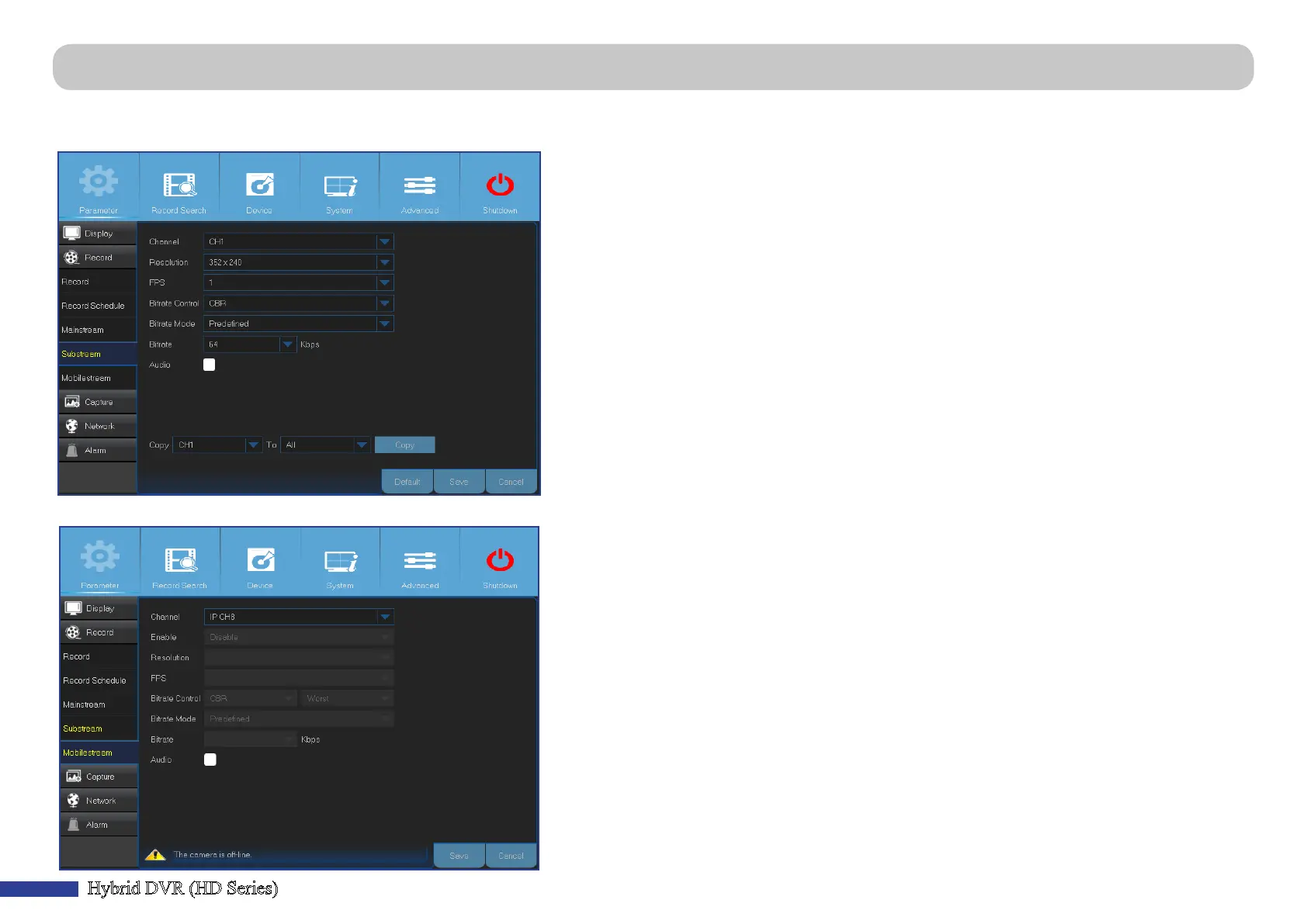
Main Menu > Parameter > Record > Substream & Mobilestream
This menu allows you to congure the sengs of a parcular channel if the channel is being viewed via remote access, for example Web Client.
• Channel: Choose the channel where the sengs are applied.
• Resoluon: Set the resoluon.
• FPS: This parameter denes the number of frames per second at the remote session.
• Bitrate Control: Select the bitrate level based on the complexity of the scene. For a simple scene,
such as gray wall is suitable constant bitrate (CBR). For more complex scene, such as busy street is
suitable variable bitrate (VBR).
• Bitrate Mode: If you want to set the bitrate by yourself, then choose User-dened mode. If you
want to select the predened bitrate, choose Predened mode.
• Bitrate: Enter manually or choose from the drop-down menu the data throughput during the
remote session.
• Audio: Check the box if you want to hear the live sound at the remote session. Make sure the
camera with audio capability is properly connected to the selected channel.
This menu allows you to congure the sengs of a parcular channel if the channel is being viewed via mobile devices.
• Channel: Choose the channel where the sengs are applied.
• Enable: Enable to allow to use mobilestreaming on this channel.
• Resoluon: Set the screen resoluon.
• FPS: This parameter denes the number of frames per second at the remote session.
• Bitrate Control: Select the bitrate level based on the complexity of the scene. For a simple scene,
such as gray wall is suitable constant bitrate (CBR). For more complex scene, such as busy street is
suitable variable bitrate (VBR).
• Bitrate Mode: If you want to set the bitrate by yourself, then choose User-dened mode. If you
want to select the predened bitrate, choose Predened mode.
• Bitrate: Enter manually or choose from the drop-down menu the data throughput during the
remote session.
• Audio: Check the box if you want to hear the live sound at the remote session. Make sure the
camera with audio capability is properly connected to the selected channel.



 To Next Page