38
Hybrid DVR (HD Series)
Remote Access via Web Client (connued)
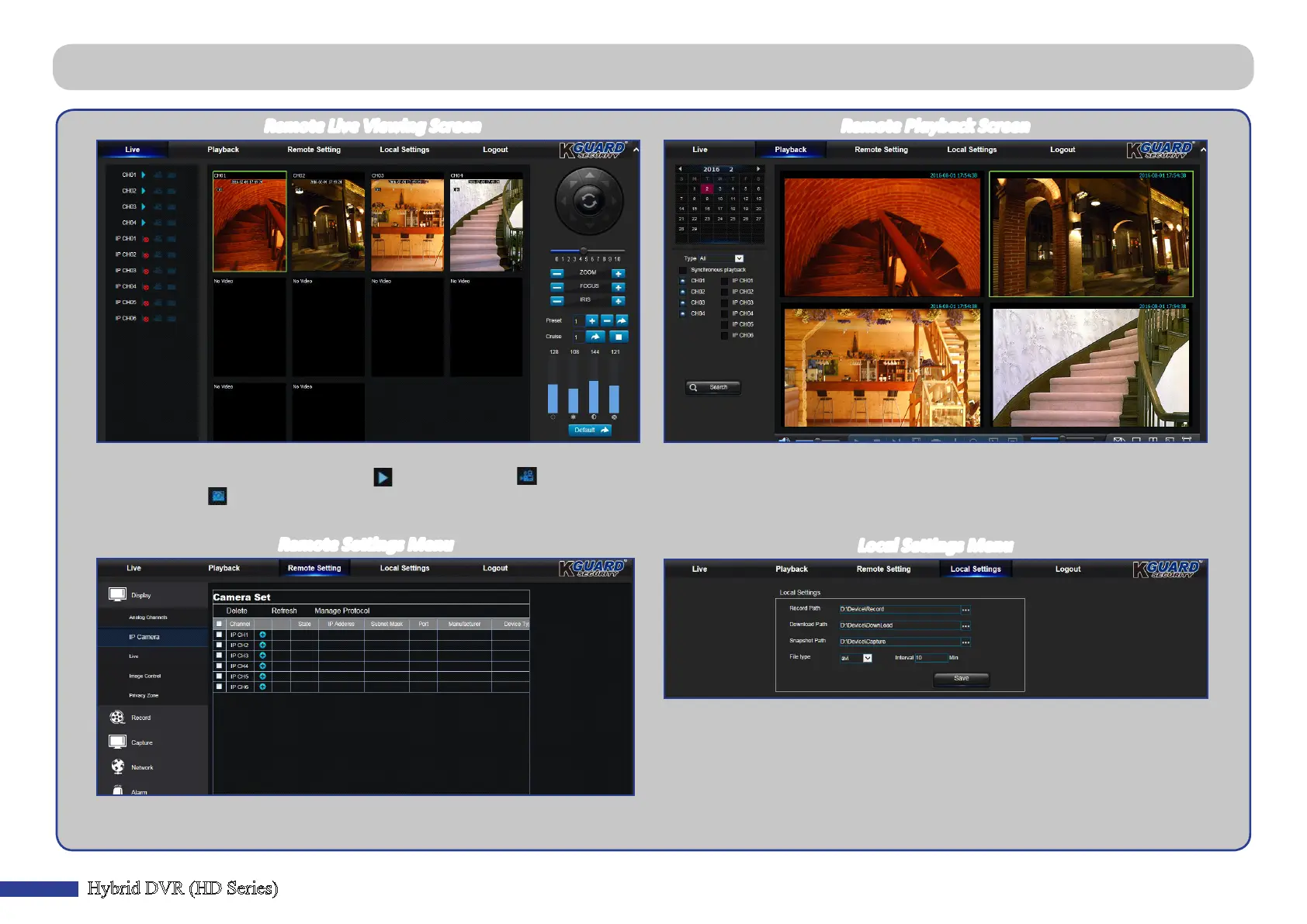
Remote Live Viewing Screen
This is the rst screen that opens aer you have logged in to the Web Client.
Here you can show or disable channels ( ), start recording ( ) manually,
take snapshots ( ) of the screens, congure PTZ sengs (not supported), etc.
You can look for recorded les stored on the HDD inside the DVR, and save the
result to the local directory on your PC. To congure the local directory. Please
see “Local Sengs Menu” listed below.
• Record Path: Set the path to save manual recordings on your PC’s local drive.
• Download Path: Set the path on your PC’s local drive where you want to download
recordings from the DVR.
• Snapshot Path: Set the path to save manual snapshots on your PC’s local drive.
• Save: Click Save to save the modicaons.
• File Type: Choose your preferred le type for manual recordings.
Remote Playback Screen
Remote Sengs Menu
Local Sengs Menu
Here you can remotely congure the sengs of the DVR. Please see “Main
Menu” on page 10 for more informaon.



 To Next Page