Hybrid DVR (HD Series)
35
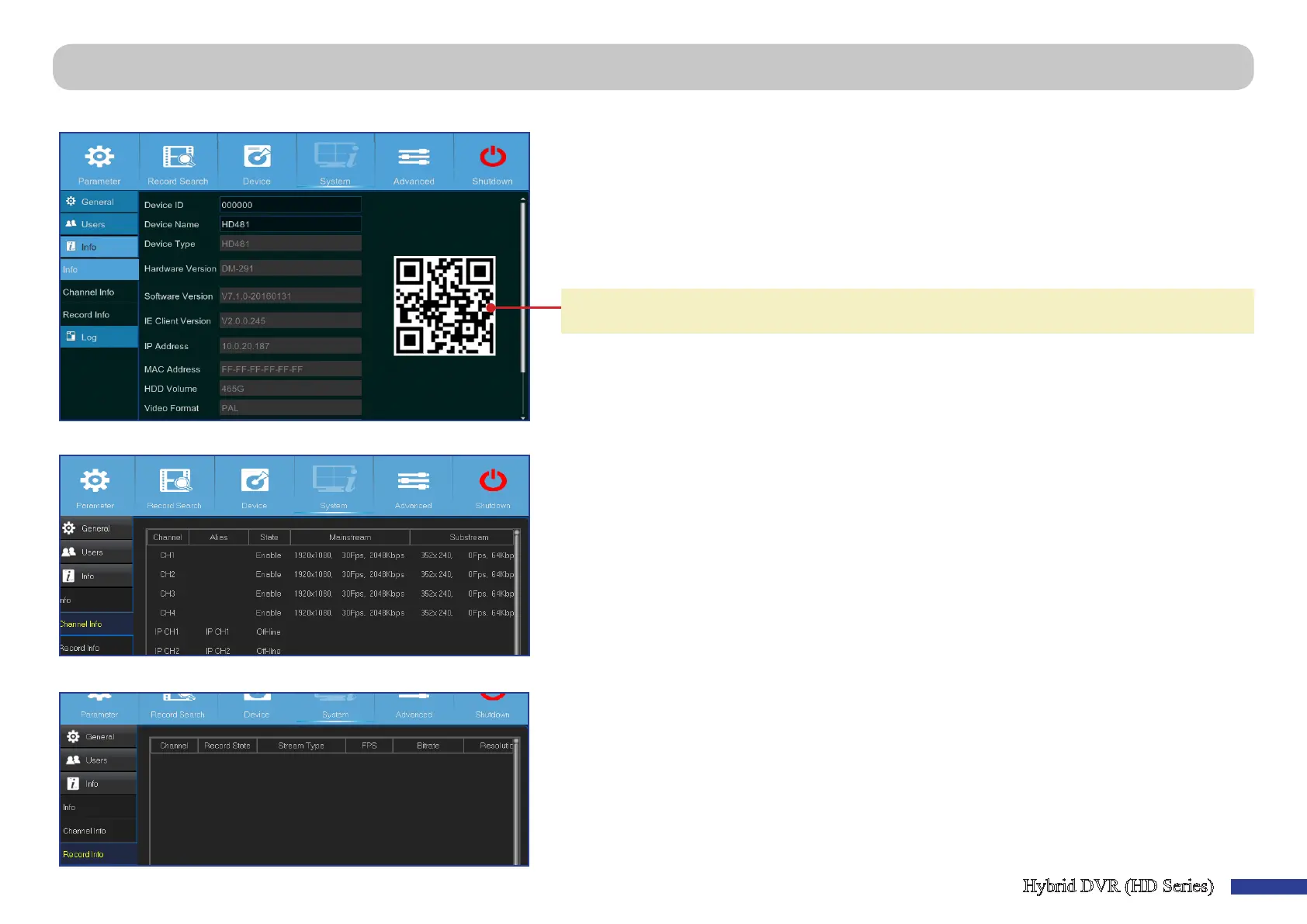
Main Menu > System > Info > Info, Channel Info & Record Info
This menu allows you to view the summary of the system and modify the device name, and device ID.
• Device Name: Enter the desired name for your DVR. The name can include both leers and numbers.
• Device ID: Enter the desired ID for your DVR. The device ID is used to idenfy the DVR, and can only
be composed of numbers, and cannot be the same with other IDs when mulple DVRs are connected
in the same network.
• MAC Address: Display the MAC address of the DVR. When mulple DVRs are connected to the same
network, each DVR must have a unique MAC address to ensure that the DVR can connect to the
network.
NOTE: If you need to scan the QR code of the DVR but the scker with the code on top of the device has
got damaged or is out of reach, then here you can nd the device’s QR code.
This menu allows you to view the informaon summary on the channels.
This menu allows you to view the recording informaon summary by channel, record state, stream type, FPS, bitrate, and resoluon.



 To Next Page