Hybrid DVR (HD Series)
9
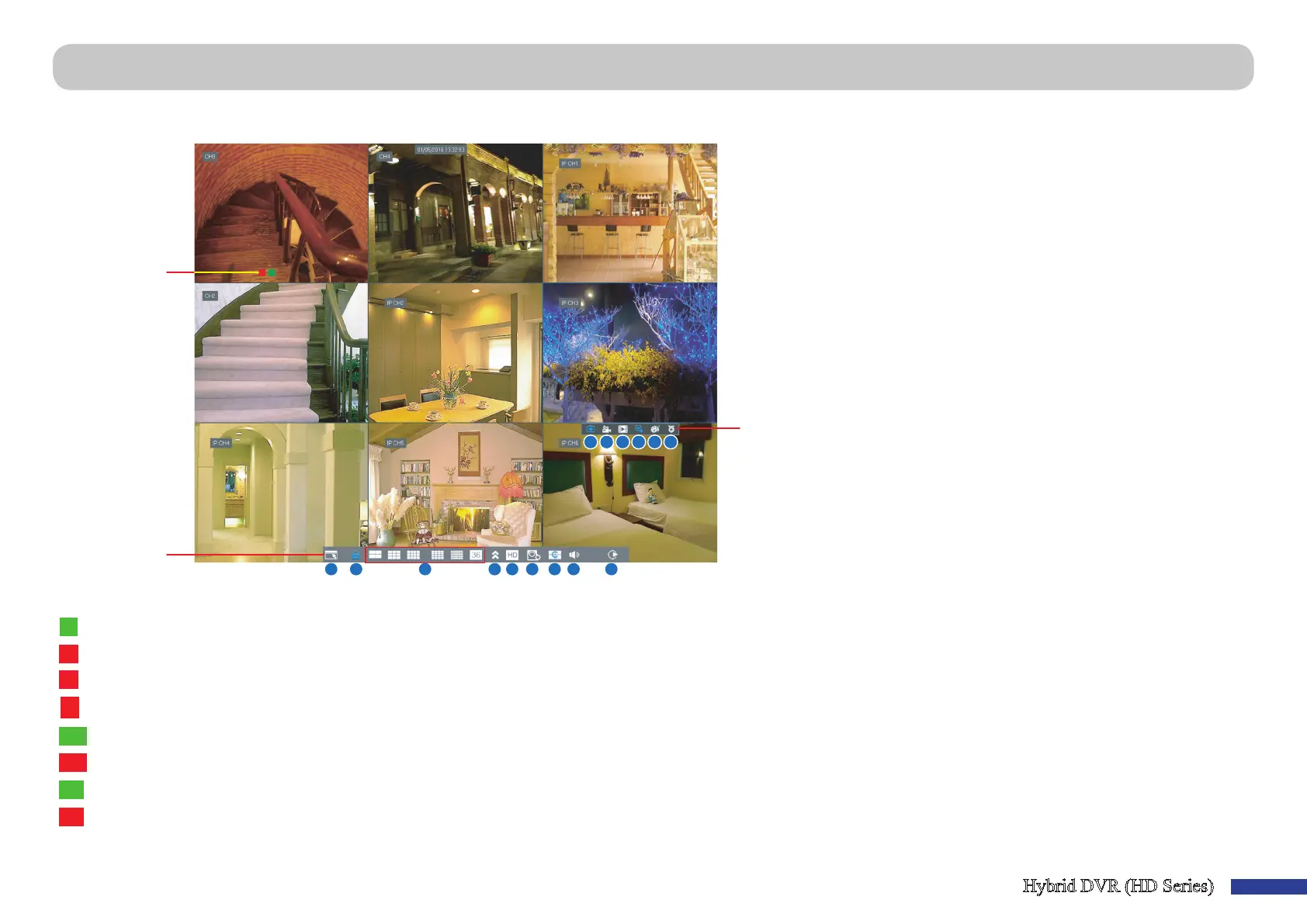
First screen you see aer going through or skipping the Startup Wizard. On this screen, you see the live views from all connected cameras. The view varies depending on the
DVR model you purchased.
R M
A B D E F G H I
J K L M N O
C
Status Icons
Menu bar
Quick Camera
Toolbar
Status Icons
Menu Bar
A) Click this to open the Main Menu.
B) Click this to lock the screen.
C) Click this to switch to dierent camera views.
D) Click this to view more layout opons.
E) Click this to switch all channels to mainstream or
substream (for live view resoluon).
F) Click this to switch between realme, balanced, or
smooth view. The view eect modes inuence only
the displayed video quality by bit rate and frame rate
but do not inuence the recording quality.
G) Click this to start viewing channels in a sequence set
in “Main Menu > Parameter > Display > Output” on
page 11.
H) Click this to adjust the volume.
I) Click this if you want to playback videos.
Quick Camera Toolbar
M
The moon icon indicates that the DVR is detecng moon from the camera.
J) Click this to manually capture an image.
The HDD icon indicates that the DVR cannot detect a HDD or the HDD is not formaed.
K) Click to start recording the channel manually.
This indicates that the DVR is currently recording.
L)Click to review the channel playback of the recent
This icon appears when the camera has detected moon and triggers recording.
5 minutes recording.
PIR
The PIR icon indicates that the DVR is detecng moon from the PIR sensor camera.
M) Click to zoom in the channel.
PIR
This icon appears when the PIR camera has detected moon and triggers recording.
N) Click to adjust the channel color sengs.
SM
The SM icon indicates that the DVR is detecng smoke from the Smoke detector camera.
O) Click to congure the camera PTZ sengs.
SM
This icon appears when the Smoke detector camera has detected smoke and triggers recording.
VIDEO LOSS: Connecon to the camera has been lost. / O-line: The added IP camera is oine or disconnected.
No Camera: IP Camera has not been connected to the DVR.
Live Viewing Screen



 To Next Page