26
Hybrid DVR (HD Series)
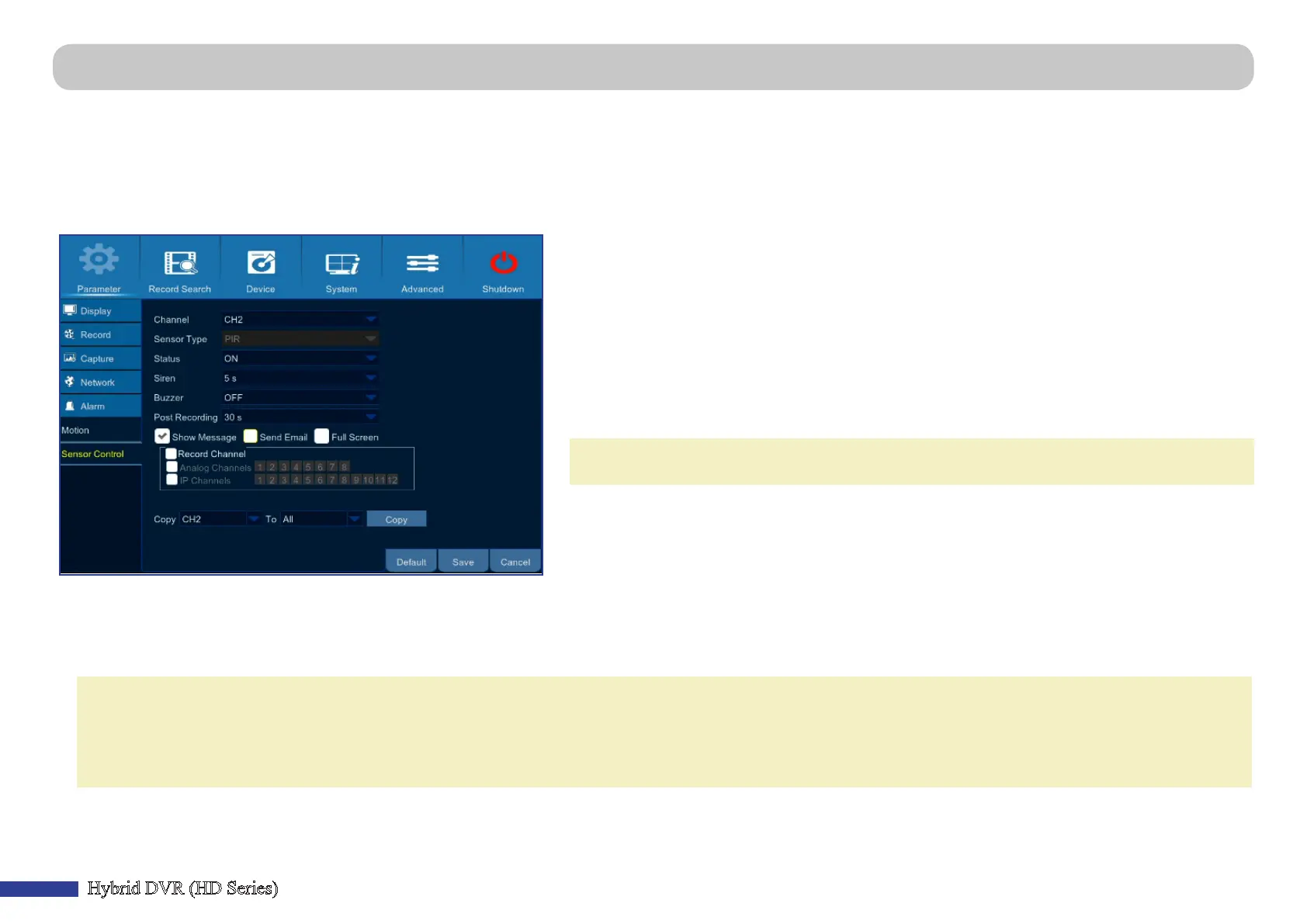
Main Menu > Parameter > Alarm > Sensor Control
To acvate this page, you must purchase and install the following KGUARD funcon cameras:
• PIR camera (Model WP820A): 2-megapixel bullet type wide-angle camera with built-in infrared sensor.
• Smoke detector camera (Model WS820A): 2-megapixel bullet type wide-angle camera with built-in smoke sensor.
• Siren camera (Model WR820A): 2-megapixel bullet type wide-angle camera with built-in alarm.
For more product informaon, please visit hp://www.kguardsecurity.com/.
• Channel: Installed channel.
• Sensor Type: Aer installing the camera, the system will determine and display the connected
sensor type.
• Status: Enable or disable the sensor funcon. Disabling the sensor does not turn the camera o
and you can connue to use the camera for monitoring, recording, moon detecon, and so on.
• Siren: Set the siren sound duraon in seconds when the sensor is triggered.
• Buzzer: Set the built-in buzzer duraon in seconds when the sensor is triggered.
• Post Recording: You can set how long aer the PIR camera is triggered that the DVR will connue
to record.
NOTE: For PIR camera, a connuous trigger by the PIR camera within this me period will be
considered as one single trigger.
• Show Message: Check the box to display the sensor icon (i.e. PIR) on the screen when the sensor
is triggered.
• Send Email: You can let the DVR to send you an auto-email when the sensor is triggered. To set up
the email schedule, please see “Main Menu > Parameter > Network > Email & Email Schedule” on
page 23.
• Full Screen: If this funcon is enabled and a sensor is triggered in a channel, you will see that
channel in full screen.
• Record Channel (Analog Channels / IP Channels): Select the channels that need to be linked to the sensor cameras.
NOTE: For successful linking, make sure the following parameters are congured:
(1) The linked channels are selected under Record Channel parameter on both PIR and Smoke detector camera Sensor Control pages.
(2) On each linked channel Sensor Control page the Status parameter is set to ON.
(3) The PIR-based recording schedule is set for each linked channel in Main Menu > Parameter > Record > Record Schedule > PIR.



 To Next Page