Hybrid DVR (HD Series)
33
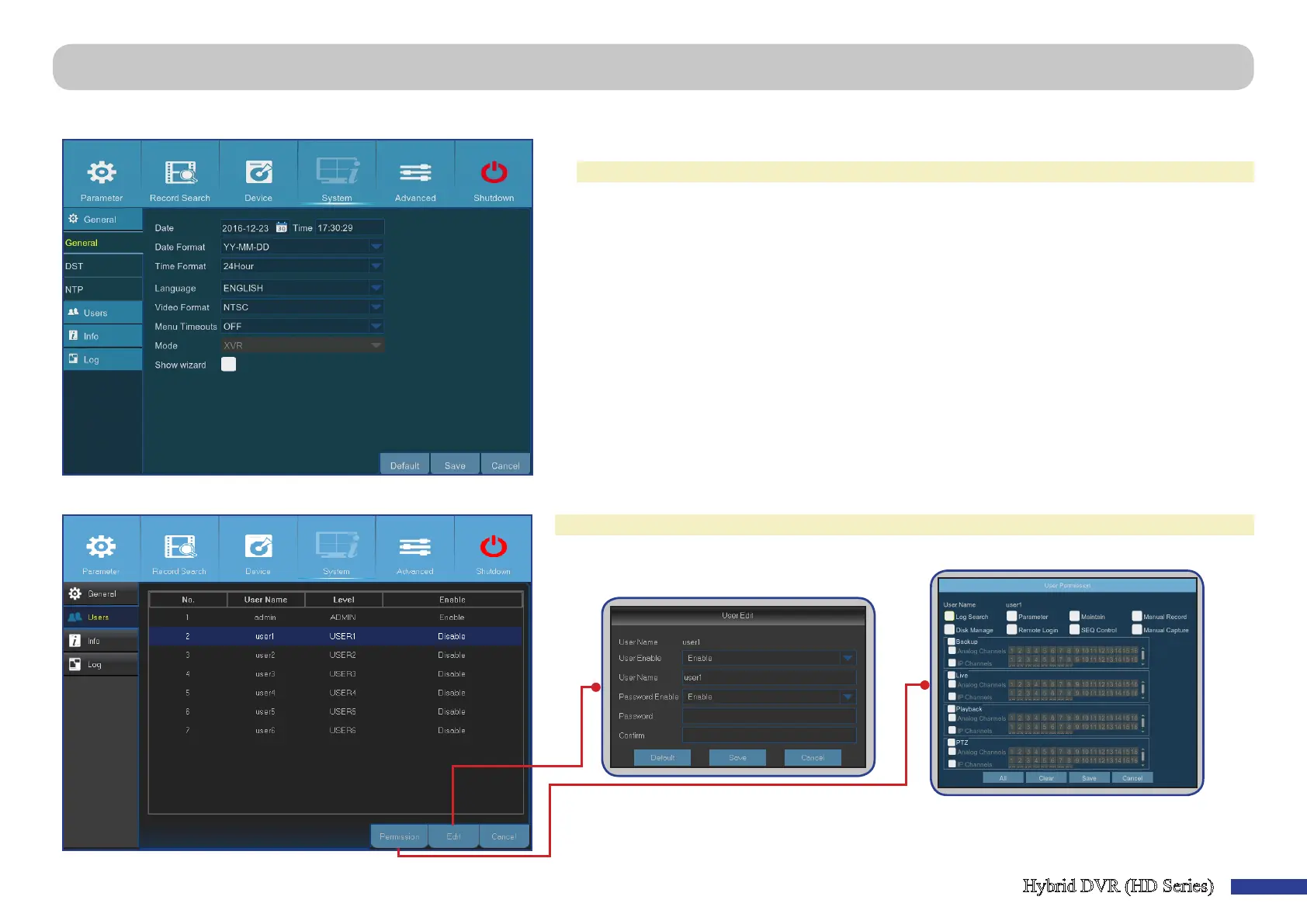
Main Menu > System > General > General & Main Menu > System > Users
This menu allows you to congure the general parameters of the system, such as date and me, OSD language, menu meouts, etc.
• Date/Time: Enter the date and me manually.
NOTE: For date/me automaon over the Internet, enable NTP.
• Date Format: Set the date format here. For example, if you keep the default YY-MM-DD and
today’s date is January 11th, 2016, the date appears on the footages as 2016-01-11.
• Time Format: Set the me format here. For example, if you keep the default 24Hour and the
current me is 5:29:54 PM, the me appears on the footages as 17:29:54.
• Language: Choose the OSD language.
• Video Format: Choose the video format between NTSC and PAL. If the DVR’s picture is ickering
or has only black screen, it may be that the video format is not correct.
• Menu Timeouts: Set the me out the DVR will exit the menus when they are not in use.
• Mode: Select the DVR mode.
• Show Wizard: Check if you want the Startup Wizard to reappear each me you startup the DVR.
This menu allows you to congure the user login informaon.
NOTE: The default user name is “admin” and default password is “123456”.
• User Edit: To enable/disable the user account, modify the user name and password, click on the
user account you wish to edit, then click Edit.
• Change User Permissions: To modify user access permissions, click on the user account you wish
to modify, then click Permission.



 To Next Page