Hybrid DVR (HD Series)
11
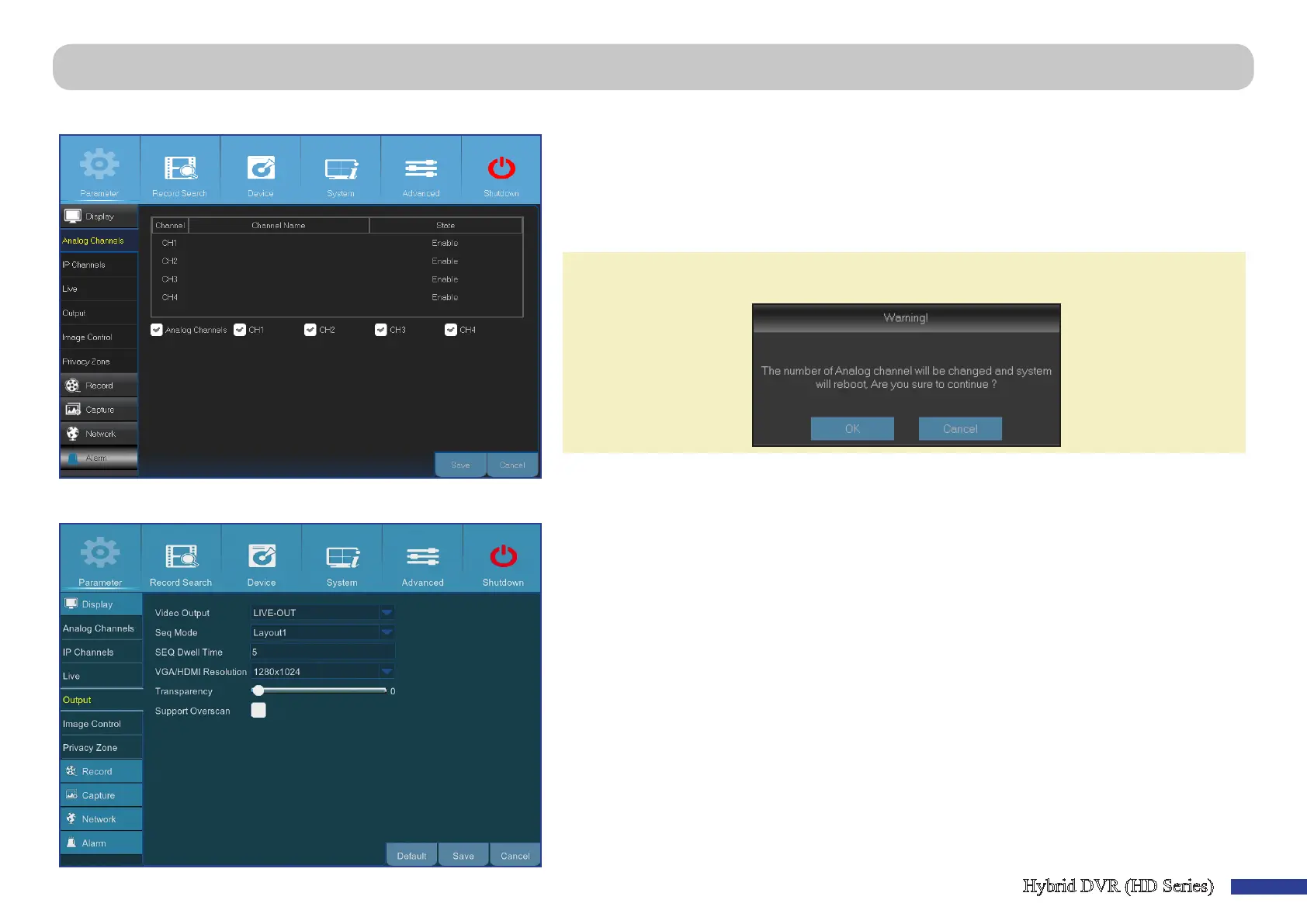
Main Menu > Parameter > Display > Analog Channels & Output
This menu allows you to enable or disable the analog channels.
Main Menu > Pa
rameter > Display > Output
• Channel: Display channel idencaon.
• Channel Name: Display the channel name.
• State: Display the channel status.
• Analog Channel: Click on the checkbox next to the channel idener to enable or disable the
analog channel.
NOTE: Aer making modicaons to the channel status, click Save to save the changes. You are
prompted to conrm the modicaons. Click OK to conrm.
This menu allows you to congure video output parameters.
• Video Output: This is the monitor that you use for live view display.
• Seq Mode: Choose your favorite layout from the drop-down menu for viewing channels in a
sequence on live view.
• SEQ Dwell Time: Set how long you want the live view from a channel to be displayed in a
sequence.
• VGA/HDMI Resoluon: Select the highest resoluon your monitor/TV supports. The higher the
resoluon, the more details you will see on your images. The DVR will restart aer you change the
resoluon.
• Transparency: Decide how transparent you want the menus to be. Choose parally transparent
(see-through) if you need to keep an eye on happenings while adjusng sengs.
• Support Overscan: Check to allow adjusng the posion of the video image on the live viewing
screen.



 To Next Page