34
Hybrid DVR (HD Series)
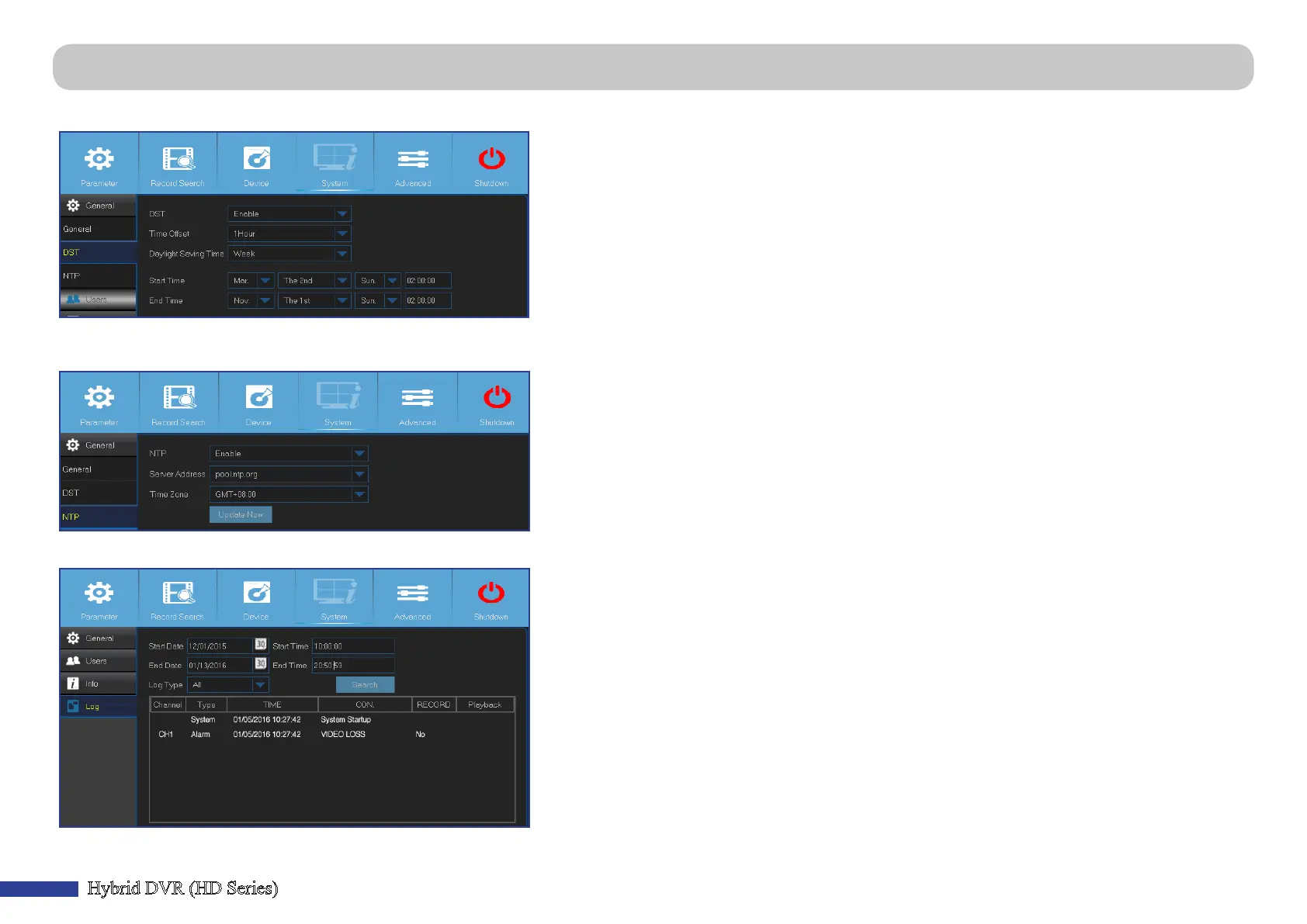
Main Menu > System > General > DST, NTP & Main Menu > System > Log
DST stands for Daylight Savings Time.
• DST: Enable if Daylight Saving Time (DST) is observed in your country.
• Time Oset: Select the amount of me to oset for DST.
• Daylight Saving Time: Choose to set the daylight saving me in weeks or in days.
• Start Time/End Time: Set the start me and end me for daylight saving.
NTP stands for Network Time Protocol. This feature allows you to synchronize the date and me automacally on the DVR over Internet. Therefore the DVR needs to be
connected to the Internet.
• NTP: Enable if you want the DVR to update the date and me automacally.
• Server Address: Select the NTP (Network Time Protocol) server.
• Time Zone: Select the Time Zone in your locaon.
• Update Now: Click here to update the system date and me.
This menu allows you to view a list of events, presented in chronological order.
- To search for a log, enter the start me/end me to the respecve elds and click Search.
- To display log details, double-click on the item.
- To backup a log entry, connect an external USB disk to the DVR, click on the log event and click
Backup.
• Log Type: Select the log type.
• Start Time/End Time: Specify the start and end date/me of the logs you want to review and/or
save on an external USB storage device. Click Search. The logs will be listed on the table.



 To Next Page