8
Hybrid DVR (HD Series)
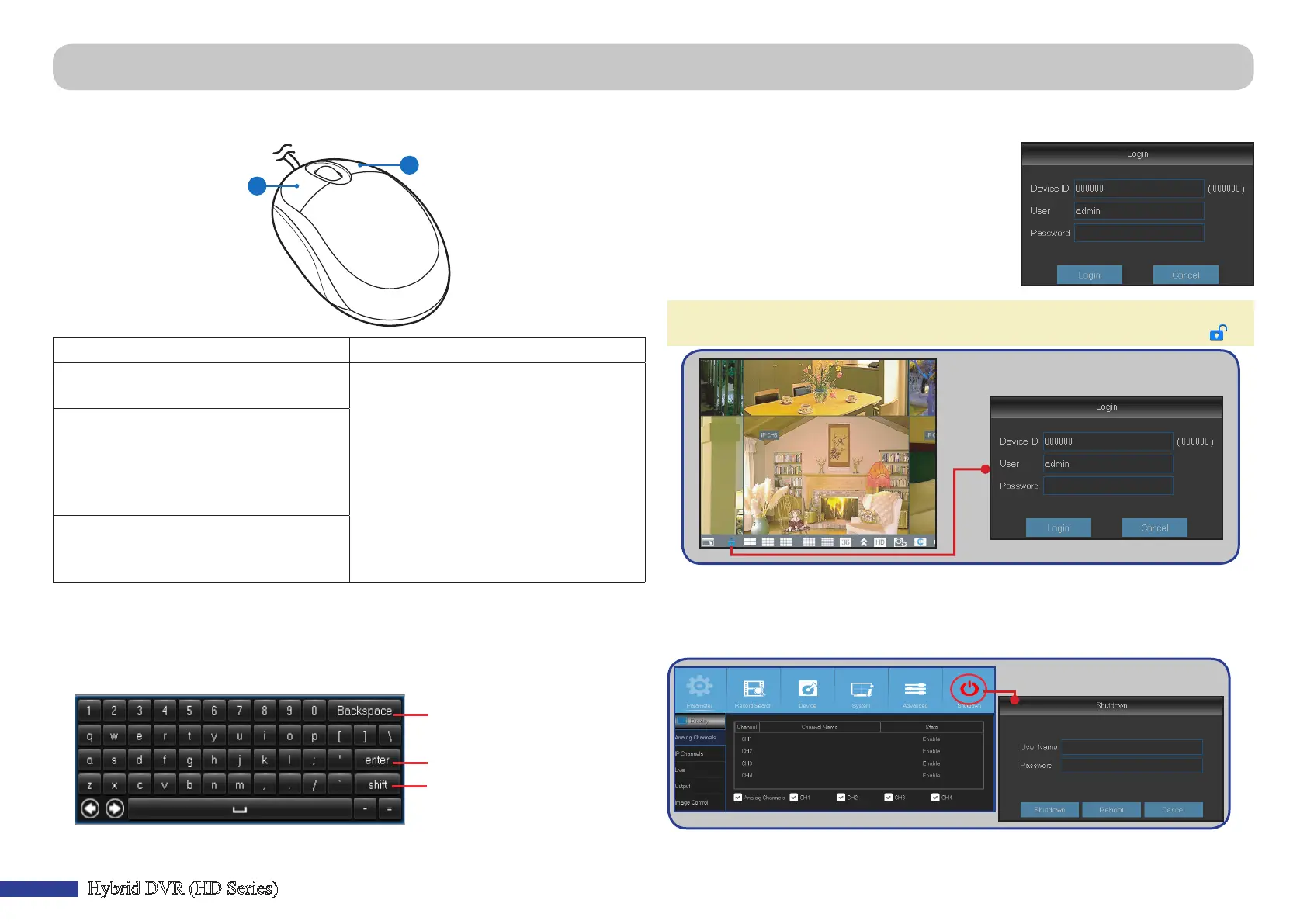
Locking the Screen
The screen is locked to protect unauthorized OSD
operaon. To access the OSD menu, you need to
authencate yourself by providing the user name
and password.
The default user name and password are as below:
• User name: admin
• Password: 123456
NOTE: If necessary, you can also lock the screen manually. To do so, right-click
on the Live Viewing screen to make the Pop-up menu bar visible. Then click .
Reboong/Shung Down the DVR
Reboong and shung down operaons can be performed via the Main Menu.
Using the Supplied Mouse
A
B
A) Le Buon B) Right Buon
– Click once to choose an item in the
menus and conrm your selecon.
– Click once to open the pop-up menu
on the Live Viewing screen and to
exit from the menus.
– Double-click on the channel on the
Live Viewing screen to view the
channel in full screen mode. Double-
click again to exit the full screen
mode.
– Click and hold to drag an area on
moon mode or adjust the values of
sliders and scales on menu mode.
Using the Virtual Keyboard
You will see the virtual keyboard automacally on the screen anyme you need to
enter data.
Click to delete a character
Click to enter the text
Click to toggle the keyboard
to upper case
Common DVR Operaons



 To Next Page