16
Hybrid DVR (HD Series)
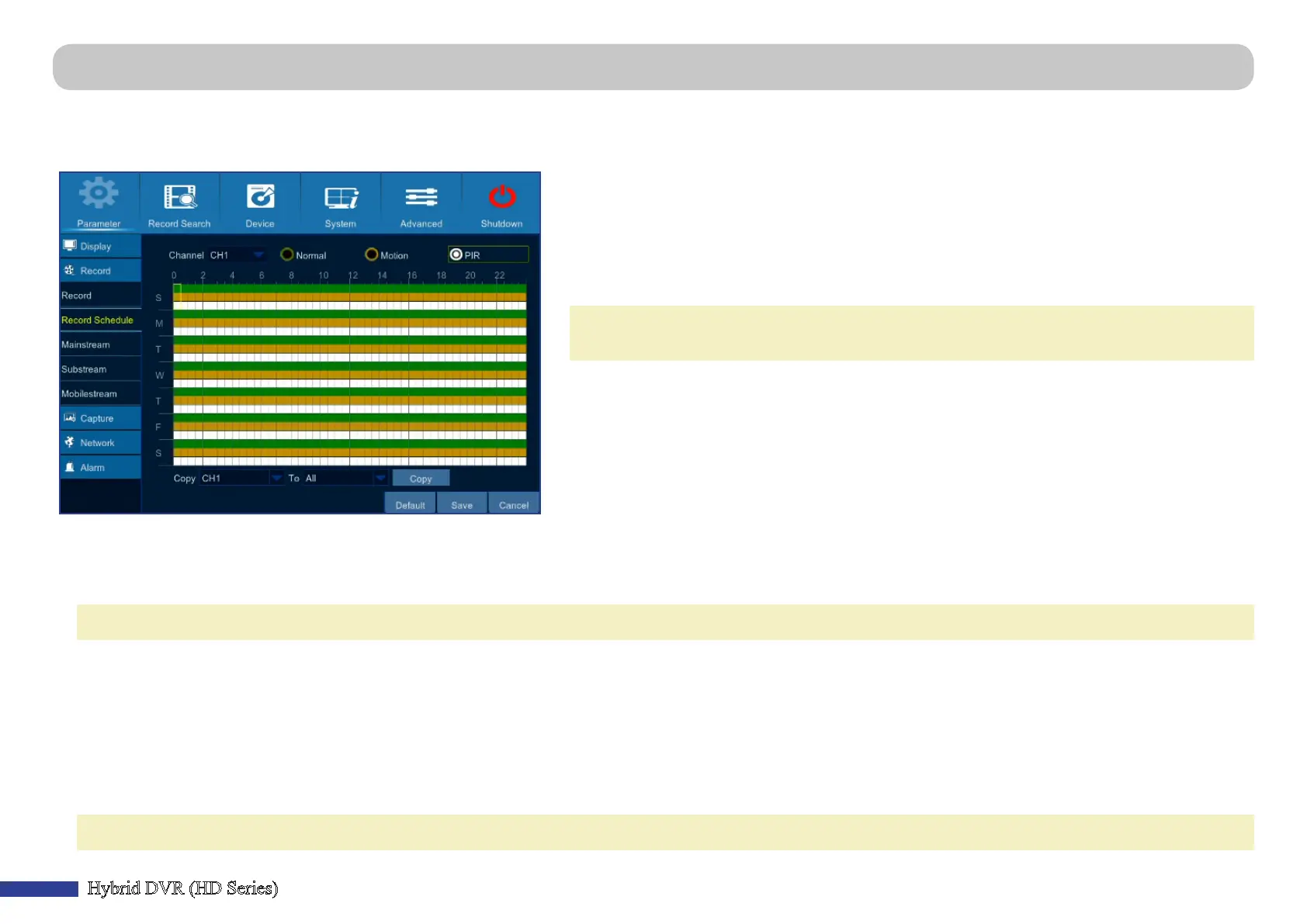
Main Menu > Parameter > Record > Record Schedule
This menu allows you to specify when the DVR records video and dene the recording mode for each channel. The recording schedule lets you set up a schedule like, daily and
hourly by normal (connuous) recording, moon recording, and sensor recording. To set the recording mode, click rst on the mode radio buon (Normal, Moon, or PIR), then
drag the cursor to mark the slots. The recording schedule is valid only for one channel. If you want to use the same recording schedule for other channels, use Copy To funcon.
• Channel: Select the channel to set its recording parameters.
• Normal: When the me slot is marked green, this indicates the channel performs normal
recording for that me slot.
• Moon: When the me slot is marked yellow, this indicates the channel records only when a
moon is detected during that me slot. For storage eciency, we recommend to use this type of
recording.
NOTE: To use the moon detecon, you must enable and congure the moon sengs for the
channel in Alarm menu. Please see “Main Menu > Parameter > Alarm > Moon” on page 25.
• PIR: The recording is determined by the connected camera type. If the connected camera is:
(1) PIR Camera: When the me slot is marked white in the recording schedule and the PIR camera detects a moon, the channel where the PIR camera is connected
starts recording for that me slot, the DVR sounds a buzzer, and the Siren linked to the PIR camera sounds an alarm.
NOTE: Make sure the Siren camera is connected to the system.
Q: How to make the DVR to sound a buzzer and the Siren to sound an alarm when the PIR camera detects a moon?
A: Open Main menu > Parameter > Alarm > Sensor Control and congure the following parameters:
1. Channel: Select the channel where the PIR camera is connected.
2. Enable parameters: Set the Status parameter to ON and congure the Buzzer and Siren duraon in seconds and save the sengs.
(2) Smoke Detector Camera: When the Smoke dector camera detects smoke, the channel where the Smoke detector camera is connected starts recording, the DVR
sounds a buzzer, and the Siren linked to the Smoke detector camera sounds an alarm regardless the me slot for the period is marked white or not.
NOTE: Make sure the Siren camera is connected to the system.



 To Next Page