Hybrid DVR (HD Series)
27
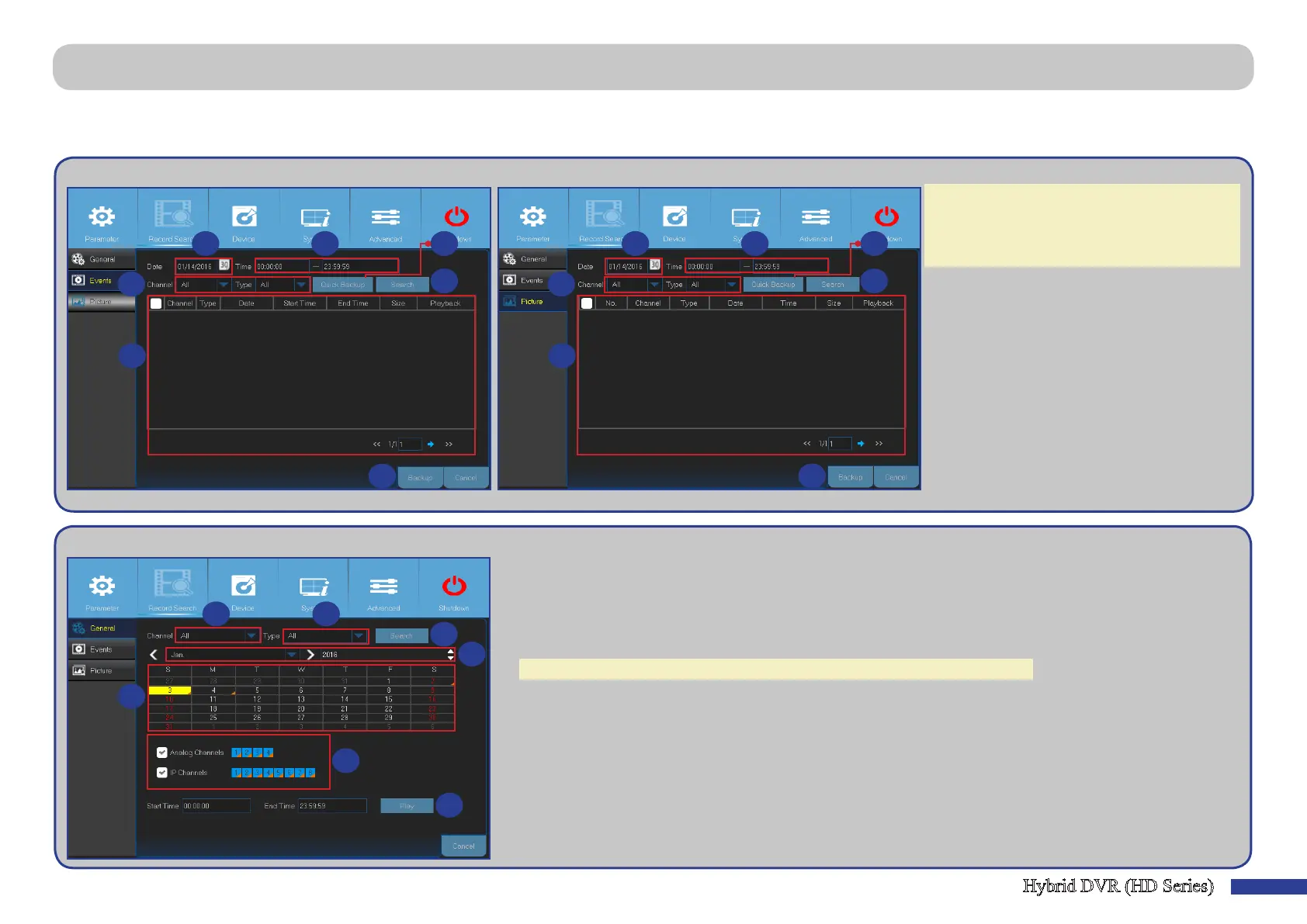
Main Menu > Record Search > General, Events & Picture
This menu allows you to search and playback the recorded videos based on recording type, channel, date and me parameters. You can also view and backup events and
captured images.
1) Select the channel and item type (All/
Normal/ Moon/ Manual(*)/ Sensor).
2) Select the recording date.
3) Select the recording me.
4) Click Search.
5) Select the recording or picture from the table.
6) To backup the enre event or picture(s)
Click Quick Backup.
7) To backup an individual event or picture,
select the entry and then click Backup.
• Events • Picture
1
2
4
3
5
6
7
1
2
4
3
5
6
7
NOTE:
-To backup events or pictures, connect an USB
ash disk to the DVR.
-(*) Only available in Picture menu.
1) Select the channel.
2) Select the recording type (All/ Normal/ Moon/ Sensor).
3) Select the recording month and year.
4) Click Search.
5) Select the recording from the table.
NOTE: Dates marked with orange triangles have video recordings.
6) Select the channels to playback (oponal).
7) Modify the start me and end me if necessary and then click Play.
The Playback screen opens. Please see “Main Menu > Record Search > General, Events & Picture
(connued)” on page 28.
1 2
4
3
5
6
7
• General



 To Next Page