EasyManua.ls Logo

Kinco FV20 Series - User Manual

Kinco FV20 Series
119 pages
Print Icon
To Next Page IconTo Next Page
Loading...
Preface
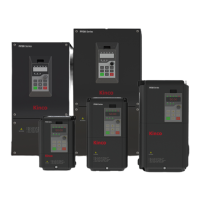
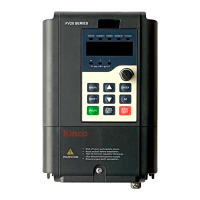
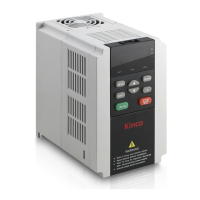
Thank you for using FV20 series Variable Frequency Drive made by Kinco Automation.
FV20 series inverter is a general-purpose high-performance vector inverter, which is mainly used to control
and adjust the speed and torque of three-phase AC asynchronous motor. It is a technical upgrade product of
FV100 series. FV20 adopts high-performance vector control technology, low speed and high torque output,
good dynamic characteristics, superior overload capability, those 45KW and below has built-in EMC filter
and brake unit, added user programmable function and background monitoring software. Support a variety of
PG cards, combined rich and powerful features, stable performance. It can be used in textile, paper, wire
drawing, machine tools, packaging, food, fans, pumps and various automated production equipment.
This manual provides information on model selection, parameters setting, trouble-shooting, and daily
maintenance. To ensure the correct installation and operation of FV20 series, please read this manual
carefully before starting the drive and keep it in a proper place and to the right person. Manufacturers should
follow the instructions in CN. and EN. version and Send it to the end-user for reference.
Precaution
To illustrate the details of the product, the illustrations in this manual are sometimes in the state of
removing the cover or safety cover. When using this product, be sure to install the cover or cover as
required and follow the instructions in the manual.
The illustrations in this manual are for illustrative purposes only and may differ from the products you
ordered.
The company is committed to continuous improvement of products, product features will be continuously
upgraded, and the information provided is subject to change without notice.
If you have any problems in use, please contact our regional agents or directly contact our customer
service center. Customer Service Phone 400-700-5281。

Table of Contents

Questions and Answers

  • F
    Fernando CohenAug 10, 2025
    Why Kinco Inverter Drive settings of parameters cannot be changed?
    • K
      Katie AndersonAug 10, 2025
      The inability to change parameters on your Kinco Inverter Drive could stem from several reasons: * Parameters are not allowed to be changed during operation: Change the parameters at STOP status. * b4.02 is set to 1 or 2: Set b4.02 to 0. * A user password is required: Input the correct user’s password. * Parameters are actually detected, not allowed changing: Do not try to change these parameters, users are not allowed to change these.
  • B
    Brandon MartinezAug 16, 2025
    What to do if Kinco FV20 Inverter Drive does not work?
    • R
      Raymond GarciaAug 16, 2025
      If your Kinco Inverter Drive isn't working, check these potential issues: * A terminal used for coasting to stop is enabled: Check the terminal used for coasting to stop. * A terminal used for prohibiting running of the drive is enabled: Check the terminal used for prohibiting running of the drive. * A terminal used for stopping the drive is enabled: Check the terminal used for stopping the drive. * In 3-wire control mode, the terminal used to control the 3-wire operation is not closed: Set and close the terminal. * A fault alarm has occurred: Clear the fault. * Positive and negative logic of input terminal are not set correctly: Check the setting of A6.13.
  • B
    Brooke CastilloAug 22, 2025
    How to fix no response of operation panel of Kinco Inverter Drive?
    • R
      Rebecca RollinsAug 22, 2025
      If the operation panel of your Kinco Inverter Drive is not responding, consider these possible causes: * The panel is locked up: In stopping status, first press ENTER and hold on, then press ? 3 times continuously to unlock the panel. * The panel’s cables are not well connected: Check the wiring. * The panel’s keys are damaged: Replace operation panel or seek service.
  • J
    Jack ChristensenAug 28, 2025
    What to do if Kinco Inverter Drive reports "P.oFF" after power-on?
    • M
      Michelle CrawfordAug 29, 2025
      If your Kinco Inverter Drive reports "P.oFF" when starting immediately after power-on, it could be due to a disconnected or overloaded transistor or contactor. Run the drive until the transistor or contactor is connected.
  • H
    Holly DaughertyNov 3, 2025
    What to do if Kinco FV20 Inverter Drive stops during operation?
    • B
      Brenda GonzalezNov 3, 2025
      If the Kinco Inverter Drive stops during operation, consider the following potential causes: * A fault alarm might have occurred: Find the fault reason and reset the drive. * There might be an interruption in the AC supply: Check the AC supply condition. * The control mode might have been changed: Verify the setting of relevant parameters. * The logic of control terminal might have been changed: Check the settings of A6.13. * Auto-reset upon a fault: Check the setting of auto-reset. * Stopping command is input from external terminal: Check the setting of this external terminal. * Preset frequency is 0: Check the frequency setting. * Start frequency is larger than preset frequency: Check the start frequency. * Skip frequency is set incorrectly: Check the setting of skip f...

Summary

Chapter 1: Safety Information

General Safety and Installation

Key safety guidelines for installation, operation, and motor compatibility.

Chapter 3: Installation Environment

Chapter 4: Wiring Guide

Main Circuit Wiring

Instructions for connecting main circuit terminals of the VFD.

Control Circuit Wiring

Guidance on wiring the control circuit terminals of the VFD.

Chapter 5: Operation Instructions

Operation Panel Usage

Guide to operating the VFD using the control panel and its keys.

Operating Modes Explained

Explanation of different control and operating modes for the FV20 VFD.

Initial Power-On Procedure

Procedures for initial power-on and setup of the VFD.

Chapter 6: Parameter Introductions

Chapter 7: Troubleshooting

Fault Codes and Actions

List of FV20 fault codes, their categories, and recommended actions.

Abnormal Phenomena Handling

Common abnormal phenomena and methods for handling them.

Chapter 8: Maintenance

Chapter 11: Basic Adjustment Guide

Motor Parameter Self-Tuning

Procedure for performing motor parameter self-tuning for optimal performance.

Kinco FV20 Series Specifications

General IconGeneral
Protection ClassIP20
Cooling MethodForced air cooling
Output Voltage0~Rated Input Voltage
Control MethodV/F control, Sensorless Vector control
Protection FeaturesOvercurrent, Overvoltage, Undervoltage, Overload, Overtemperature, Short circuit
Communication ProtocolsModbus
Operating Temperature-10°C~+40°C
Storage Temperature-20°C~+60°C
Humidity5%~95%, without condensation
AltitudeBelow 1000m (Derating if above 1000m)

Related product manuals