Safety Instructions
Issue: 08/2012
All existing safety devices must be checked regularly
In case of an emergency, you can switch off the projector using the main switch (under
the projector door). Push the switch to position “0”. The red lamp in the switch turns off.
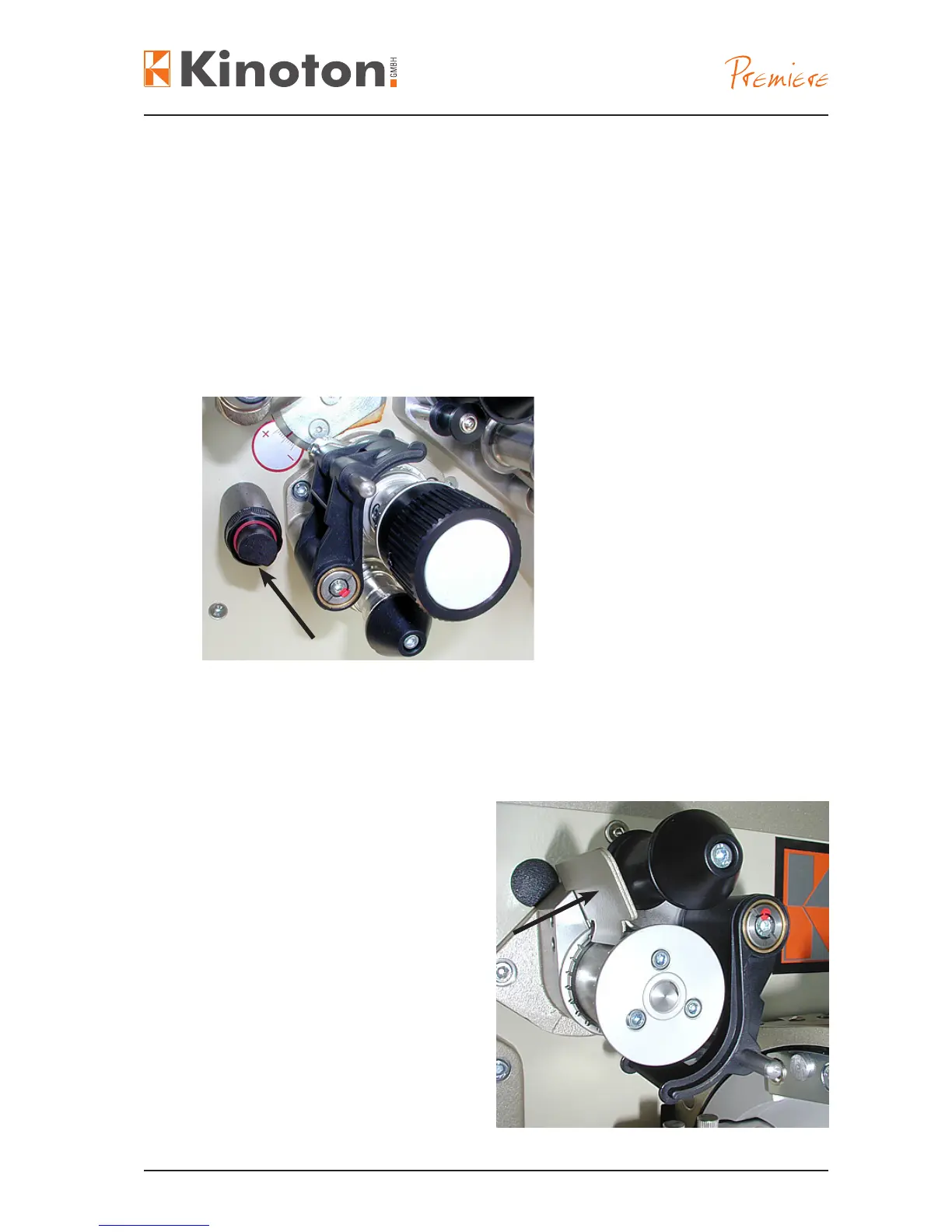
The lm break sensor (arrow) switches off the projector when no lm is passing the sen-
sor (e. g. at a lm break). In this case the projector will be stopped.
X
If your projector is equipped with an automation system the lm break sensor can
trigger a run of events.
The lm stripper (arrow) prevents lm
from winding around the sprocket after
a lm break or loss of a tape xing has
happened.
Film strippers are attached to all
sprockets.



 To Next Page