Issue: 08/2012
The electronic Kinoton rectier are available with a power up to:
- 110 A (KEX 110)
- 170 A (KEX 170)
for use for different mains voltages.
The intensity of current for the xenon lamp can be set by turning a potentiometer or
via the LDU unit’s program.
X
You will nd a more detailed description of the rectier in the corresponding operating
manual.
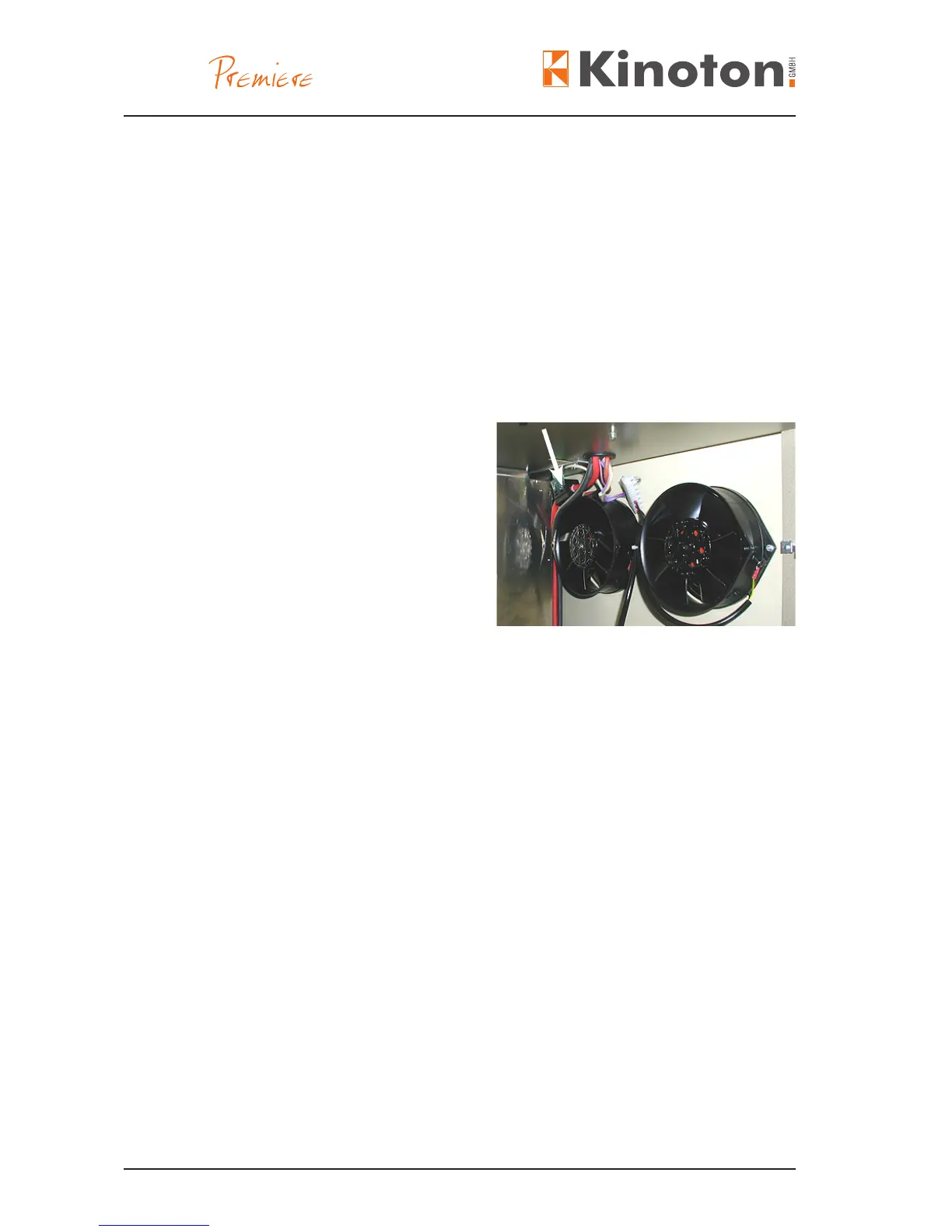
The xenon sensor (arrow) monitors the
function of the xenon bulb. The Hall sen-
sor is closed in a ferrite core. This ferrite
core is closed around the xenon lamp
mains cable. If the xenon bulb does not
illuminate during a running program, the
sensor transmit this error to the EMK 1.
The EMK 1 beeps and shows “L” in the
display.
The projector can be equipped with the different automation systems.
» If the FP 50 E is running with the EMK 1 automation system the projector is
equipped with 1 sensor to read the cue foils.
» If the FP 50 E is running with the DMP 1 automation system the projector is
equipped with 1 sensor to read the cue foils.
» If the FP 50 E is running with the CCA 3 automation system the projector is
equipped with 3 sensors to read the cue foils.
» If the FP 50 E is running with the SA 2 automation system the projector is equipped
with 2 sensors to read the cue foils.
X
See the corresponding operating manual for more information.



 To Next Page