Issue: 08/2012
Push the single aperture plate into the lm gate until the stop is reached and the
aperture plate snaps into position.
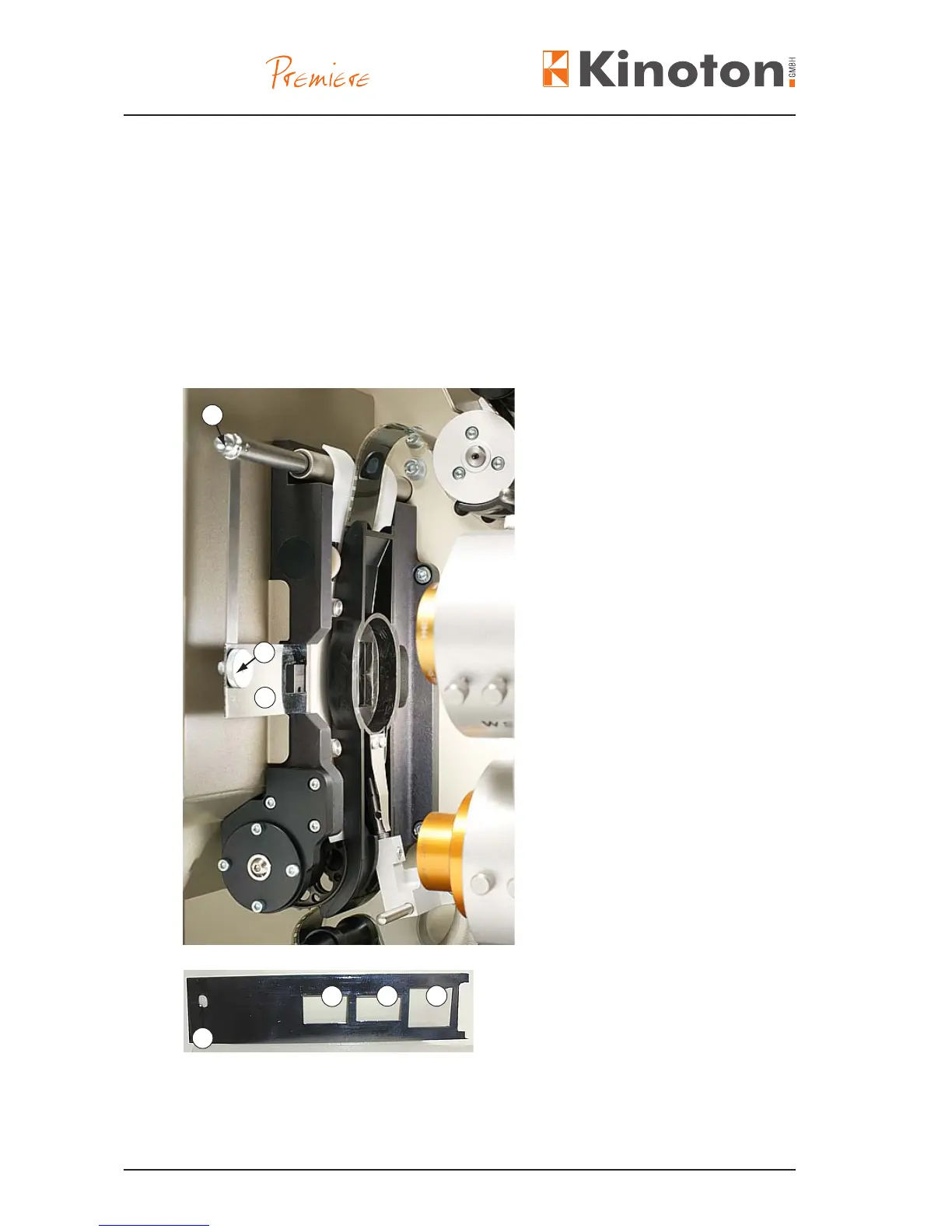
The aperture changer is suitable for automatically changing the aperture when the
corresponding format key has been pressed. It works together with an electronically
controlled lens turret. By activating a format button the aperture together with the lens
is changed.
Aperture changer
Á Aperture
 Drive pin
(with knurled nut installed)
• Push the aperture into the lm
gate and place the aperture
changer drive pin into the hole on
the aperture.
• Tighten the knurled nut on the
drive pin.
Hole for drive pin
Á 1:1.66 aperture
 1:1.85 aperture
à 1:2.39 aperture
2
3
1
2
3
1
4



 To Next Page