Issue: 08/2012
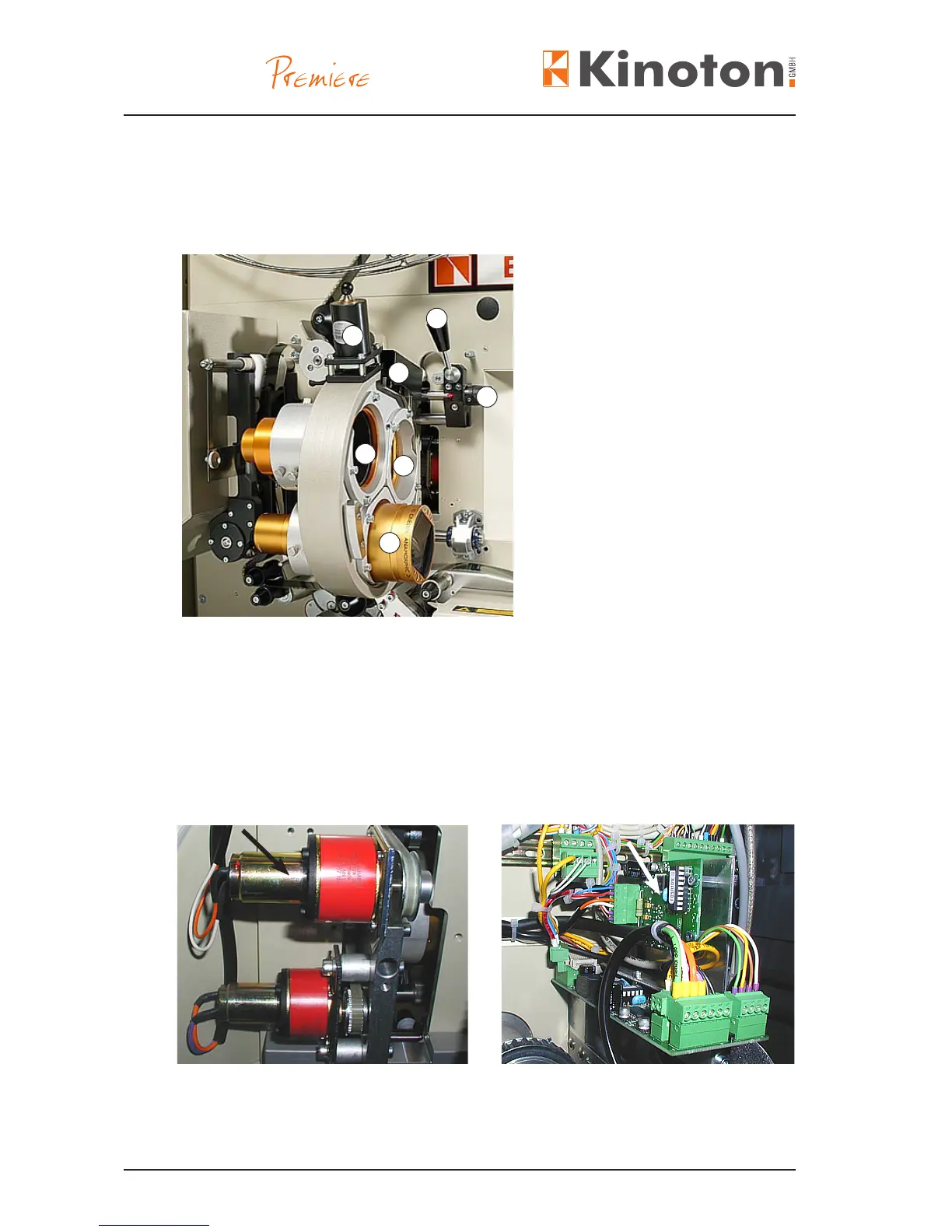
The electronically controlled lens turret is suitable to change the lens automatically
when the corresponding format key has been pressed. Simultaneously the applicable
aperture is changed too.
Lens tubes with lenses
Á Latching solenoid
 Sensor board (covered)
à Manual focusing
Ä Position lever for moving the
lens turret away from the gate
• To select a lens, push one of the format buttons.
$The light barrier on the sensor board senses the position of the corresponding
coding plate (one coding plate for one lens).
$The lens turret will stop at that position and be magnetically latched.
The lens turret/aperture changer control board (arrow, right gure) activates the turret
motor (arrow, left gure), which changes the lens via a toothed belt.
X
Z When changing the lens the aperture is changed too (see also chapter 3.2.4).
Z Initializing the EE-PROM should be only carried out by experts.
2
1
3
4
5
1
1



 To Next Page