Installation / Mounting
Issue: 08/2012
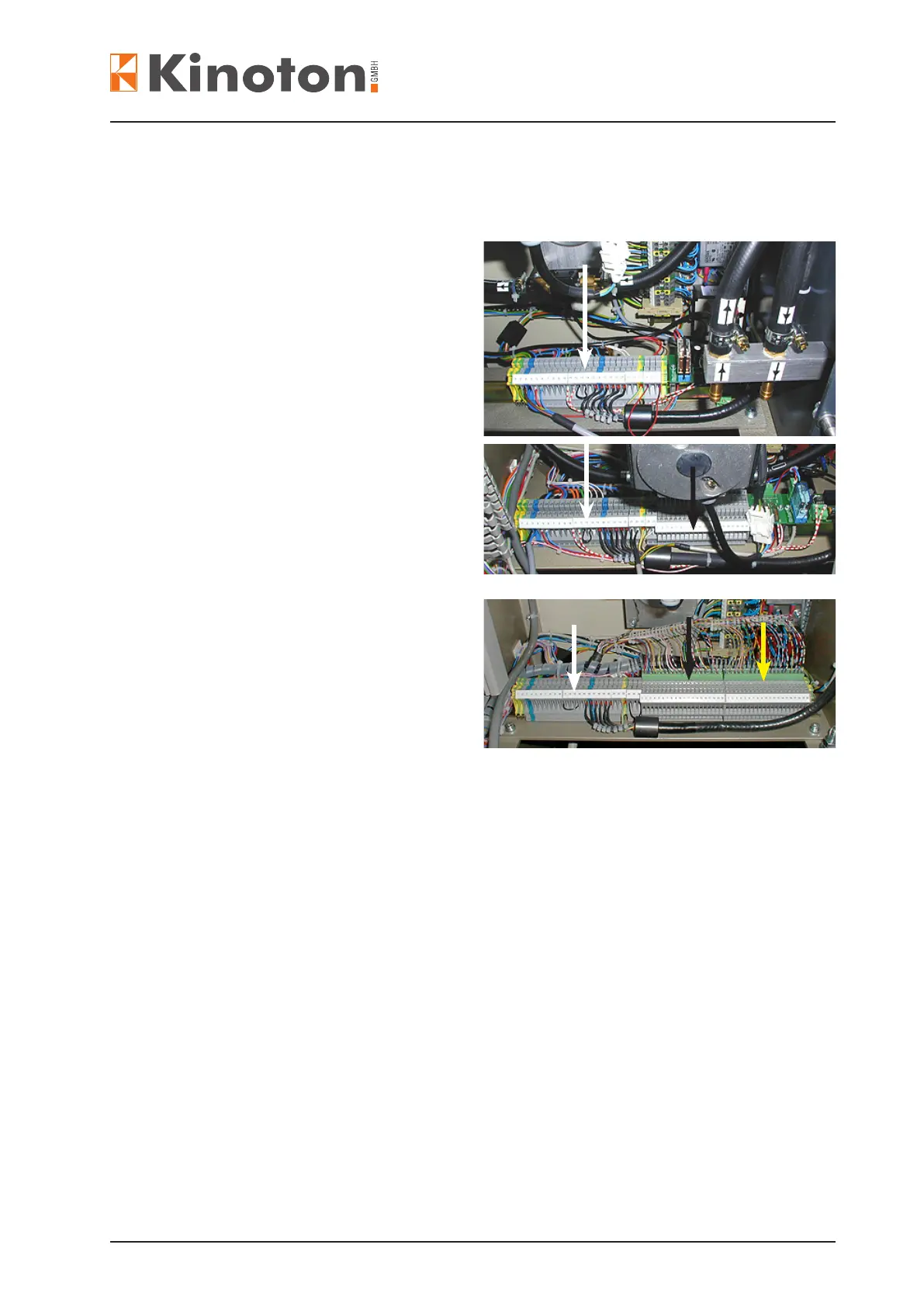
The whole terminal strip unit in the projector can be designed with 3 parts.
The number of parts depend on the projector’s design:
- main terminal strip
(white arrows) - is normally mounted.
- projector functions
(black arrows) is used with an automa-
tion system like EMK 1 or MP 15/20 E.
are necessary if
the projector is equipped with CCA 3,
DMP 1 or SA 2 automation system.
- auditorium
functions (yellow arrow) - is optionally
mounted for using a control or audito-
rium panel.
• Connect the Phoenix plugs of the BWR control panel cable assembly to terminal
strip 2 (projector functions) and to terminal strip 3 (auditorium functions) (black and
yellow arrows).
X
Z The projector will be delivered ready wired.
Z Wiring schemes, see chapter 8.
Z For more information about the relay node boards, see the corresponding operating
manual of the automation system.



 To Next Page