Issue: 08/2012
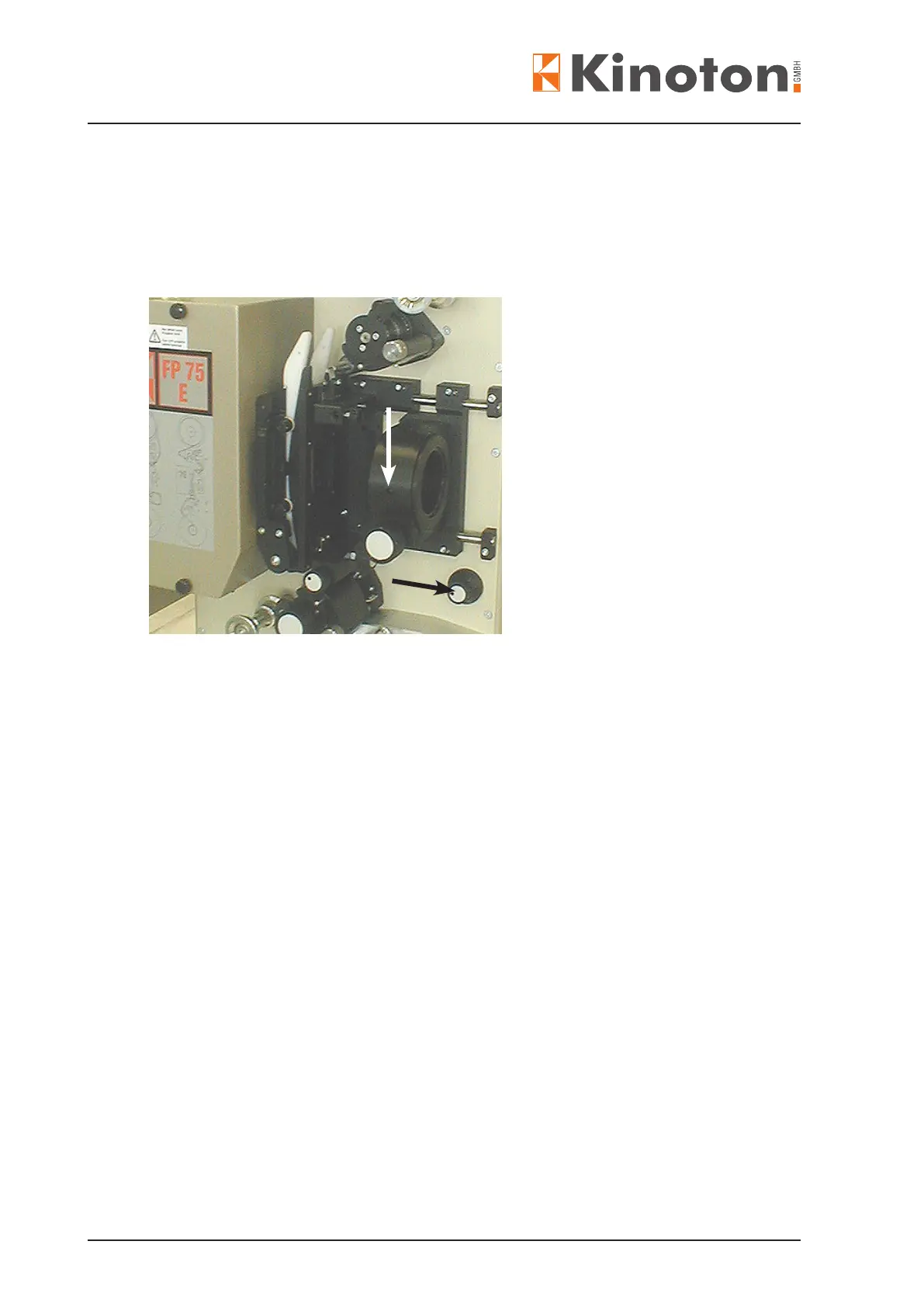
» The lens holder can be fed with a lens.
» For inserting a lens loosen clamping screw (white arrow), put in the lens and then
tighten the screw again.
» Focusing can be done manually (black arrow) or optionally electronically.
Turn the focusing knob (black arrow) to move the lens holder.
When operating the focus controls, the focus motor rotates a shaft with a eccentric
segment at the end. That eccentric is located between the focus shaft and the lens
holder and thus shifts the lens holder fore and aft as it rotates.
X
Z Electronic focusing can only be carried out with open dowser.
Z Adjusting the lens holder, see chapter 6.4.
Z Modifying the lens holder for different formats, see chapter 3.2.8.



 To Next Page