Operating Elements
Issue: 08/2012
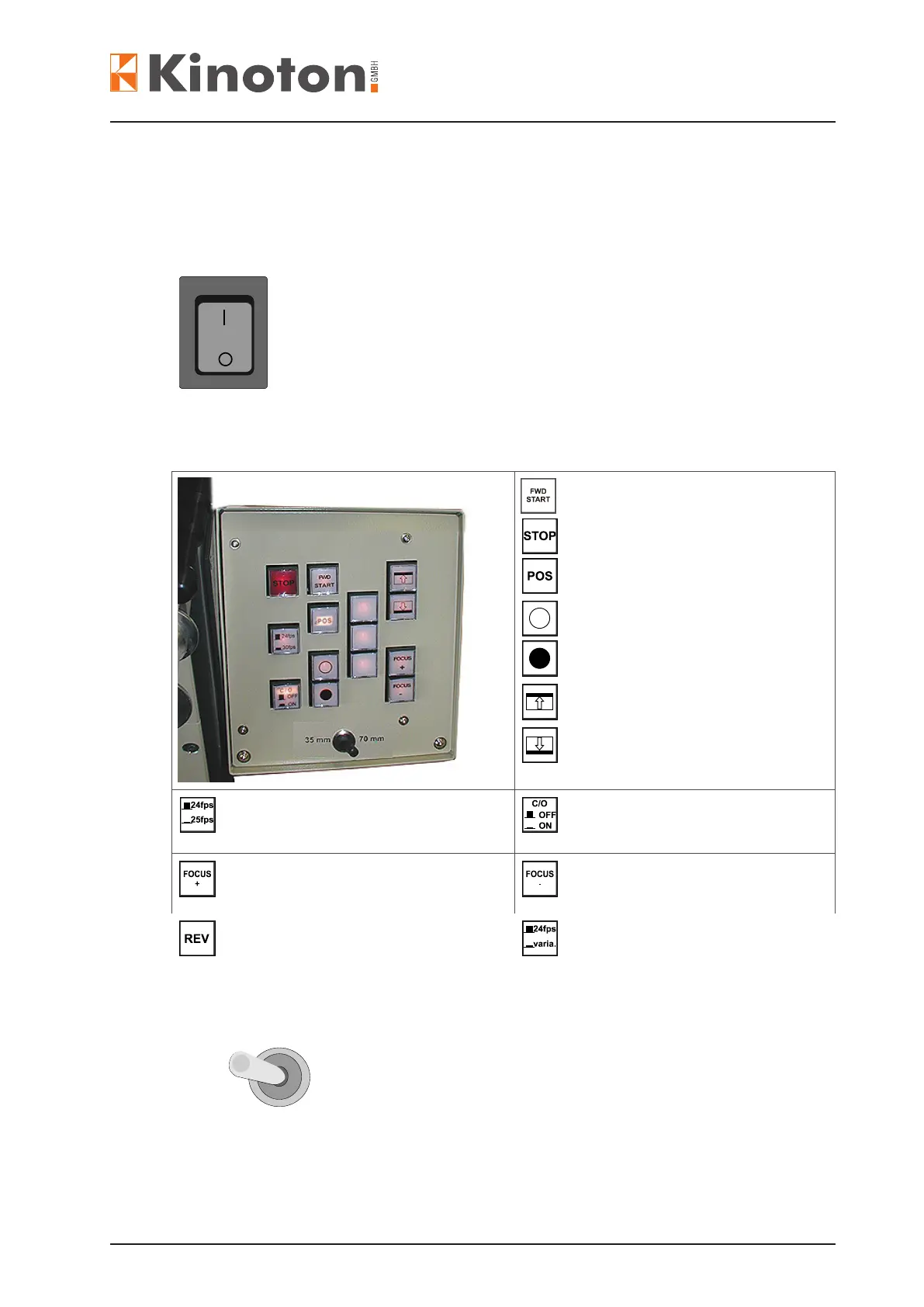
The main switch is positioned under the projector door.
Current transfer is switched on.
The switch lights up red.
Current transfer is switched off.
The switch is off.
Projector FORWARD START
Projector STOP
Frame POSITION
Dowser OPEN
Dowser CLOSE
Frame UP
Frame DOWN
Film speed 24 fps or 25 fps
Change-over ON or OFF
Focusing + (option)
Focusing - (option)
Projector REVERSE START
(option)
VARIA speed or 24 fps (option)
:
To activate the desired format the projector must be
switched off and switched on again.
70 mm
35 mm



 To Next Page