Fault Possible causes and rectification
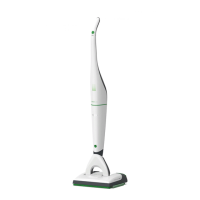
The SP600 is making unusual
noises.
It is possible that the device has not been closed cor-
rectly or that the cloth holder has not been mounted
correctly.
• Check whether the inspection flap is closed correct-
ly and close it if not.
• Check the cloth holder is correctly inserted and the
green latch is engaged.
It is possible that the tank is not correctly installed.
• Switch off the vacuum cleaner.
• Install the tank as described in the chapter “Remov-
ing, filling and inserting the tank” on page 57.
• Then switch the vacuum cleaner back on again.
The secondary air flap does not
close/does not remain closed.
It is possible that the holding magnet is dirty.
• Switch off the vacuum cleaner.
• Clean the surface of the magnet.
It is possible that the suction channel is still wet.
• Switch off the vacuum cleaner.
• Using a kitchen towel, dry the area of the suction
channel that is exposed by the inspection flap.
• Let the suction channel dry before continuing.
The SP600 is swivelling
excessively.
The cleaning cloth is not fixed properly.
• Check whether the cleaning cloth is straight and
firmly fixed on the cloth holder.
• Check whether the green nose of the cleaning cloth
has been correctly and fully pushed in.
The cloth holder is not inserted correctly.
• Check whether the cloth holder has attached itself
correctly to the SP600.
It is possible that original cleaning cloths were not
used.
• Only use original Kobold cleaning cloths.
• Use the Kobold MF600 Universal cleaning cloth on
rough surfaces.


 To Next Page