Troubleshooting108 109
Fault Possible causes and rectification
The SP600 causes streaks/marks on
the floor.
It is possible that the sealing lip frames are dirty and
jammed.
• Remove the front sealing lip frame as described in
the chapter “4.4.1 Checking and cleaning the seal-
ing lip frames” on page 96.
It is possible that the cleaning cloth is soiled exces-
sively.
• Change the cleaning cloth as described in the chap-
ter “Removing and replacing the Kobold MF600
cleaning cloth” on page 68.
The vacuuming result of the
SP600 is insufficient.
It is possible that the sealing lip frames are dirty and
jammed.
• Remove and clean the sealing lip frames as de-
scribed in the chapter “4.4.1 Checking and cleaning
the sealing lip frames” on page 96.
• Also check whether the suction openings between
the sealing lips are clear from underneath. If neces-
sary, shake out any objects inside.
It is possible that the cleaning cloth has been fixed in
a diagonal position on the cloth holder and collides
with the sealing lip frames.
• Check whether the cleaning cloth is evenly fixed on
the cloth holder.
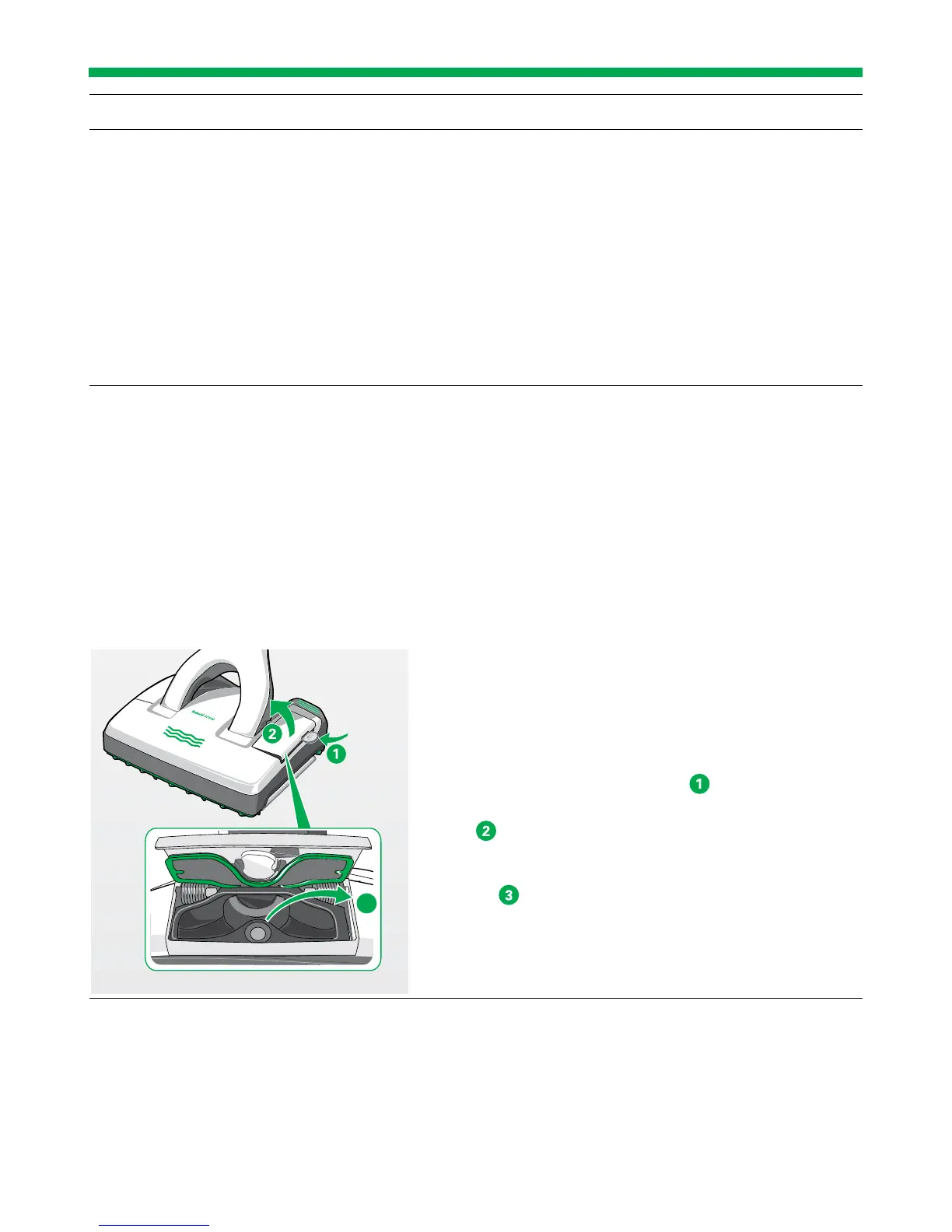
It is possible that the suction channel is blocked.
• Open the inspection flap on the left hand side of the
SP600 to clear any blockages. This can be done by
inserting a coin into the groove
.
The magnetic latch on the inspection flap comes
open . You can now clearly see inside the suction
channel.
• Remove any objects that are blocking the suction
channel . To do this, use an appropriate object
(e.g. screwdriver, crochet needle).
• Close the inspection flap again by pressing it shut.
The magnetic latch on the inspection flap will click
into place and it is now firmly closed.
3


 To Next Page