Fault Possible causes and rectification
Stain removal is insufficient. It is possible that the cleaning cloth is soiled exces-
sively.
• Change the cleaning cloth as described in the chap-
ter “Cleaning the Kobold MF600 cleaning cloths” on
page 69.
It is possible that the cleaning cloth is too dry.
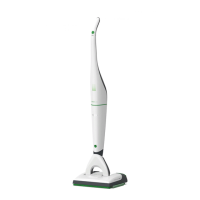
• Check the LED wave symbol on the SP600.
If they are lit up yellow, you need to fill the tank as
described in the chapter “Removing, filling and in-
serting the tank” on page 57.
• Apply moisture to the cleaning cloth using the func-
tion key as described in the chapter “Single applica-
tion of moisture to a dry cloth” on page 63.
• You can also increase the moisture setting, if re-
quired, using the function key as described in the
chapter “3.4.8 Automatic application of moisture
and dry mode” on page 61.
After cleaning, the floor looks
tarnished.
It is possible that there are residual quantities of old
care products and cleaning agents on the floor.
• First let the floor dry completely and, if there is still
no change, use a dry cloth to remove the residual
layer of polish.
• Alternatively, use the MF600 Dry cleaning cloth to
remove any residual quantities of old care products
and cleaning agents.
• Repeat the cleaning process, and change the cloth if
required until it improves.
• If there is no improvement, carry out a thorough
clean of the floor before continuing to work with the
SP600.
The moisture film is uneven. It is possible that the tank is empty.
• Check the LED waves on the SP600. If they are lit
up yellow, you need to fill the tank as described in
the chapter “Removing, filling and inserting the
tank” on page 57.
• Moisten the cleaning cloth by pressing the function
key as described in the chapter “3.4.8 Automatic ap-
plication of moisture and dry mode” on page 61
before continuing.


 To Next Page