Chapter 5 CVS-842/852/843
Basic Operation Operation Manual
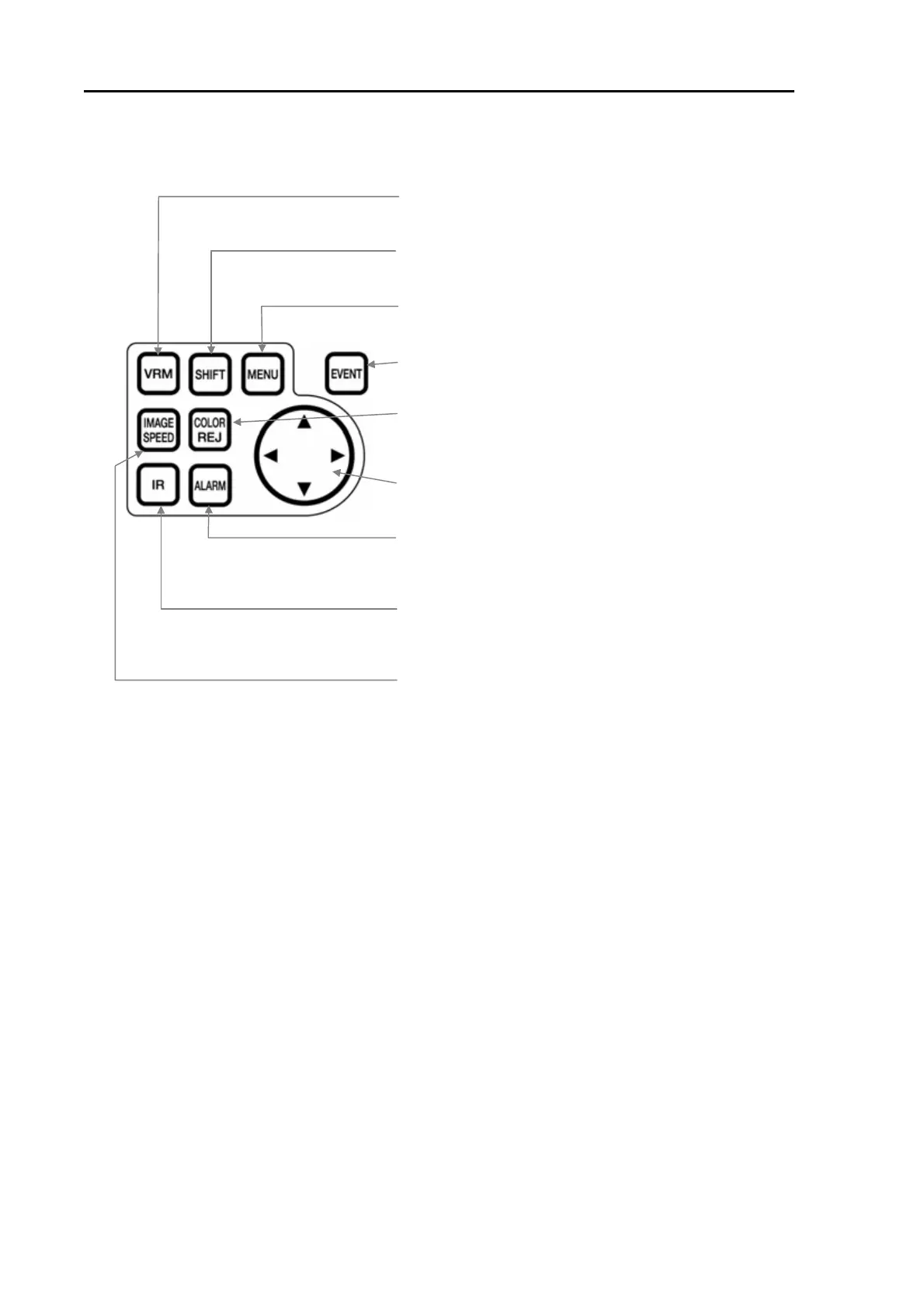
VRM key:
Turns on or off VRM. It also selects the VRM mode.
SHIFT key:
Turns on or off the image shift mode.
MENU KEY:
Turns on or off the menu display.
EVENT key:
Registers or updates the Event.
COLOR REJECTION key:
Selects the setting of Color Rejection function.
Four way arrow key:
Selects or sets up the menu items, etc.
ALARM key:
Turns on or off the Alarm. This key is also used to select
the alarm setting.
IR key:
Turns on or off the IR (Interference Reject) effect.This
key is also used to select the IR setting.
IMAGE SPEED key:
Selects the image speed.
Figure 5.2 Details of operating key switches
5-2 93132692-00



 To Next Page