Chapter 5 CVS-842/852/843
Basic Operation Operation Manual
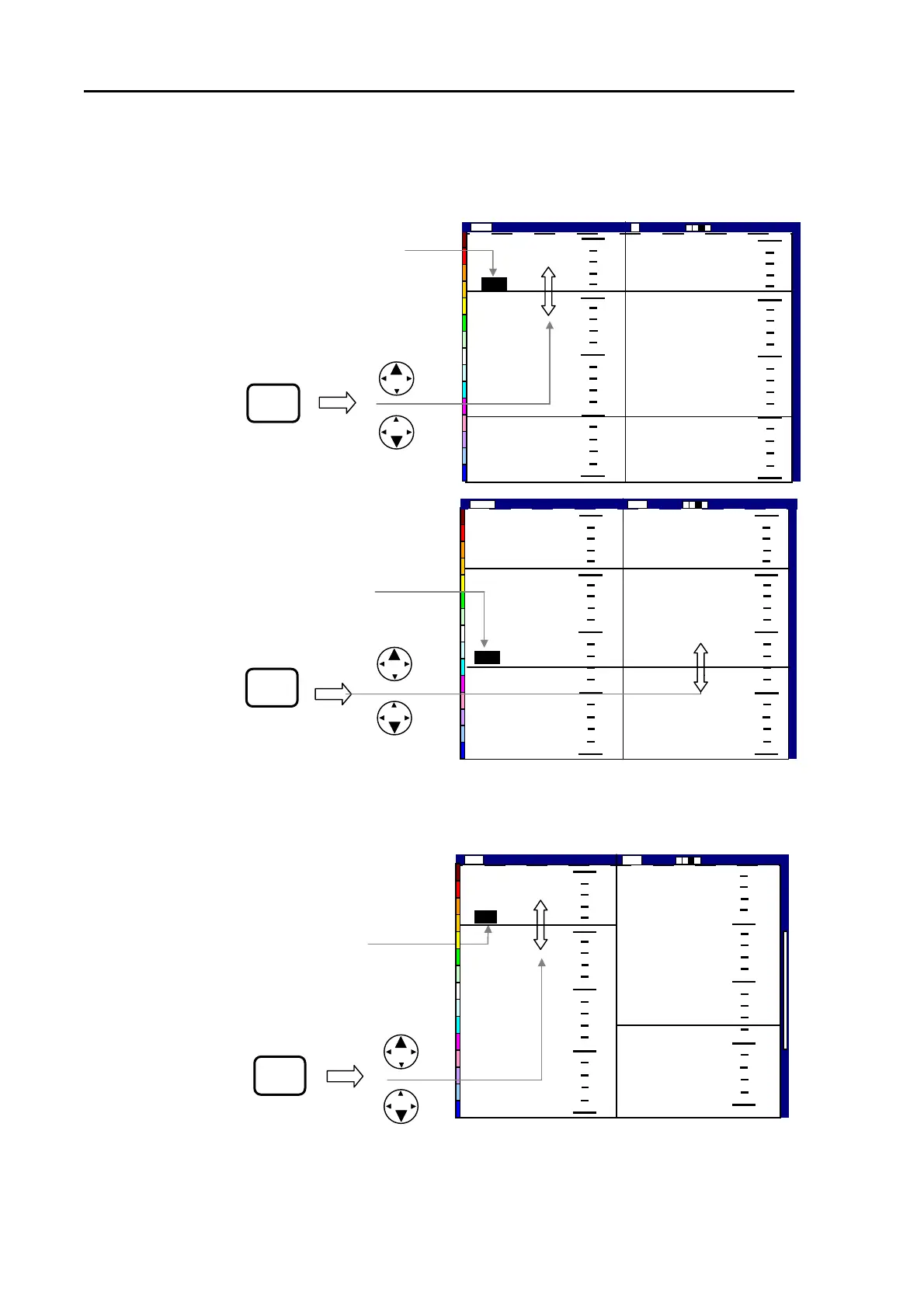
5.4.2 Using the VRM in Dual Image mode
5.4.2.1 Vertical split screen, Dual Frequency mode
(1) Press the VRM key. The last active VRM
digital display will be highlighted.
(2) Press the UP or DOWN cursor key to move
the VRM up or down. The VRM depth will be
shown in the VRM digital window.
(3) To change the VRM control from one to the
other, press the VRM key while the VRM digital
display is highlighted. The highlighted digital
display changes to active VRM.
、
5.4.2.2 Vertical split screen, NORM/ZOOM image mode
(1) Press the VRM key. The last active
VRM digital display will be highlighted.
(2) Press the UP or DOWN cursor key
to move the VRM up or down. The
VRM depth will be shown in the
VRM digital window.
VRM
VRM
Figure 5.19 Operating the VRM in Vertical Split, Dual Frequency mode
0
50
100
150
200
0
50
100
150
200
130
0
50
100
150
200
43
2001/05/23(Wed)
Image Speed 1/1
14:22:56
Shift
000 0
High
Low
43
130
0
50
100
150
200
L
000 0
Shift Image Speed 1/1
2001/05/23(Wed)
14:22:56
High
0
50
100
150
200
43
130
50
75
100
125
150
2001/05/23(We
Image Speed 1/1
14:22:56
Shift
000 0
ZM High
VRM
Figure 5.20 Operating the VRM in Vertical Split, NORM/ZOOM image mode (1)
5-14 93132692-00



 To Next Page