CVS-842/852/843 Chapter 6
Operation Manual Using the Menus
Selection: A、B、C
A: Comparison
B: Subtraction
C: Selection
Initial setting: A
6.5.2.6 Flicker rejection
Rejects flicker on the screen while the screen is moving.
Selections: OFF and ON
Initial setting: ON
6.5.2.7 Past image
Enables gain control over past images shown on the screen. This feature allows the user to go back
and analyze ground that has already been covered in greater detail including density of fish school,
activity and even type of fish.
Selection: OFF and ON
Initial setting: OFF
6.6 Display
6.6.1 A Scope
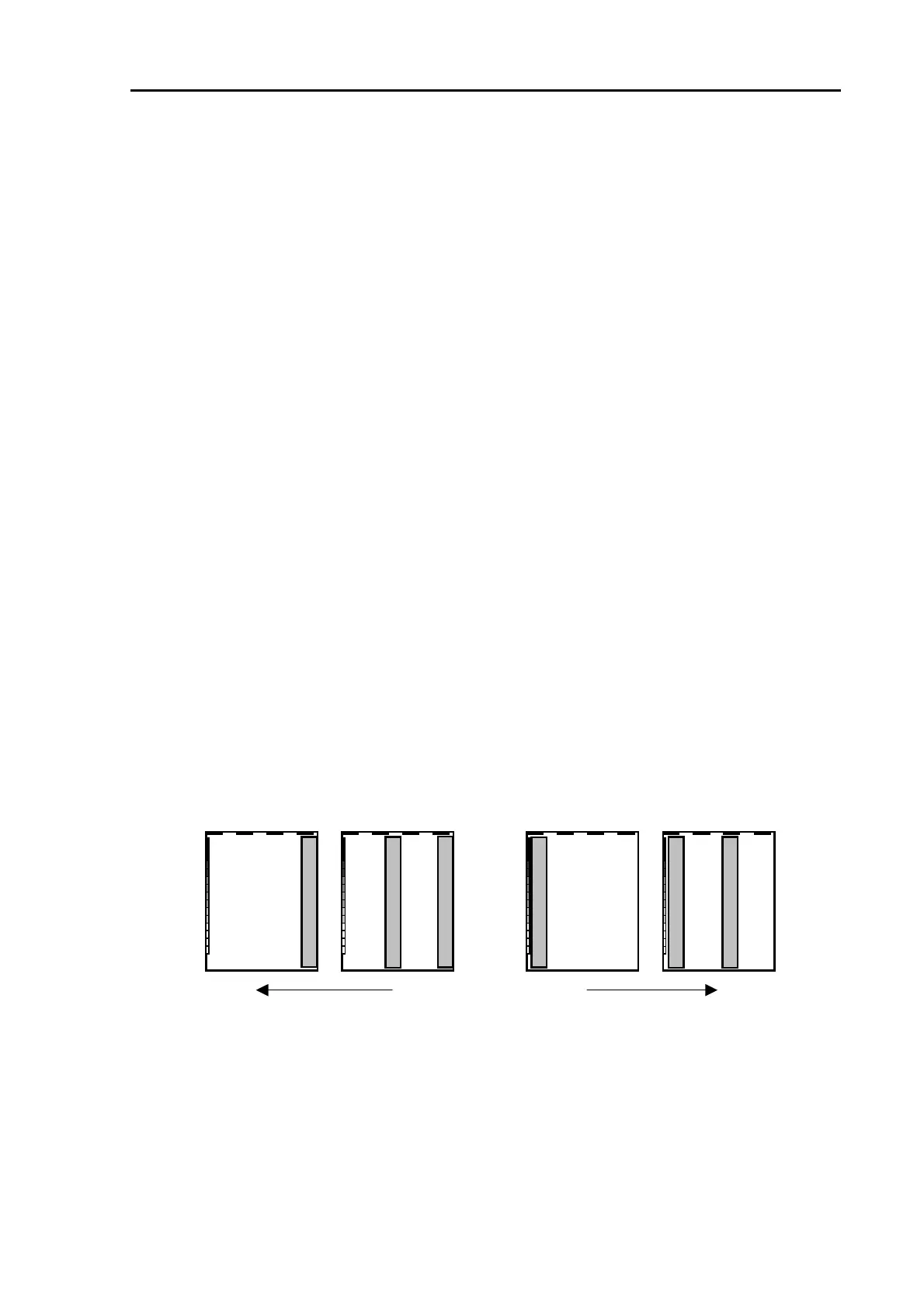
The A-Scope feature allows you to observe the wave shape of a fish echo, which may assist in
discerning the characteristics type of the school of fish
Selections: ON、OFF
Initial setting: OFF
Dual Display
Single Display
Dual Display
Single Display
Ima
e feed direction
Ima
e feed
Figure 6.9 Position of the A-Scope display
6.6.2 Information Window
Displays a digital window in which the following information is shown: Own Ship’s position, Event
position, water temperature and ship’s speed.
Selections: ON、OFF
Initial setting: OFF
0093132692-05 6-9



 To Next Page