CVS-842/852/843 Chapter 5
Operation Manual Basic Operation
5.4 Operating the VRM
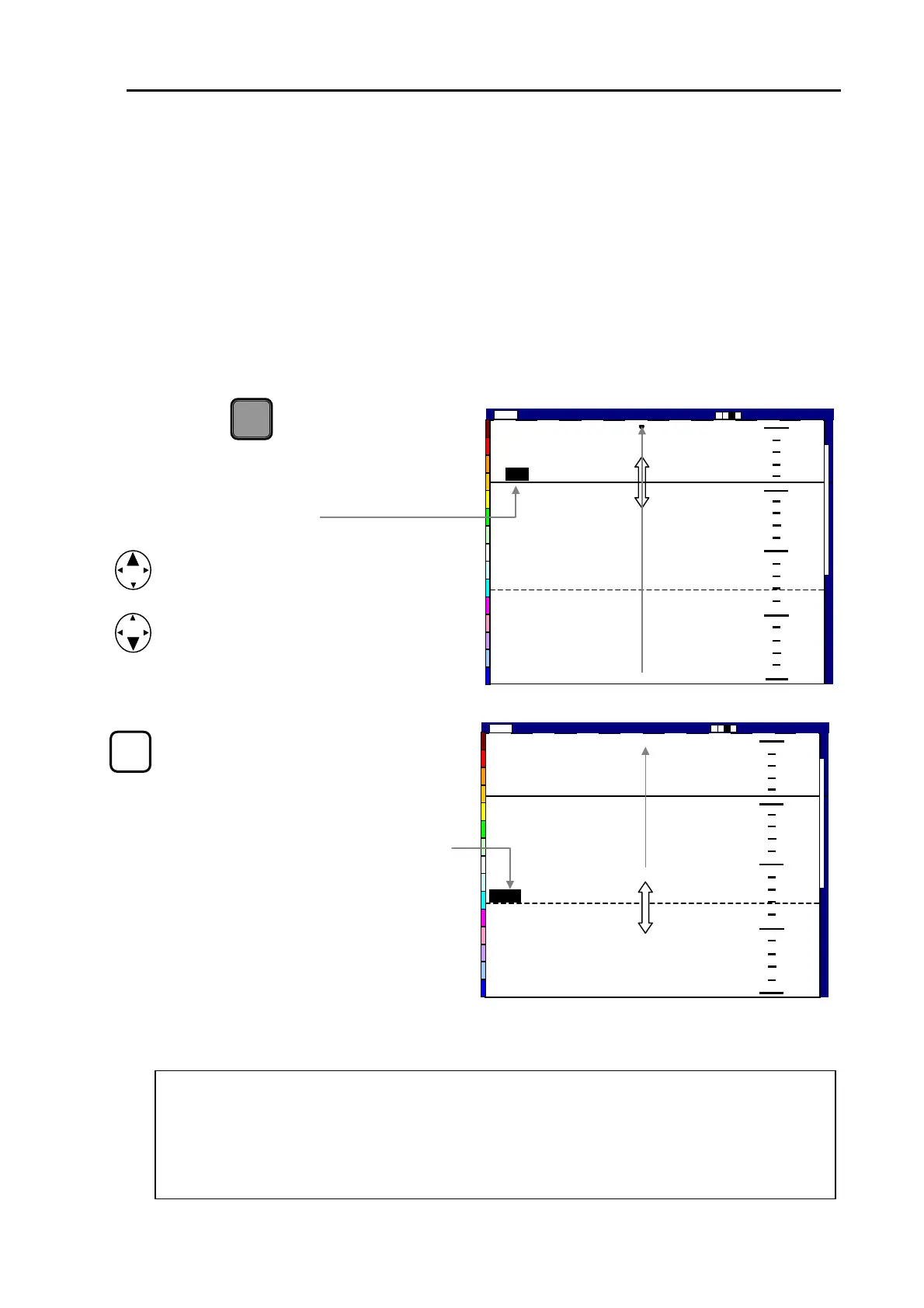
The VRM (Variable Range Marker) is a moveable depth marker shown as a line across the display,
which is used to measure the depth of objects in high accuracy. The VRM may be shown in green or
yellow, i.e. green VRM for setting the zoom starting depth and yellow for normal VRM.
5.4.1 Using the VRM in NORMAL mode
(1) Press the key. The digital
VRM display previously activated is
VRM
shown highlighted (black letters with
gray background)
(2) Move the UP or DOWN key to move
the VRM up or down.
NOTE: The VRM can be moved only
when the VRM digit display is highlighted.
(3) To change the VRM control from one
to the other, press the VRM key while
the VRM digital display is highlighted.
The highlighted digital display is also
changed from one to the other.
200
Image Speed 1/1
43
130
0
50
100
150
0000
Shift
14:22:56
2001/05/23(Wed)
High
Shift
000 0
150
100
50
0
200
Image Speed 1/1
130
43
2001/05/23 (Wed)
14:22:56
High
VRM
Figure 5.18 Operating the VRM
NOTE: After 5 seconds if the VRM is not operated, the VRM digital display returns to be
non-highlited, causing the VRM inoperative. To resume the VRM operation, press the VRM ke
again. The last activated VRM will be made available. (The above example shows a VR
marked with 130 available)
93132692-00 5-13



 To Next Page