CVS-842/852/843 Chapter 5
Operation Manual Basic Operation
5.10 Operating the EVENT key
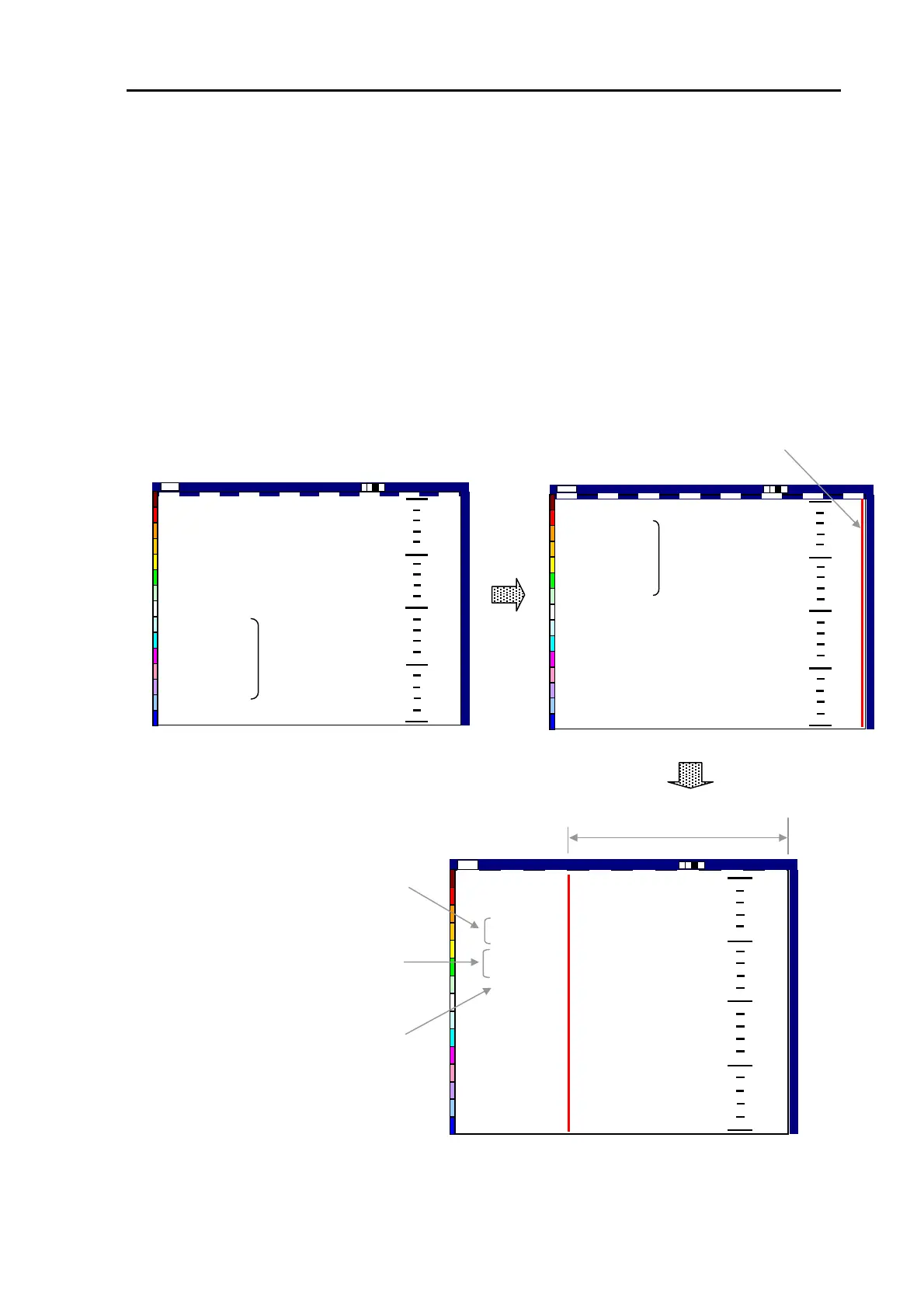
The EVENT key is used to mark ship’s position instantly, useful for storing the position of an event
such as a man-overboard accident, a dense fish-echo sounding, etc. To use this function, simply press
the EVENT key switch. The EVENT information will be shown in the upper left corner of the screen
that include the following:
(1) Ship’s position in latitude and longitude
(2) Bearing and distance to the EVENT mark from own ship
(3) Time elapsed from when the EVENT was marked
Subsequent pressing of the EVENT key will update the above information.
When the EVENT key is pressed, a red line
appears here to mark up the event.
35°36.115N
139°43.782E
0.0nm
0.0°
00h00m
0
50
100
150
200
High
2001/05/23(Wed)
Image Speed 1/1
14:22:56
Shift
000 0
EVENT information
is shown here
35°36.115N
139°43.782E
25.2℃
21.5Kt
315.0°
High
2001/05/23 (Wed) Image Speed 1/1
14:22:56
Shift
000 0
0
50
100
150
200
35°36.115N
139°43.782E
25.2℃
21.5Kt
315.0°
Current nav information
is shown here
The time elapsed from when the
EVENT key was pressed.
Time elapsed from when the
EVENT is marked
Bearing and distance to the
EVENT mark from own ship
35°36.115N
139°43.782E
1.4nm
135.0°
00h38m
0
50
100
150
200
35°37.075N
139°44.742E
25.2℃
21.5Kt
315.0°
High
2001/05/23(Wed)
15:00:56 Shift
000 0
Image Speed 1/1
The latitude and longitude o
the EVENT position
Figure 5.37 The Event display
93132692-00 5-25



 To Next Page