CVS-842/852/843 Chapter 6
Operation Manual Using the Menus
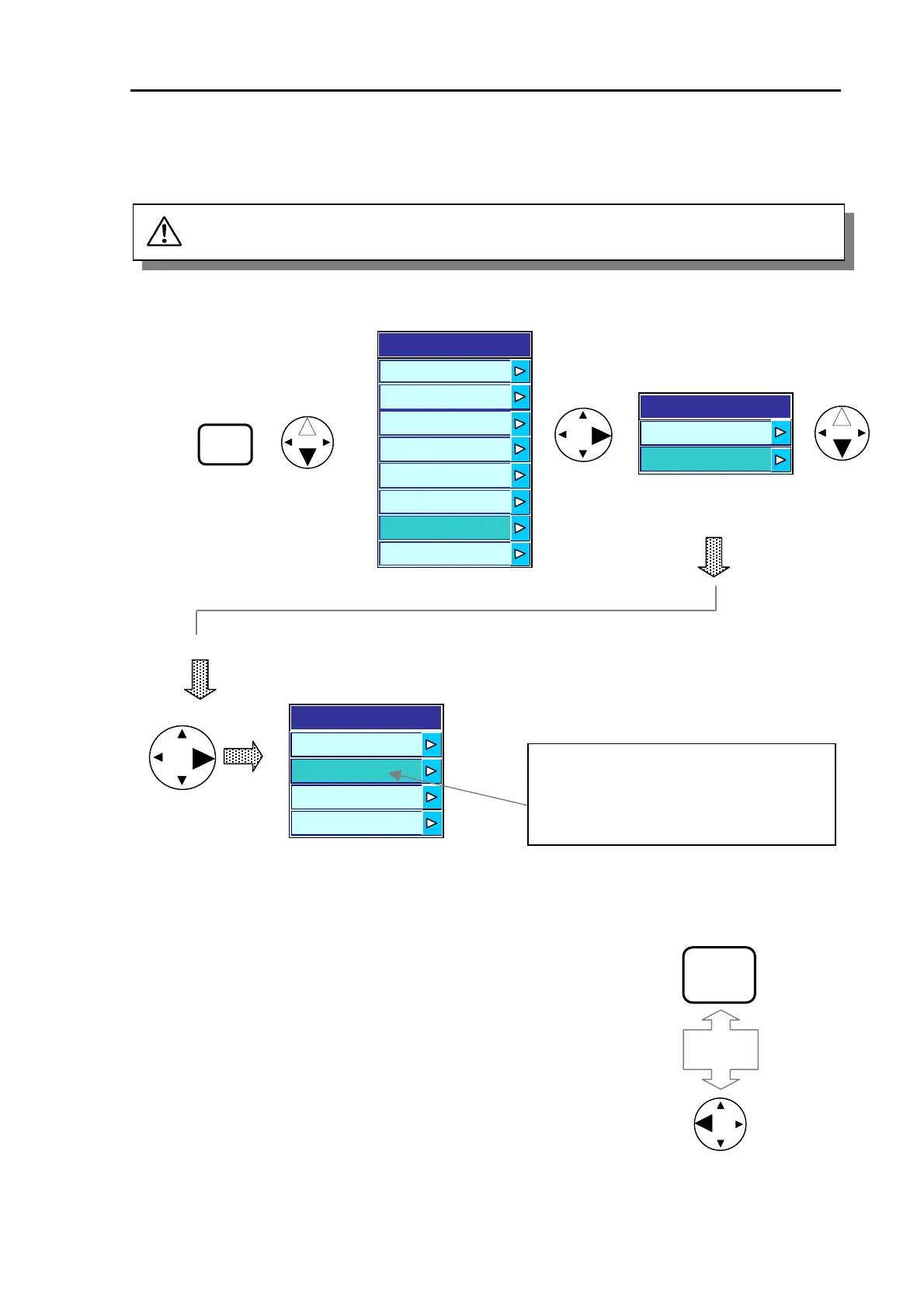
6.3 Confirming the factory initial settings
CAUTION: The unit has been set to factory initial settings. Before operating the unit, confirm
their settings by using the following procedure.
Initialize
User Settings
Factory Set
MENU
Press the MENU key and
then press the up o
down arrow key to selec
INITIALIZE.
Display
Auto
System
Customize
Initialize
Simulator
The item highlighted is the factory initial
setting. For detail of the settings, refer to
Para 11.1, “Factory Initial setting list”.
4
3
2
1
Factory Set
Image
Transmission
Menu
Figure 6.4 Selecting the factory settings
MENU
To exit from the menu, press the MENU key or the left arrow key 3 times.
Or
0093132692-05 6-3



 To Next Page