CVS-842/852/843 Chapter 6
Operation Manual Using the Menus
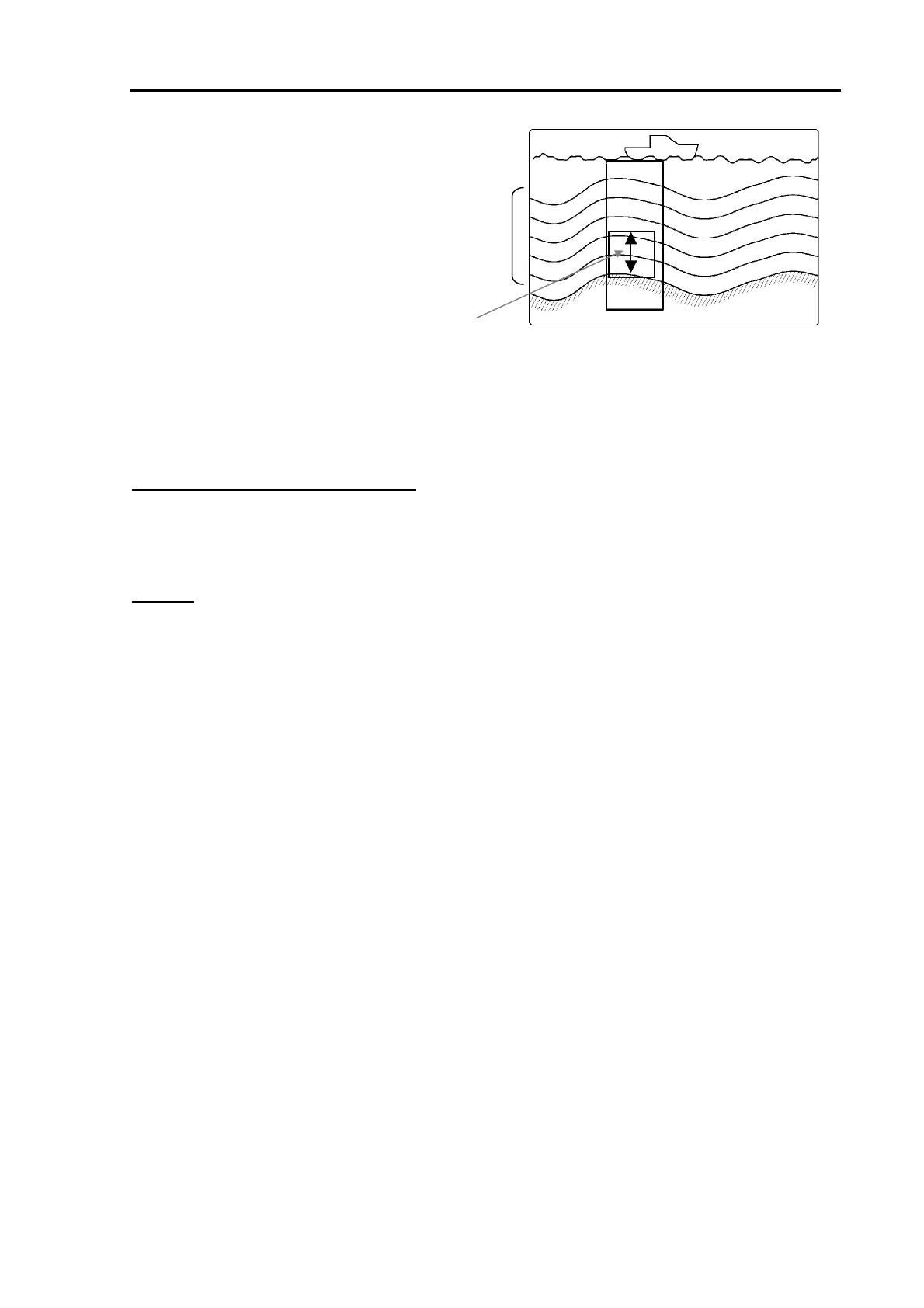
B.Z (Bottom Zoom)
Bottom image can be zoomed with reference to the
seabed. Equally spaced depth markers are shown
Zoomed range
Depth markers
in a solid line.
Selections: BTM, BD, ZOOM, B.Z.
Initial setting: BTM
Zoom range
Refer to Para. 7.2.3 for detail.
Figure 6.13 B.Z image display
6.6.4 Zoom range
Selects the zooming range of a zoomed mode, BTM, BD, ZOOM and B.Z. Available zoom ranges
differ according to the depth unit selected.
Selections:
For meter, hiro, fathom, Italian fathom:
2.5、5、7.5, 10、15、20、25、30、35、40、45、50、55、60、65、70、80, 90, 100, 110, 120, 130, 140, 150, 160,
180, 200
Initial setting: 2.5
For feet:
10, 15, 20、30, 40、50, 60、80、100、120、140、160、180、200、220、240、260、280、300、320, 360, 400, 450,
500, 550, 600, 650
Initial setting: 5
6.6.5 User settings, USER 1 – User 2
User specific settings can be allocated to USER 1 and USER 2 functions. The following image mode
can be allocated to these functions:
Selections:
H/MIX、L/MIX、H/L/MIX、H/EN、L/EN、H/BTM/L/BTM, H/B.D./LB.D., H/ZOOM/L/ZOOM, H/B.Z/L/B.Z
Initial setting:
USER 1: H/BTM L/BTM, USER 2: H/BD L/BD, USER
Refer to Para. 7.2.1 for detail.
6.6.6 User settings, USER 3
Assign a 3-screen mode of display from the selection to the USER 3 position.
Selections:
H(1)/H(2)/L, H(2)/H(1)/L, L/H(1)/H(2), L/H(2)/H(1), H(1)/L/H(2), H(2)/L/H(1)
Initial setting: H(1)/H(2)/L
Refer to Para. 7.2.2 for detail.
0093132692-05 6-11



 To Next Page