CVS-842/852/843 Chapter 5
Operation Manual Basic Operation
93132692-00 5-5
5.1.2 Image display
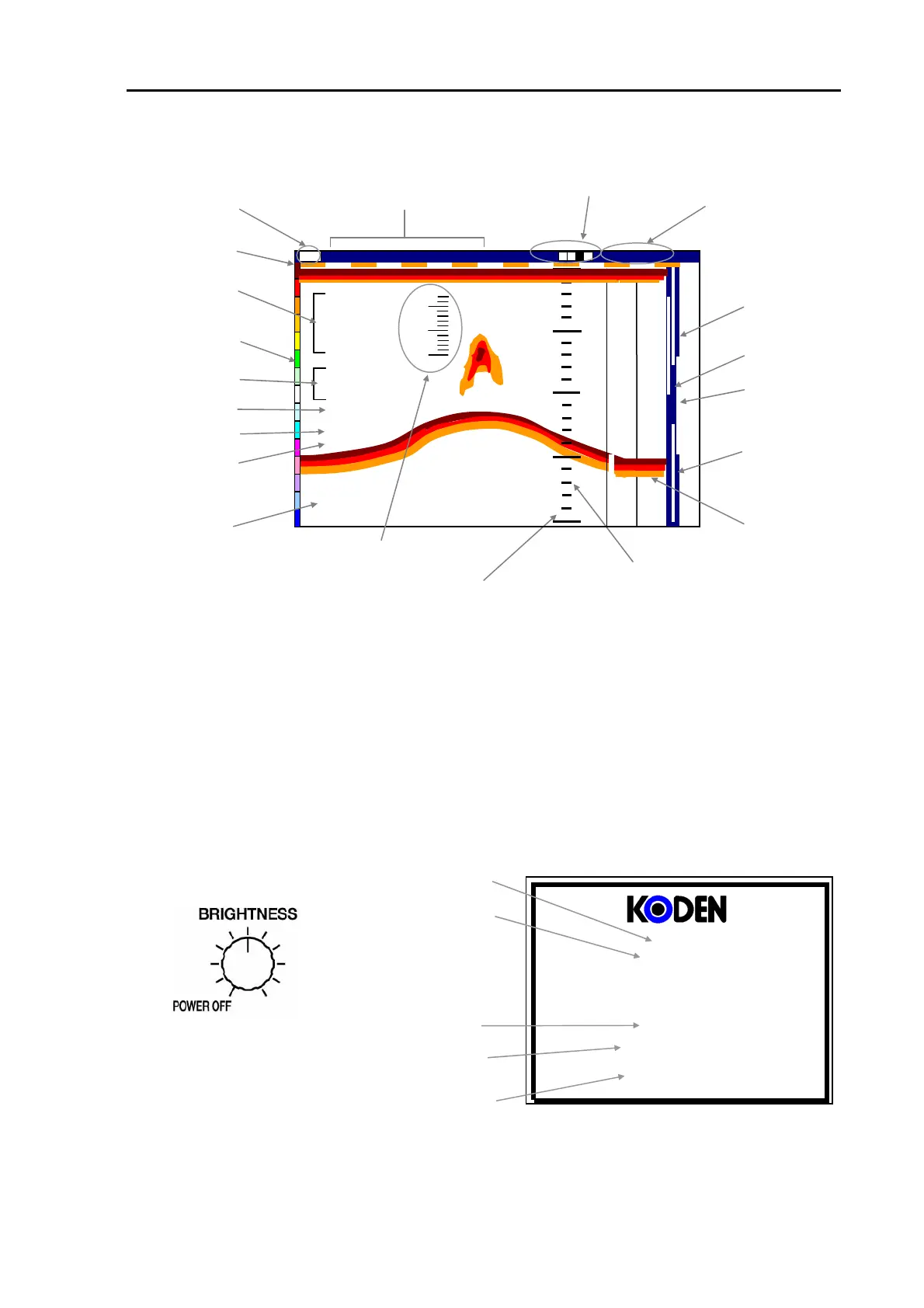
Figure 5.5 An example of image display shown on the screen
5.2 Getting started
5.2.1 Turning on
(1) Turn the BRIGHTNESS control to the right until it clicks.
(2) Turn the control gradually to the right until the image brightness becomes an appropriate level.
(3) In a few seconds the following initial display appears showing the sounder type name, status of
the transducer connections, depth unit, battery status and the result of the system check.
(4) To switch off the unit, turn the control to the left until it clicks.
Sounder Type name
Software type
Depth unit
Battery status
Result of the system check
Figure 5.6 Starting up control and display
CVS-***
KMC-** Ver *.*
Depth Unit: m
Battery OK
System Check OK
Water Temperature
Zoom range bar
Alarm range bar (Fish)
Ship’s bearing
Alarm Mark (Depth)
Event display
0000
Image speed
Shift position (depth)
Date, Day, Time
Image Mode
Present position
Ship’s speed
Depth display
Color pattern
Depth Scale
Scale display
A Scope image
Time mark
Temperature graph
150
50
100
1
1
5
5
0
0
200
30
20
25
Shift
35
o
37.075N
189
o
44.742E
1.2nm
315.0
o
21h39m
35
o
37.075N
189
o
44.742E
25.2
o
C
21.5Kt
315.0
o
2002/02/13(Wed)
14:22:56
High
000 0
Image Speed 1/1
Alarm Mark (Depth)
(NOTE:CVS-843 has no Year,
Month,Day,a Day of the Week displays)



 To Next Page