CVS-842/852/843 Chapter 7
Operation Manual Functional Registration
93132692-00 7-3
(8) Repeat the above procedures to register other depth ranges to each range number.
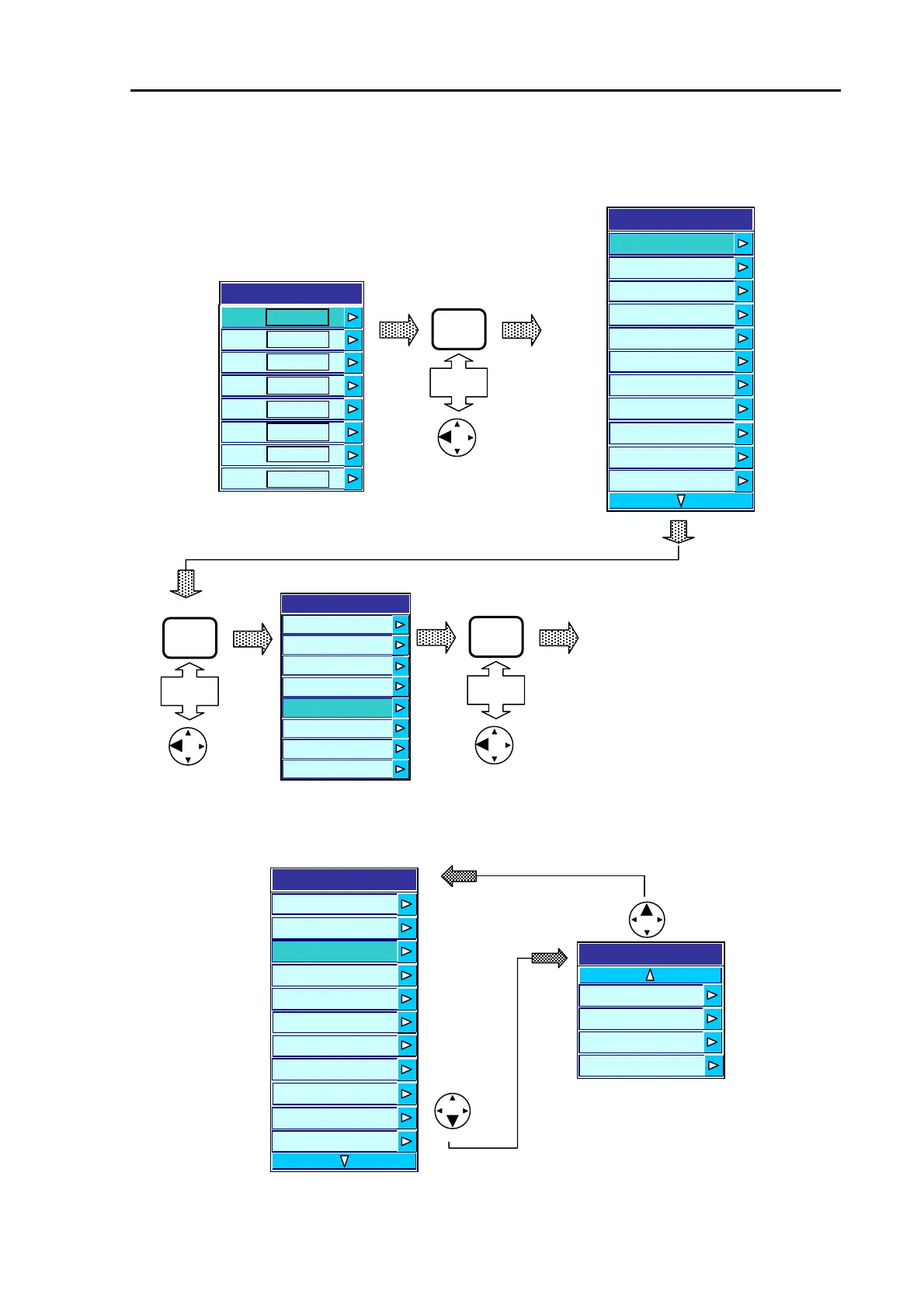
(9) To exit from the menu press the MENU key or the left arrow key in the following sequence.
The SYSTEM menu has 2 pages of the sub menu, each one can be selected by pressing the down or
up arrow key.
MENU
Or
Exiting from the Menu
MENU
Or
MENU
Or
Return to the first page
sub menu
Sub menu 2
2
1
Depth Range Preset
3
4
5
6
7
8
20
50
80
100
120
150
200
15
Menu
Transmission
Image
Display
Auto
System
Customize
Initialize
Simulator
Sub menu 1
Water Temp Data EXT
EXT Trig Type OFF
Language English
System
Speed Data EXT
WT Temp Data EXT
EXT Trigger Type OFF
Figure 7.4 Scrolling the SYSTEM menu
Figure 7.4 Exiting the menu
S
stem
Time
De
th Unit M
Depth Range Preset
Draft Setting 0.0
Bottom Start 5.0
Bottom Detection
Adjust
Depth Measurement Auto
Sonic Correction 0%
Boat Speed
Correction
0.0
o
om
e
ec
on
ns
e
Range
Water Temp
Correction
0.0
S
stem
Time
De
th Unit M
Depth Range Preset
Draft Setting 0.0
Bottom Start 5.0
Bottom Detection
Adjust
Depth Measurement Auto
Sonic Correction 0%
Boat Speed
Correction
0.0
o
om
e
ec
on
ns
e
Range
Water Temp
Correction
0.0



 To Next Page