Chapter 5 CVS-842/852/843
Basic Operation Operation Manual
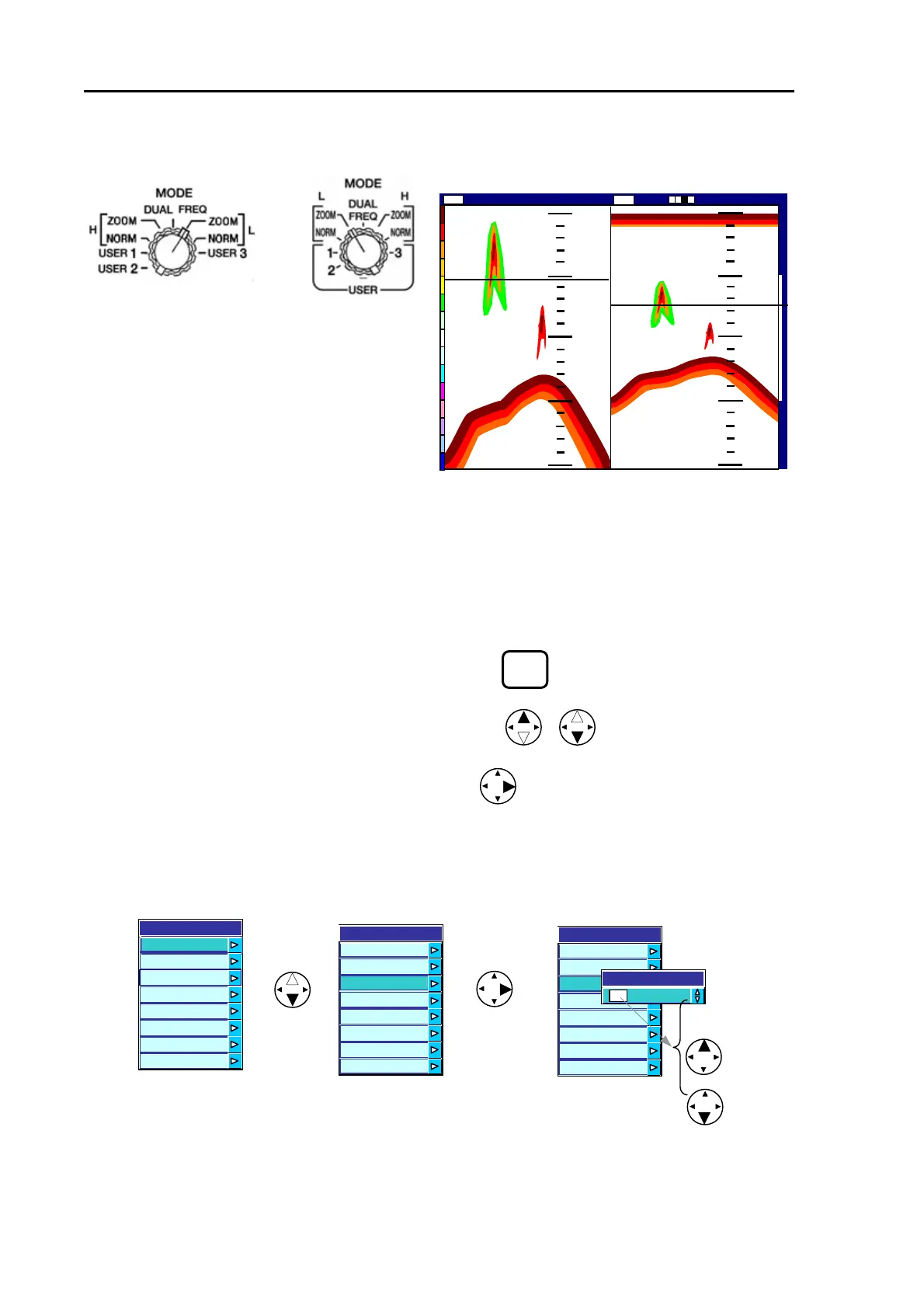
5.3.3 Displaying Low Frequency NORM/ZOOM image
CVS-842/852 CVS-843
Figure 5.15 Low Frequency NORM/ZOOM image
5.3.4 Common key operations
All menu driven functions can be operated using the MENU key and four way arrow keys. Operating
procedure are common to all functions, which are as follows:
(1) Press the MENU key to show the main menu list.
(2) Press the up or down arrow key to select a menu item.
(3) Press the right arrow key to select the sub menu.
(4) Press the up or down arrow key to select an item or set numeric values. The selected or entered
value will be fixed when you exit the menu.
Figure 5.16 Common key switch operation
MENU
(1) Select Low Frequency ZOOM mode.
(2) Zoomed Low Frequency image is
shown on the left and Normal Lo
Frequency image on the right on the
screen.
0
0
50
100
200
50
75
100
125
150
147
76
76
Low
2001/05/23(Wed)
Image Speed 1/1
14:22:56
Shift
000 0
ZM
Low Frequency
Zoomed image
Main menu
Low Frequency
Normal image
Entering numeric value
(5) To exit from the menu, press the MENU key until normal image is shown.
5-10 93132692-00



 To Next Page