CVS-842/852/843 Chapter 5
Basic Operation Operation Manual
93132692-00 5-23
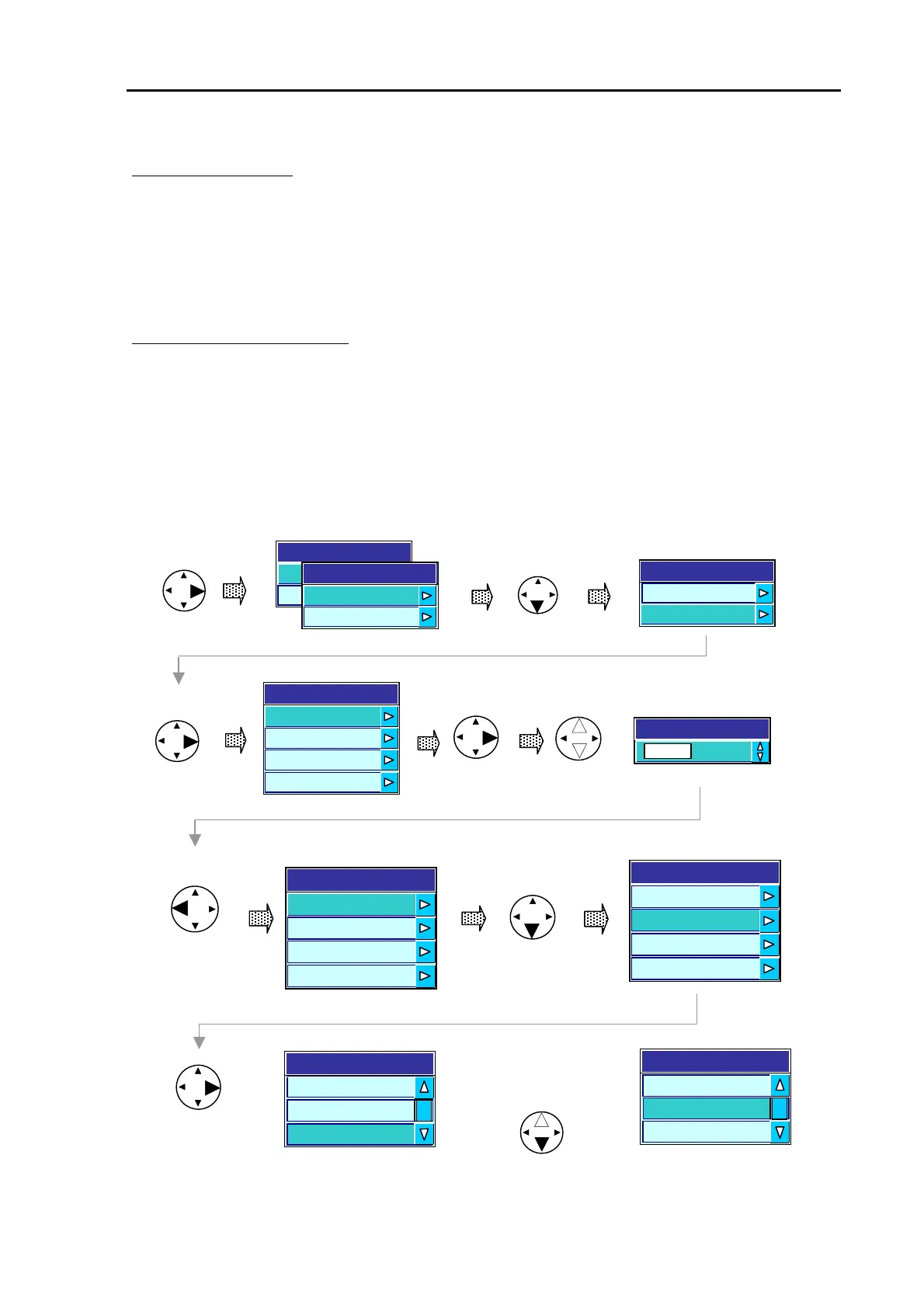
Setting the Alarm color:Alarm color:
(Assuming the main menu is shown)
(1) Press the up or down key to highlight ALARM COLOR.
(2) Press the right arrow key to select ALARM COLOR selection menu.
(3) Press the up or down arrow key to select the color.
Setting the Alarm Signal length:
(Assuming the main menu is shown)
(1) Press the up or down key to highlight ALARM SIGNAL COLOR.
(2) Press the right arrow key to select ALARM SIGNAL LENGTH selection menu.
(3) Press the up or down arrow key to select the length.
To exit these menus from the bottom line, press the left arrow key four times or, press the MENU key
twice.
Alarm
De
t Offh警報
Fish
ON
OFF
Fish Alarm
ON
OFF
Fish Alarm
Selects the Lower Alarm menu
Fi
h Al
rm
larm Color
Alarm Sig Length L
Return to an upper menu
Fish Alarm
larm Hi
h 80
larm Low 100
Alarm Color
Alarm Sig. Length L
Fish Alarm
Alarm High 80
Alarm Low 100
Alarm Color
Alarm Sig. Length L
Select the Fish Alarm
length.
(Mid length is selected in
this example.
Long
Middle
Alarm Signal Length
Short
Long
Alarm Signal Length
Short
Middle
Alarm High 50
Alarm Low 100
Sets the Upper Alarm value.
Alarm High
80
Figure 5.35 Setting the Fish Alarm – Alarm signal length



 To Next Page