CVS-842/852/843 Chapter 7
Operation Manual Functional Registration
93132692-00 7-7
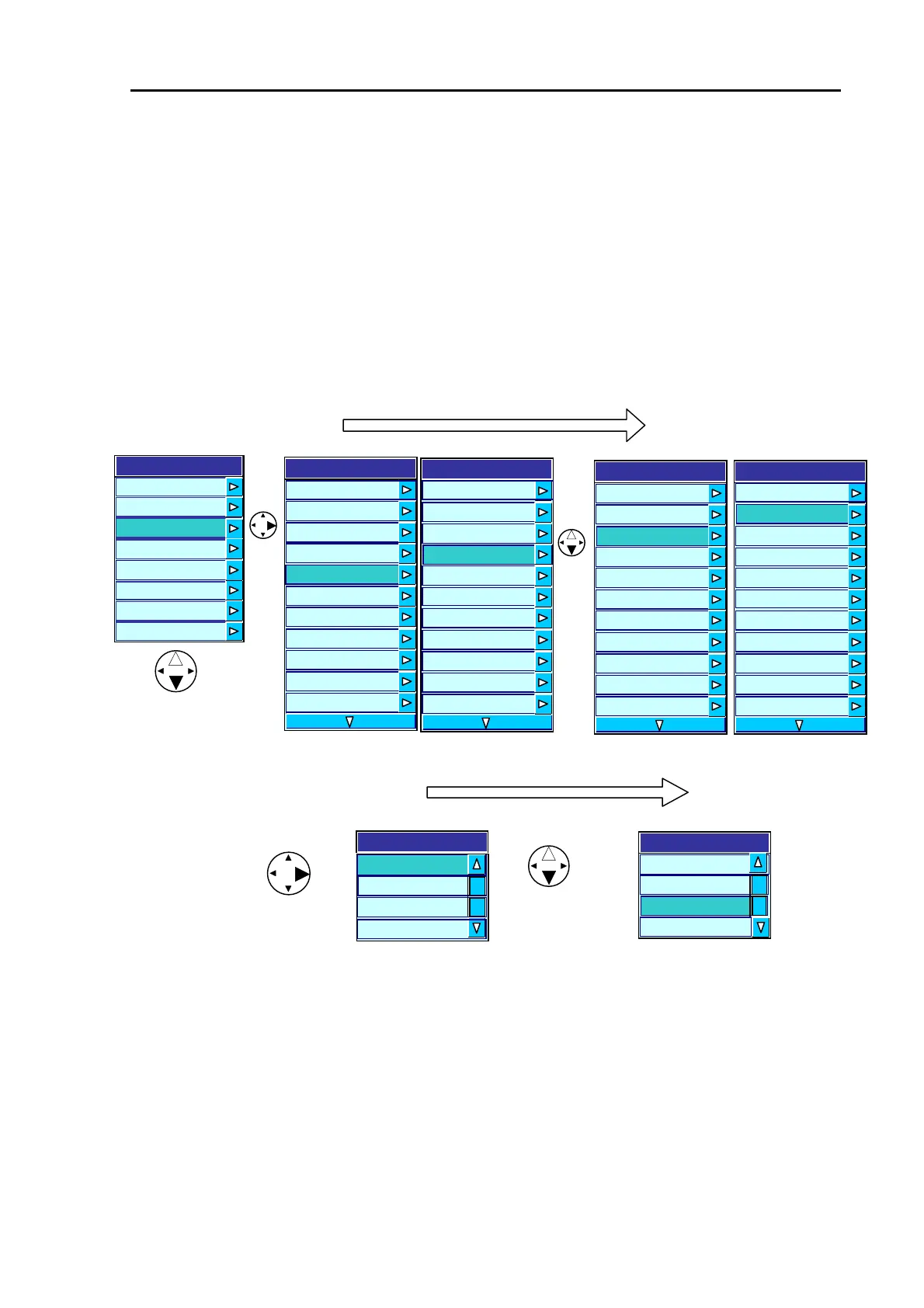
To select an item:
(1) Press the MENU key to display the main menu list.
(2) Press the up or down arrow key to highlight the Display item and press the right arrow key. The
Display Type sub menu will appear.
(4) Press the up or down arrow key to highlight Zoom Type and press the right arrow key. The Zoom
Type sub menu will appear.
(5) Press the up or down arrow key to highlight a Zoom Type (ZOOM is selected in this example).
Main Menu => Display => User 1 => Zoom Type
CVS-842/852 CVS-843 CVS-842/852 CVS-843
B.Z.
Zoom Type
BTM
BD
ZOOM
Menu
Transmit
Ima
e
Display
Auto
System
Customize
Initialize
Simulator
B.Z
Zoom Type
BTM
BD
ZOOM
Figure 7.8 Registering a ZOOM type
Sub menu 1
Display
A Scope
OFF
Information Window
OFF
Zoom T
e Bottom
Zoom Range
5.0
User 1 H FREQ/MIX
User 2 B.D
User 3 H(1)/H(2)/L
Depth Value Large
Depth Value Position Bottom
Scale Single
Scale Position Side
Display
A Scope
OFF
Scale Value Small
Zoom Type Bottom
Zoom Range
5.0
User 1 H FREQ/MIX
User 2 B.D
User 3 H(1)/H(2)/L
Depth Value Large
Depth Value Position Bottom
Scale Single
Scale Position Side
Sub menu 1
Display
A Scope
OFF
Information Window
OFF
Zoom T
e Bottom
Zoom Range
5.0
User 1 H FREQ/MIX
User 2 B.D
User 3 H(1)/H(2)/L
Depth Value Large
Depth Value Position Bottom
Scale Single
Scale Position Side
Display
A Scope
OFF
Scale Value Small
Zoom Type Bottom
Zoom Range
5.0
User 1 H FREQ/MIX
User 2 B.D
User 3 H(1)/H(2)/L
Depth Value Large
Depth Value Position Bottom
Scale Single
Scale Position Side



 To Next Page