7-8
Setup Mode
The Setup Editor
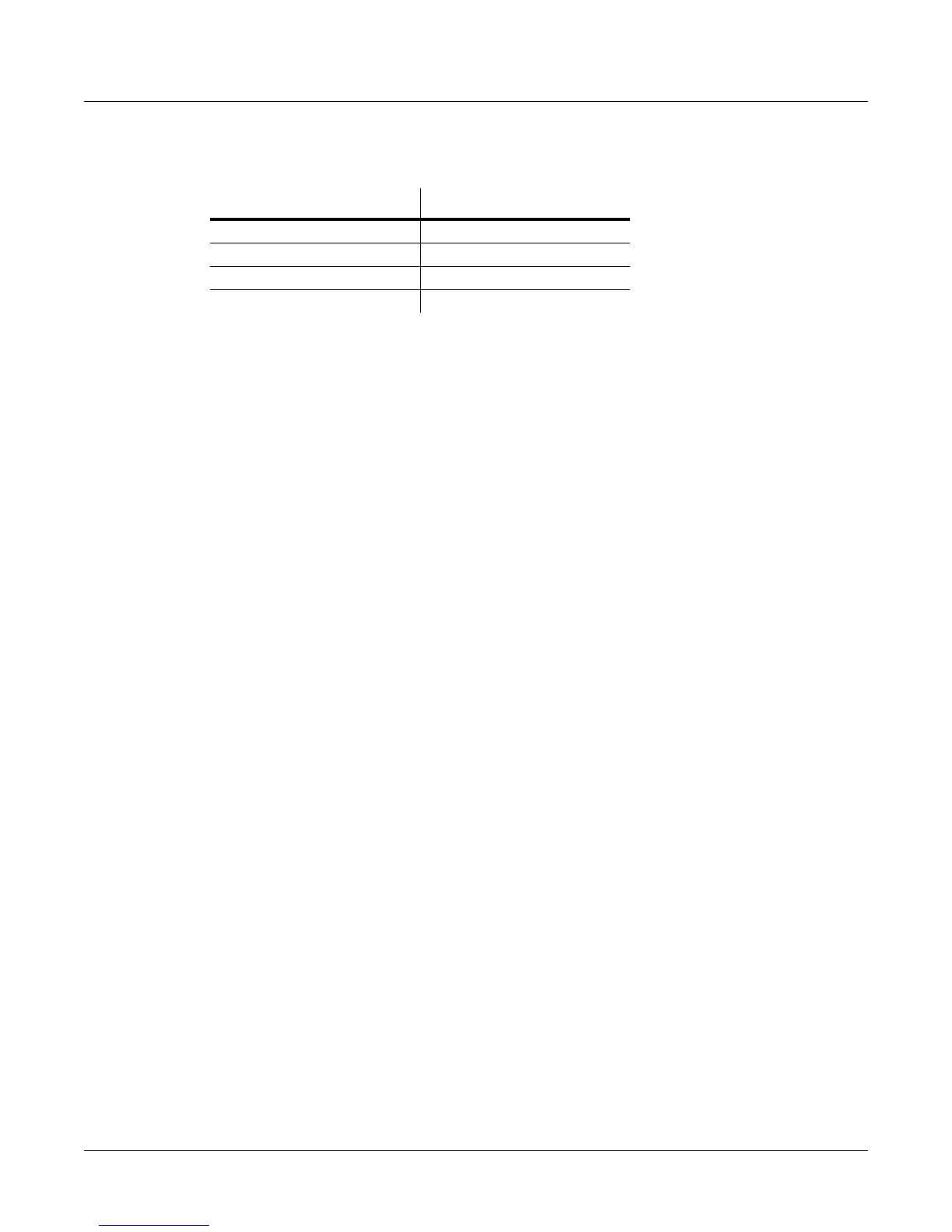
DifferentprogramsareaccessibledependingonthevalueoftheBankModeparameter:
Status
ThisparameterdetermineswhatthecurrentzonedoeswhenyouselectthesetupinSetup
mode.Mutedmeansthatthezonesendsandreceivesprogramchangesandentry/exitcontroller
values,butdoesn’tplaynotes.IfthevalueisActive,thezonesendsandreceivesnormallyvia
MIDI.Solocausesonly
thecurrentzonetoplay,“backgrounding”allotherzones
(backgroundedzonessendandreceiveprogramchangesandentry/exitcontrollervalues,but
don’tplaynotes).WithavalueofSolo+Muted,thecurrentzoneisbothsoloedandmuted;when
thezoneisn’tsoloed,itwon’tproducesound.)SeeSetControlsZone
Mutes
(MUTES) on page 7‐66forawaytoautomaticallysettheassignableswitchestomutezones.
Input Channel
InSetupmode,anexternalMIDIdevice(suchasakeyboardorsequencer)willplaynotesofa
singleprogrambydefault(iftheLocalKeyboardChannelparameterissettooff,seepage 9‐21
fordetails.)TheplayedprogramwillbeonaZonethathasaChannelparameter(on
theCH/
PROGpage)whichmatchesthechannelonwhichtheexternalMIDIdeviceistransmitting.(If
noZone’sChannelparametermatches,theexternaldevicewillplaynotesofthelastprogramthatwas
usingthatchannelinProgramModeorfromapreviouslyloadedSongorSetup.)
WhentheProgram
ofaSetupZoneisplayedfromanexternalMIDIdevice,SetupMIDI
parameters(mostnoticeablykeyrangeandtransposition)willnotbeapplied.Ifyouwantthese
parametersapplied,settheInputChannelparametertomatchthechannelonwhichthe
externalMIDIdeviceistransmitting.SeetheInput
ChannelSettingssectionbelowfordetailson
settinganInputChannel.(ToplaytheentireSetupfromanexternalMIDIdevice,seeLocalKeyboard
Channel(LocalKbdCh) on page 9‐21.)WhenLocalKeyboardChannelissettosomethingother
thanOff,theInputChannelparameterhasnoeffectandwillappearin
parentheses.
InputChannelbasicallyhasthesameeffectasLocalKeyboardChannel,exceptyoucanchoose
toplayonlyoneorsomeSetupZonesfromanexternaldevice,insteadofallZones.Toplay
morethanoneZonefromanexternaldevice,seteachdesiredZone’sInputChannelparameter
tomatch
thechannelonwhichtheexternalMIDIdeviceistransmitting.Itisalsopossibletouse
theInputChannelparametertousemultipleexternaldeviceswhicheachplayaspecificZone
orZones.FordetailsoncontrollingassignmentsmadetothePC3LE’sphysical controllers
(sliders,switches,modwheel,etc.)from
anexternalMIDIdevicewhenusinganInputChannel,
seeContinuousControllerMessagesFromExternalMIDIDevices on page 9‐22.
Input Channel Settings
WhensettingaMIDIchannelnumberfortheInputChannelparameter,channel1forexample,
youcanchoose1L+Mor1M(scrollpast16L+Mtoseeallthechoices.)
Achannelnumberwith
asettingofL+MindicatesthatthezonewillbeplayablefromthePC3LEkeyboard(LforLocal)
andfromtheexternalMIDIcontroller(MforMIDI.)AchannelnumberwithasettingofM
indicatesthatthezonewillbeplayableonlyfromtheexternalMIDI
controller,andnotfromthe
PC3LEkeyboard.YoucanalsochooseAnyL+MorAnyMfortheInputChannelsetting. Any
L+MandAnyMwillmakethezonereceiveMIDIonanychannelthatanexternaldeviceis
transmitting.Thisisusefulifyouareusingasingle
externalMIDIcontrollerandarenotsure
whichchannelitistransmittingon.
Value of BankMode Available Programs
Ctl 0 or Ctl 32 0 to 127
Ctl 0/32 0 to 127
K2600 0 to 99
None None






 To Next Page